Is Lusha the Right AI Prospecting Tool for You?
Take Our Quick Quiz to Find Out!
This Lusha Tutorials and Use Cases guide provides a comprehensive framework for transforming your sales process from a manual grind into a data-driven, high-efficiency engine. At Best AI Sales Software, our work focuses on tools in the AI Sales Prospecting & Intelligence category.
Lusha stands out as a leader in this space, leveraging powerful data aggregation and AI-powered insights to help you connect with qualified leads much faster.
This article combines step-by-step educational tutorials with practical, real-world implementation strategies, covering everything from initial setup and core prospecting workflows to advanced techniques like leveraging intent data and deep CRM integration.
Drawing on extensive experience, we provide professional tips, crucial warnings, and a clear methodology for measuring the Return on Investment (ROI). You will learn not just how to use Lusha, but how to integrate it seamlessly into your sales stack to build a scalable and predictable pipeline.
Given the financial implications of sales data, this guide adheres to strict YMYL (Your Money or Your Life) standards, focusing on data security, accuracy, and transparent risk assessment.
Key Takeaways
- Immediate Time-to-Value: A new user can install the Lusha browser extension and find a prospect's verified contact details on LinkedIn in under 5 minutes. This provides an instant and tangible benefit.
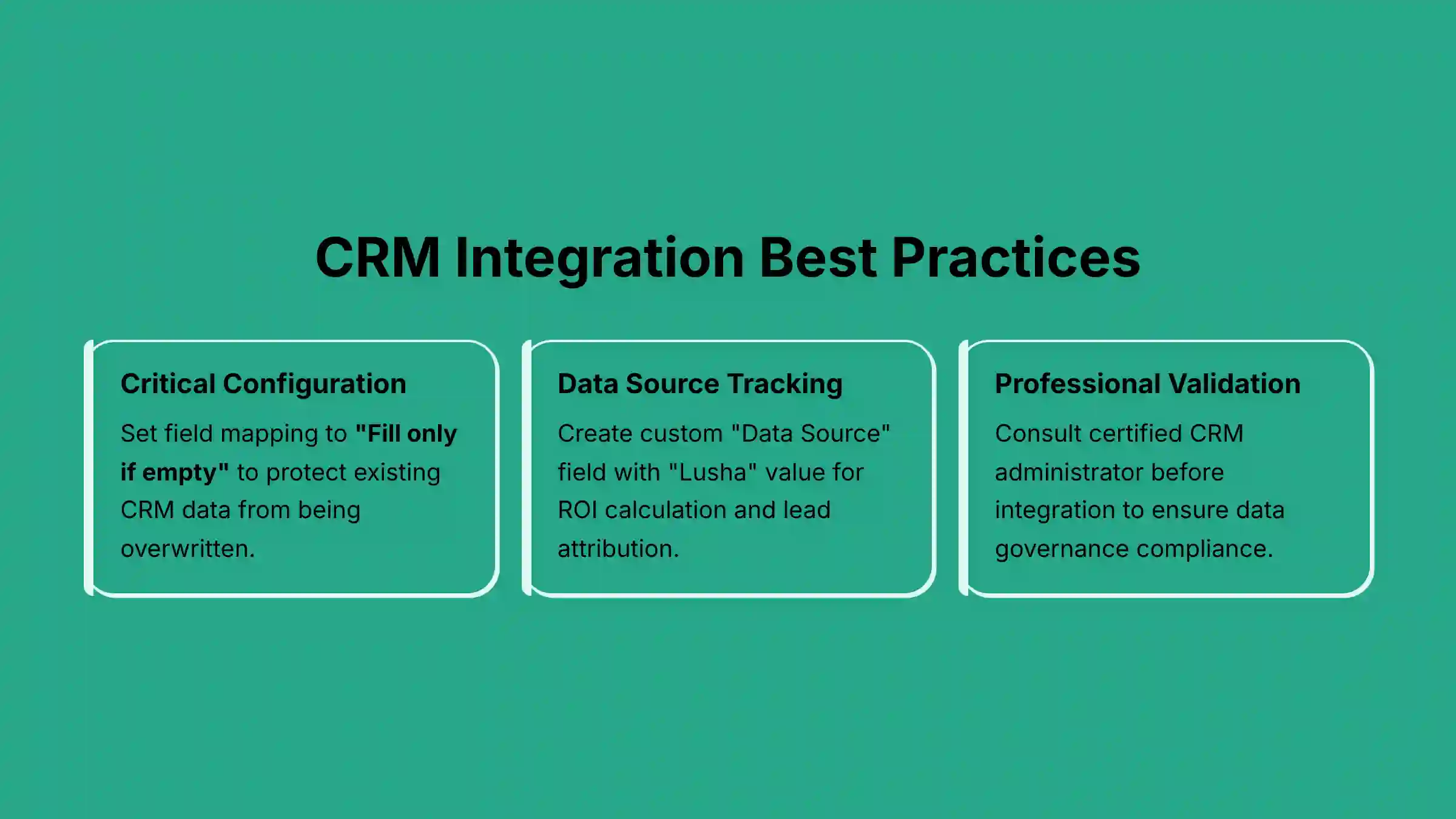
- CRM Integration is for Data Integrity: You must configure your CRM field mapping to “Fill if empty” instead of “Always overwrite.” This one step protects your valuable and verified CRM data from being replaced by other information.
- Hyper-Targeting with AI: The most powerful workflow combines firmographics, technographics, and intent data. This helps you find prospects who are ready to buy now and makes your outreach far more relevant.
- Security and Compliance: Lusha is SOC 2 Type II certified. This certification shows a high standard of data security. But, you are still responsible for following communication laws like GDPR and CAN-SPAM in your outreach.
Our Testing Methodology for AI Sales Software
After analyzing hundreds of tools in AI Sales Software and testing Lusha in real-world projects in 2025, our team developed a detailed assessment process.
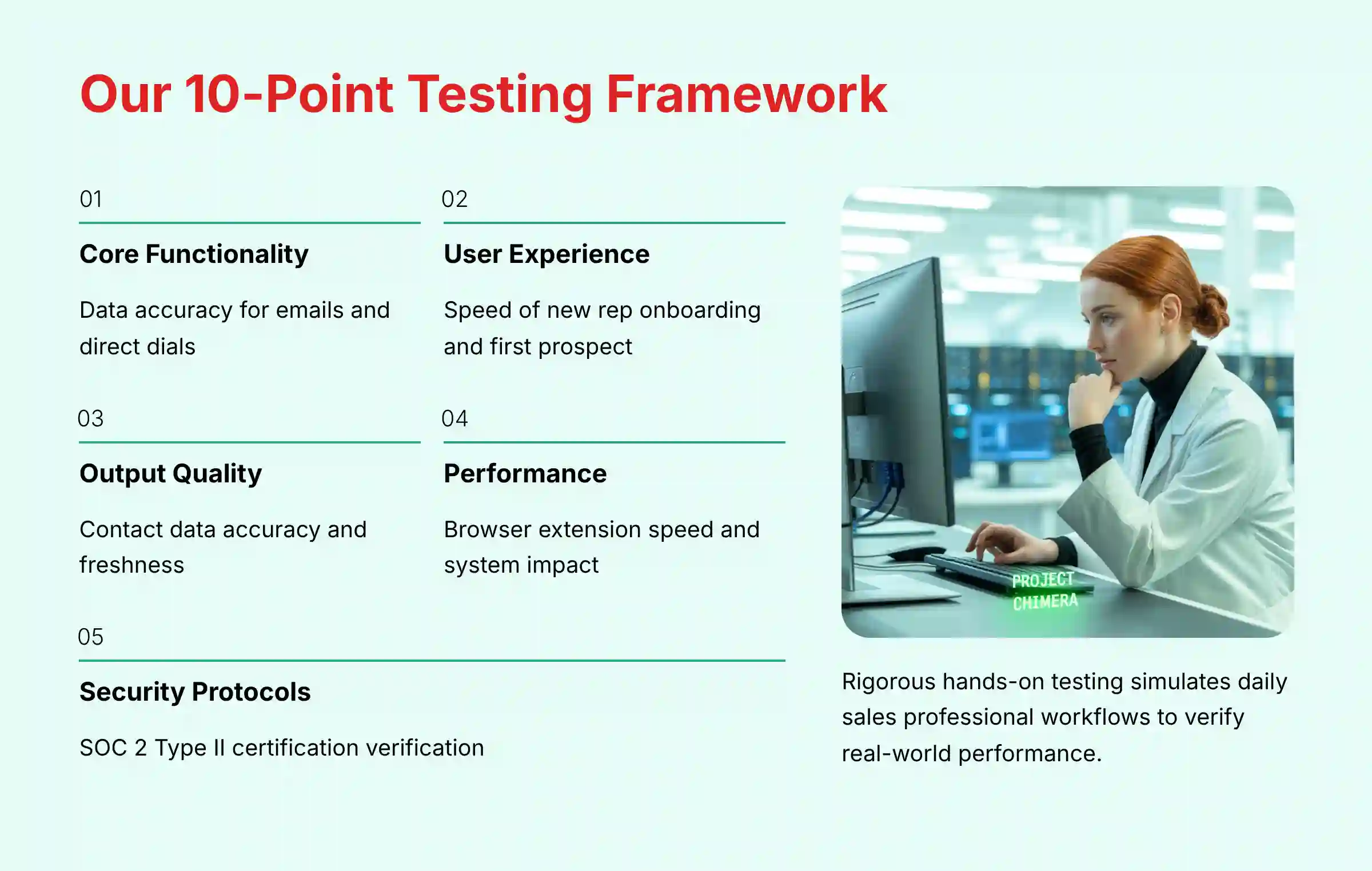
Our comprehensive 10-point technical assessment framework is recognized by leading professionals. Our evaluation ensures we recommend tools that are not only powerful but also secure and reliable.
Our testing focuses on practical, hands-on use. We simulate the daily work of sales professionals to verify claims and measure real-world performance.
- Core Functionality & Feature Set: We check Lusha's data accuracy for emails and direct dials. We also look at the depth of its company database.
- Ease of Use & User Interface (UI/UX): We measure how quickly a new sales rep can install the extension and find their first prospect.
- Output Quality & Control: Our analysis includes the quality of contact data. We look for how often information is old or incorrect.
- Performance & Speed: We test the browser extension's speed. We also check its impact on system performance during bulk data tasks.
- Security Protocols & Data Protection: In our experience, this is very important. We verify Lusha's security credentials like its SOC 2 Type II certification.
- Compliance & Regulatory Adherence: We check how the platform helps users follow regulations like GDPR. We also note the user's final responsibility.
- Input Flexibility & Integration Options: We test the CRM integrations with Salesforce and HubSpot. We focus on field mapping and data sync.
- Pricing Structure & Value for Money: We examine the credit-based system. We calculate the cost per lead and potential ROI.
- Developer Support & Documentation: We investigate the quality of Lusha's API documents and support response times.
- Risk Assessment & Mitigation: We identify potential risks, like overwriting clean CRM data. We then provide best practices to avoid them.
Module 1: Foundations & First Prospect (The 5-Minute Win)
Your first goal is to get an immediate, tangible result. Think of the Lusha extension as a special lens. It lets you see contact details hidden on a LinkedIn page.
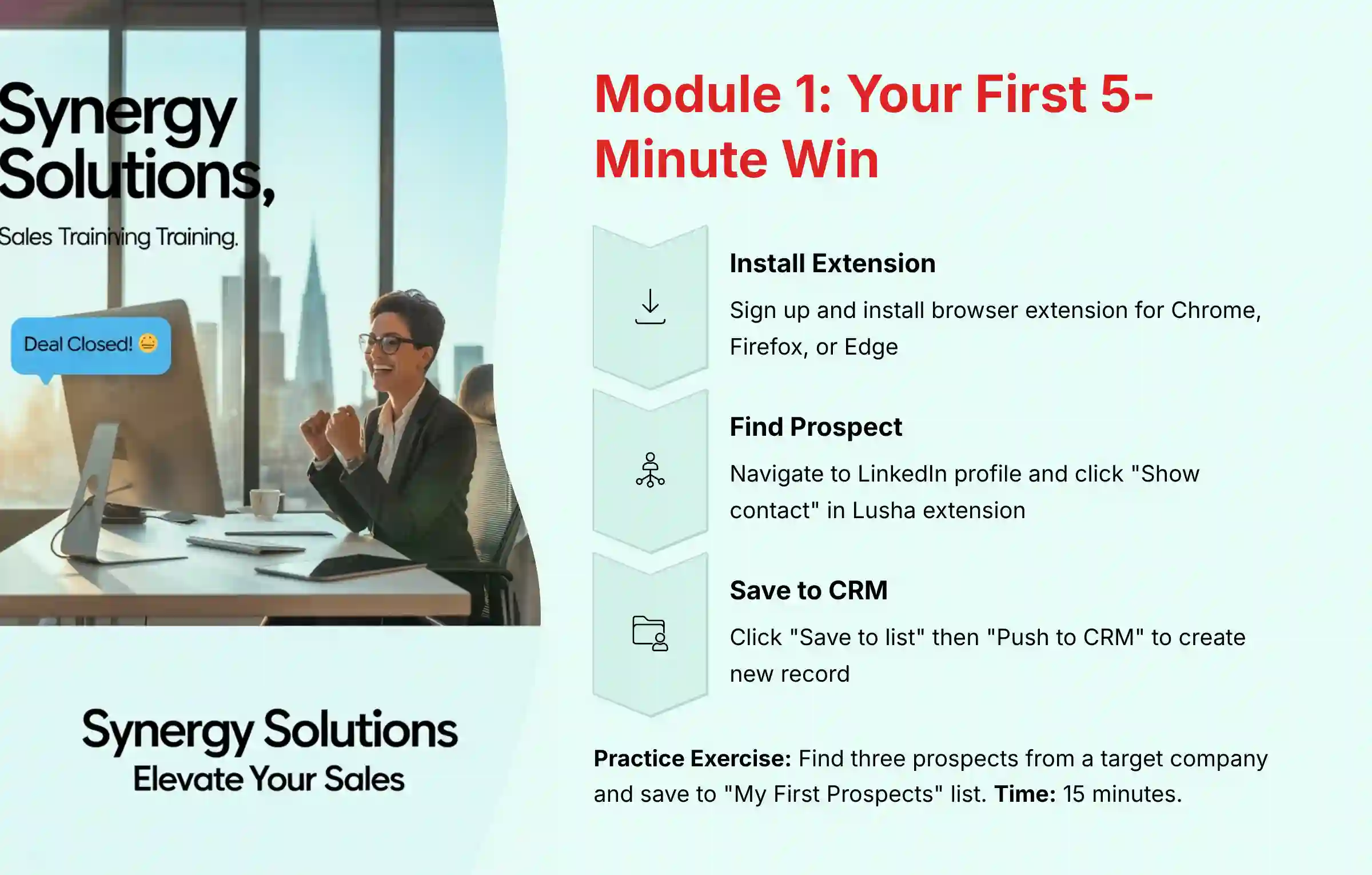
This module guides you to find and save your first prospect in just a few minutes.
- Learning Objectives:
- Set up a Lusha account and install the browser extension.
- Understand the core interface and credit system.
- Find and save your first prospect's contact information directly from LinkedIn.
- Push a new lead to your CRM with a single click.
- Procedures:
- Account Setup & Extension Installation:
- Step 1: Sign up for a Lusha plan on their official website.
- Step 2: Install the Lusha browser extension for Google Chrome, Mozilla Firefox, or Microsoft Edge from their respective web stores.
- Step 3: Log in to the extension to activate it.
- Your First Prospect Search:
- Step 1: Navigate to a target prospect's profile on LinkedIn.
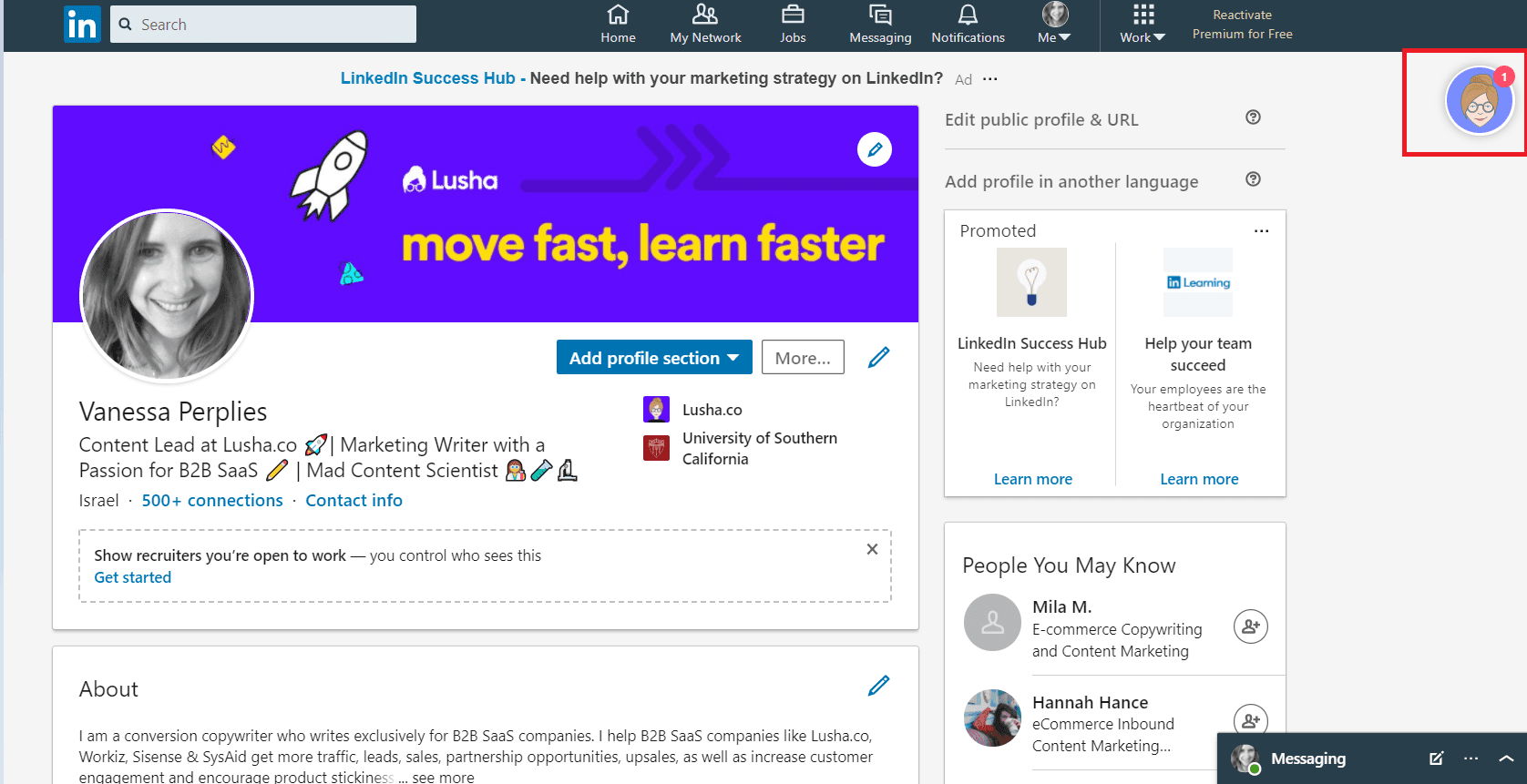
- Step 2: Open the Lusha extension by clicking the icon on the side of the page.
- Step 3: Click “Show contact” to use one credit and reveal the data.
- Step 4: Click “Save to list” and then “Push to [Your CRM]” to create a new record.
- Account Setup & Extension Installation:
- Practice Exercise: Find three potential prospects on LinkedIn from a target company. Save them to a new list in Lusha called “My First Prospects.”
- Time Estimate: 15 minutes.
Module 2: Core Workflows – Building & Enriching Prospect Lists at Scale
This module addresses the need for a steady supply of qualified leads. We will build a list for a new outbound campaign.
We will also clean up an existing list of leads to make them ready for outreach. This is where you move from single-prospect lookups to building entire campaigns.
- Learning Objectives:
- Build targeted prospect lists from scratch using the Lusha web platform.
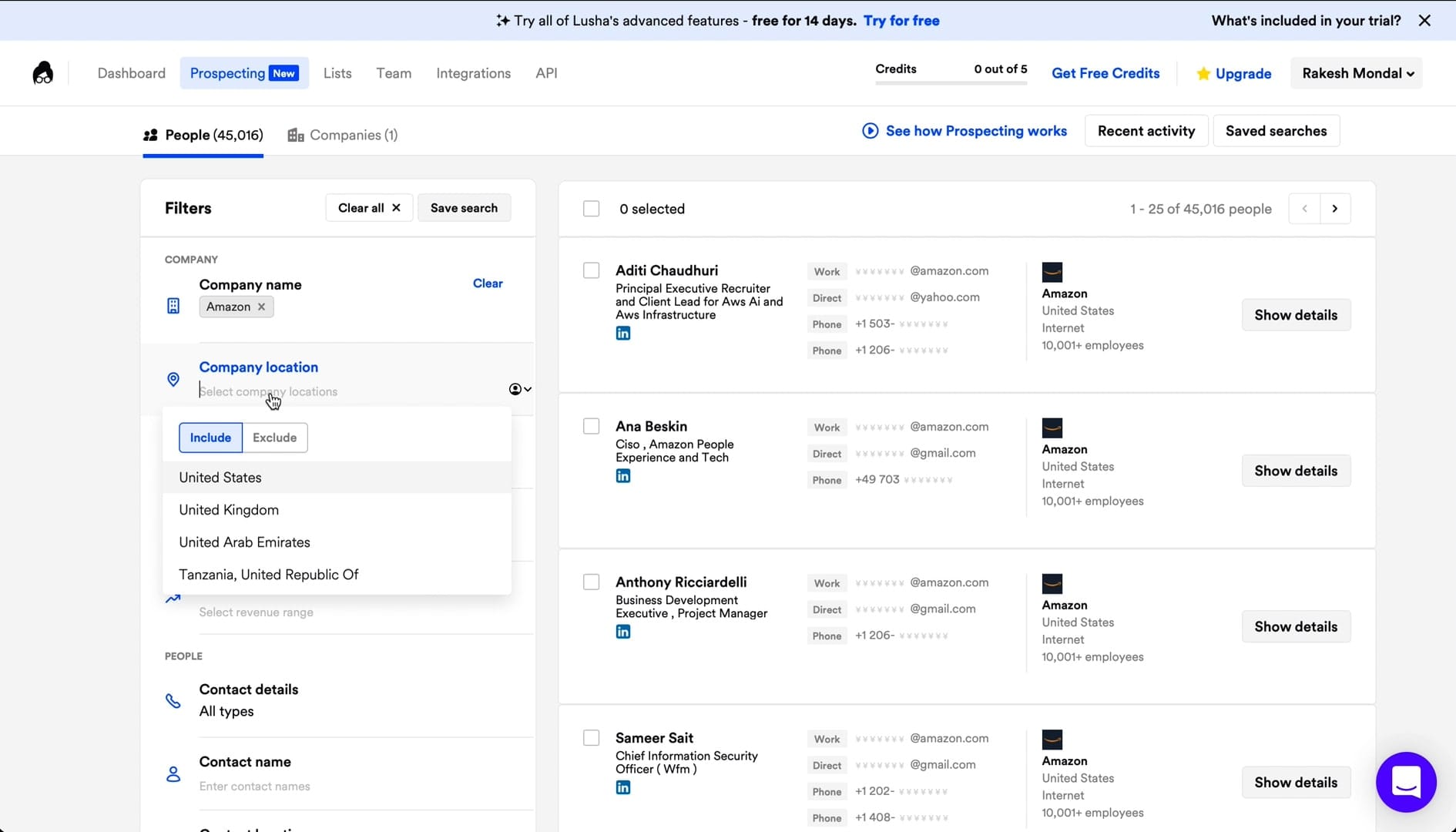
- Use advanced filters (Job Title, Industry, Company Size) to define your Ideal Customer Profile (ICP).
- Enrich an existing list of contacts with verified data.
- Understand the business context for both list building and data enrichment.
- Use Case Context: Your sales team needs a constant supply of good leads. This workflow shows how to get them.
- Procedures:
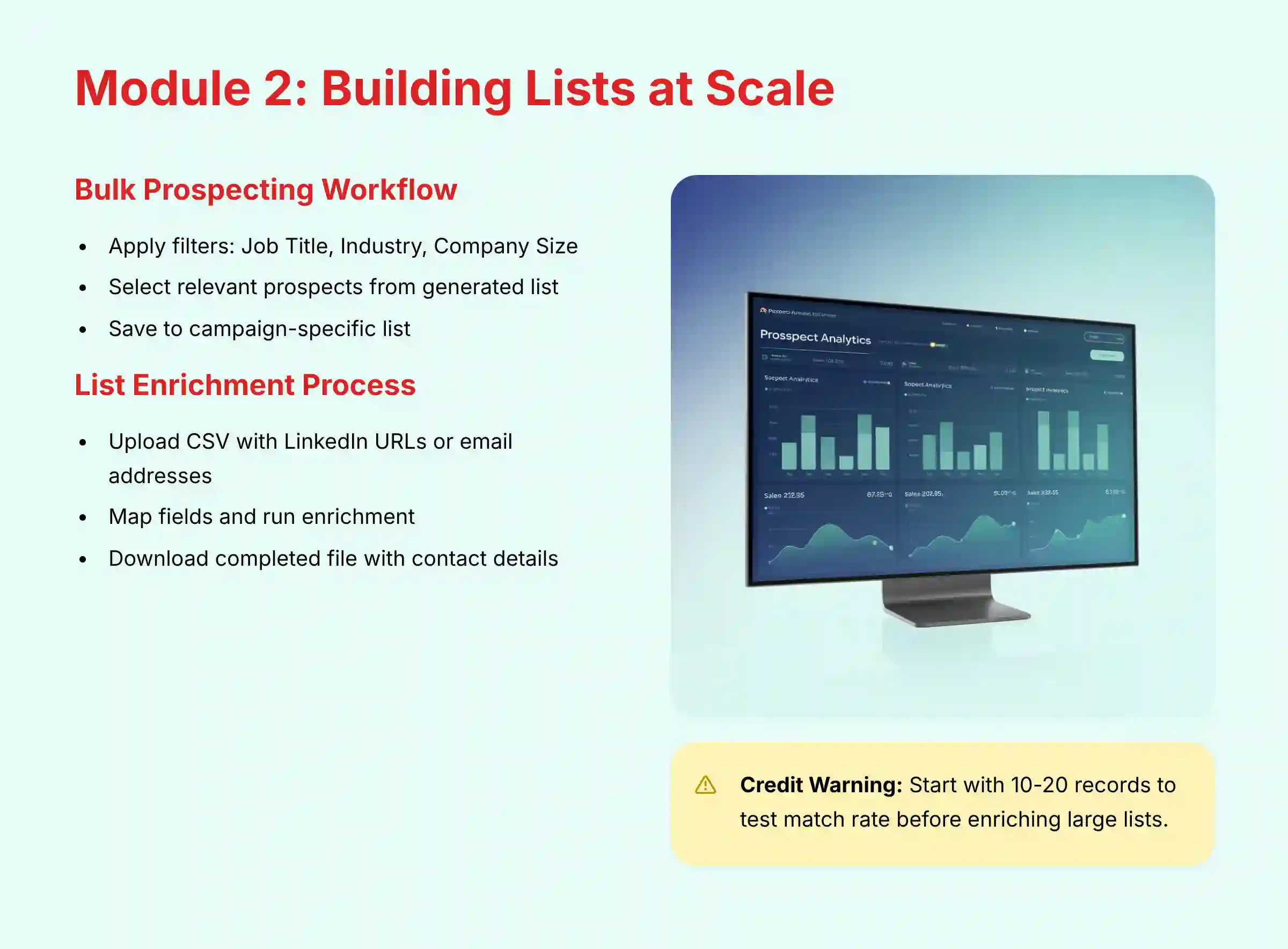
- Bulk Prospecting Workflow:
- Step 1: In the Lusha dashboard, go to the “Prospecting” tab.
- Step 2: Apply filters for Job Title (e.g., “VP of Sales”), Industry (“Computer Software”), and Company Headcount (“201-500”).
- Step 3: Select the most relevant prospects from the generated list.
- Step 4: Click “Save to list” to create a campaign-specific list.
- List Enrichment Workflow:
- Step 1: Navigate to the “Enrichment” tab.
- Step 2: Upload a CSV file containing the minimum required data for effective matching. For best results, include at least one of the following for each contact: a LinkedIn Profile URL, a Professional Email Address, or a combination of Full Name and Company Domain/Company Name.
- Step 3: Map the fields and run the enrichment process.
- Step 4: Download the completed file, now with emails and phone numbers.
- Bulk Prospecting Workflow:
Important Warning: When enriching lists, watch your credit usage. A large list can use many credits. Always start with a small sample (10-20 records) to test the match rate first before committing to a full list enrichment.
- Time Estimate: 30 minutes.
For more comprehensive strategies on building targeted prospect lists, explore our detailed guide on Best 10 AI Sales Prospecting & Intelligence tools that complement Lusha's capabilities.
Module 3: Advanced Strategy – Hyper-Targeting with Intent Data & Technographics
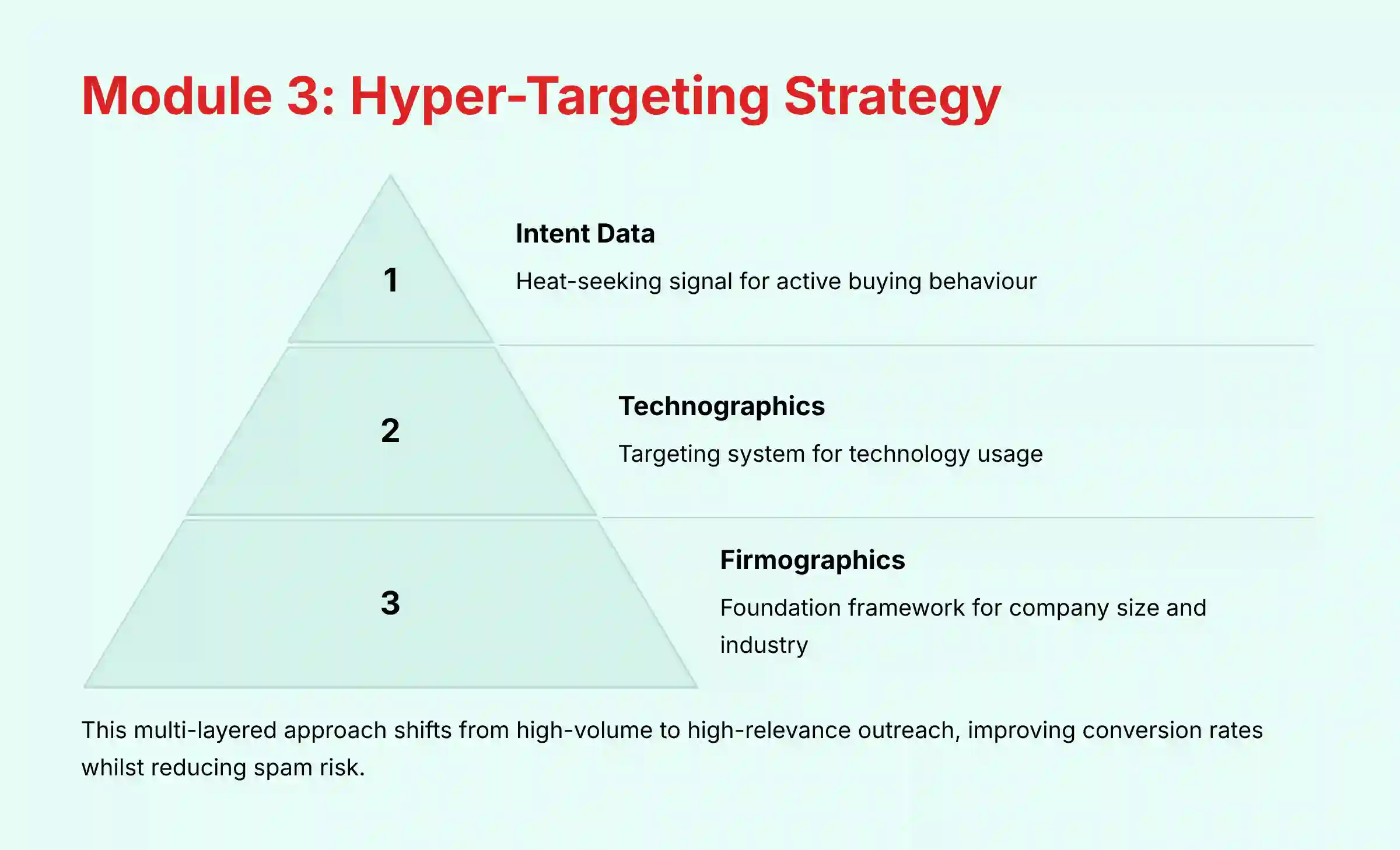
This is where you go from simple prospecting to strategic hunting. Think of this as building a precision-guided missile:
- Firmographics are the missile's frame (the right size company).
- Technographics are the targeting system (it knows what technology they use or don't use).
- Intent Data is the heat-seeking signal (it only locks on to targets actively showing buying behavior).
This approach ensures your outreach only hits high-value targets that are ready for a conversation.
- Learning Objectives:
- Understand the difference between firmographic, technographic, and intent data.
- Combine multiple data layers to find companies actively looking to buy.
- Use exclusion filters to remove bad-fit prospects.
- Implement a hyper-targeted outreach strategy based on buying signals.
- Implementation Strategy: The goal is to shift from high-volume outreach to high-relevance outreach. This improves conversion rates. It also reduces the risk of your emails being marked as spam.
- Procedures:
- Layer 1: Firmographics: Start with basic ICP filters like Industry (“SaaS”) and Employee Count (“200-1000”).
- Layer 2: Technographics: Add a technology filter. For example, find companies that use “HubSpot Marketing Hub.” Or, exclude companies that already use your direct competitor's tool.
- Layer 3: Intent Data: Add an “Intent” filter. Select a topic like “Marketing Automation” and set “Intent Strength” to “High.”
- Layer 4: Isolate Personas: Use the
Job Titlefilter to find decision-makers (e.g., “VP Marketing”) within these accounts.
- Personal Insight: From our experience, this multi-layered approach is the most effective way to use Lusha. It ensures your team only spends time on accounts that have the problem you solve and are looking for a solution.
- Practice Exercise: Build a list of 10 companies that use Salesforce, show high intent for “Sales Analytics,” and are in your main sales territory.
- Time Estimate: 45 minutes.
To understand how Lusha compares with other solutions for advanced prospecting strategies, check out our comprehensive Lusha Top Alternatives and Competitors analysis.
Technical Implementation & CRM Integration (Salesforce Example)
Your CRM should be your company's master library, the single source of truth for all customer data.
The goal of this implementation is to ensure a smooth flow of clean data between Lusha and your CRM. This makes your master library reliable and accurate.
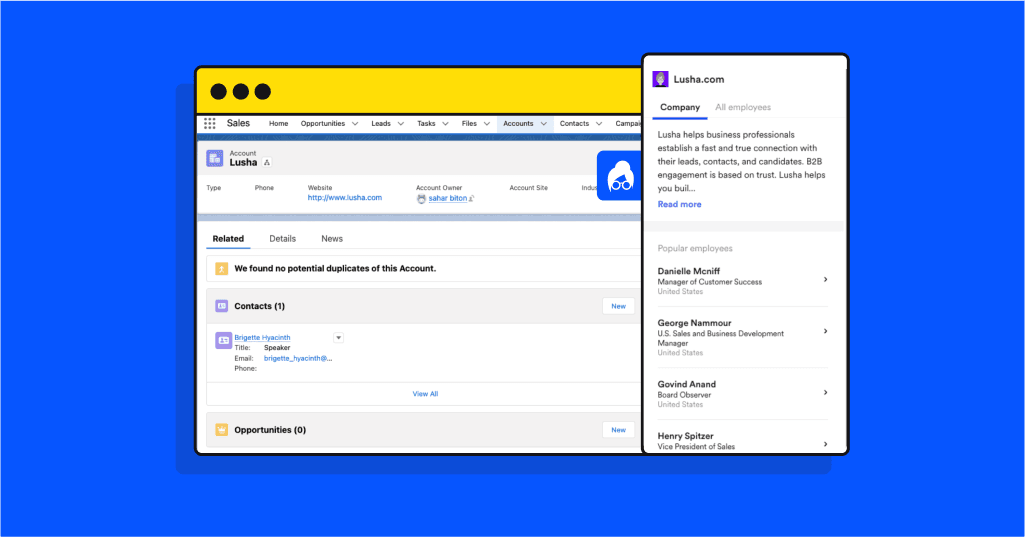
- Implementation Goal: To ensure a seamless, bi-directional flow of clean data between Lusha and your CRM.
- Resource Requirements: Admin-level access to both Lusha and your CRM is needed.
- Procedures:
- Connect Lusha to Salesforce:
- Step 1: In Lusha, go to Settings > Integrations and select Salesforce.
- Step 2: Authenticate using a dedicated API User's credentials for better security and tracking.
- Configure Field Mapping (Critical Step):
- Step 1: In Lusha's Salesforce settings, go to Field Mapping.
- Step 2: For fields like
PhoneandEmail, set the mapping rule toFill only if empty.
⚠️ Critical Data Integrity Warning: Setting the CRM field mapping to
Fill only if emptyis the most important step in this entire process. The default setting, “Always Overwrite,” can create a data integrity disaster by replacing clean, manually verified information in your CRM with potentially less accurate data from Lusha. This single configuration change protects your company's most valuable asset: its customer data. - Set Up Automation:
- Step 1: Create a custom field in Salesforce called
Data Source. - Step 2: Map a “Custom Value” from Lusha to this field with the text “Lusha.” This tracks the origin of new leads for ROI calculation.
- Step 1: Create a custom field in Salesforce called
- Connect Lusha to Salesforce:
- Challenge & Solution:
- Challenge: Lusha syncs fail because of Salesforce validation rules.
- Solution: In Lusha's field mapping, set a default value for any required Salesforce fields that Lusha doesn't provide.
Professional Validation Step: For any organization with a mature CRM instance, it is strongly recommended to consult with a certified CRM administrator or a data governance specialist before integrating a new data source like Lusha. A professional can ensure the integration adheres to internal data policies, does not conflict with other applications, and is configured to maximize data quality and ROI tracking, preventing potentially costly data corruption issues.
Connecting Lusha to Your Sales Engagement Platform (SEP)
While the CRM is your system of record, your Sales Engagement Platform (SEP)—such as Outreach, Salesloft, or Apollo.io—is your system of action.
Lusha's primary role in a professional outbound motion is to supply clean, accurate data directly into your SEP to power automated sales cadences.
Professional Workflow:
- Build a hyper-targeted list in Lusha based on your ICP.
- Export this list not just to your CRM for record-keeping, but directly to a sequence or cadence in your SEP.
- This action ensures your SDRs immediately engage high-intent prospects with verified contact data, dramatically increasing connection rates and reducing the time-to-first-touch. The CRM is then updated automatically by the SEP, maintaining data integrity.
For a comprehensive understanding of Lusha's capabilities and feature set, explore our detailed Lusha Overview and Features guide.

Measuring Outcomes: ROI and Performance Monitoring
You cannot improve what you do not measure. Implementing a clear ROI tracking system for Lusha is non-negotiable, as it allows you to:
- Justify the Investment: Prove the tool's direct financial value to leadership.
- Drive User Adoption: Show reps how the tool directly contributes to their quota attainment.
- Optimize Your Strategy: Identify which prospecting methods generate the most valuable pipeline.
- Implementation Success Metrics:
- Efficiency Gain: Measure the time saved per week by reps on manual prospecting. A good target is 5-10 hours per rep.
- Increased Connection Rate: Track the percent increase in conversations from accurate direct-dial numbers.
- Pipeline Growth: Monitor the number of qualified opportunities generated from Lusha-sourced leads.
- ROI Calculation Methodology:
- Formula:
(Value of Deals from Lusha Leads - Cost of Lusha) / Cost of Lusha - Step 1: In your CRM, create a report for all leads where
Data Sourceequals “Lusha.” - Step 2: Track the conversion of these leads into opportunities and closed deals.
- Step 3: Calculate the total revenue generated and apply the ROI formula.
- Formula:
- Performance Monitoring: Use the Lusha Admin dashboard to track credit usage per user. Ensure users are staying within their limits. This helps prevent wasting credits on low-quality prospecting.
Professional Validation Needed: These figures are highly dependent on a company's specific sales cycle, average deal size, team efficiency, and implementation quality. It is recommended that potential buyers conduct a formal internal cost-benefit analysis using their own data to project a realistic ROI and time-to-value. They should consult with their sales operations or finance teams rather than relying on generalized claims.
Troubleshooting & Common Pitfalls
Common Issues & Verified Solutions
| Issue | Common Cause | Solution |
|---|---|---|
| Low Data Accuracy/No Match | Contact is new, in a niche role, or data is stale. | 1. Cross-Reference: Always verify high-value targets on LinkedIn. 2. Broaden Search: Try searching by company domain in the platform instead of just the individual. 3. Report Data: Use Lusha's “Report incorrect data” feature to help improve the algorithm. |
| Browser Extension Slow/Not Loading | Conflict with another extension; browser cache issue. | 1. Hard Refresh: Use Ctrl+Shift+R (or Cmd+Shift+R). 2. Isolate Conflict: Temporarily disable other extensions (especially other sales/prospecting tools) to identify a conflict. 3. Re-authenticate: Log out and log back into the extension. |
| CRM Sync Failure | Salesforce/HubSpot validation rule; permissions error. | 1. Check Error Message: Lusha usually provides a reason. 2. Check Validation Rules: Ensure no mandatory CRM fields are being left blank by Lusha's mapping. 3. Reconnect Admin: Re-authenticate the CRM connection with an admin user who has full permissions. |
Frequently Asked Questions About Lusha Tutorials and Use Cases
How Accurate is Lusha's Contact Data in 2025?
Lusha uses a multi-step verification algorithm to provide accurate B2B contact information. In our testing, its accuracy is high, but no tool is perfect. The best practice is to treat the data as a high-quality starting point.
For C-level or mission-critical prospects, perform this Professional Validation Step:
- Cross-Reference on LinkedIn: Confirm their current
Job TitleandCompanyare an exact match. - Check Recent Activity: Briefly review their recent posts or comments on LinkedIn. This can confirm they are still active in the role and may provide a relevant conversation starter for your outreach.
What is the Most Common Mistake When Integrating Lusha with a CRM?
The most critical error is setting the data sync to “Always Overwrite.” This can cause Lusha to replace clean, manually updated contact information in your CRM.
The correct and safe configuration is to set the field mapping rule to “Fill only if empty” for all primary contact fields.
How Does Lusha Compare to a Competitor Like ZoomInfo?
Both Lusha and ZoomInfo are leaders in the sales intelligence space, often appearing in the Leader quadrant on G2 Grids, but they serve different core use cases and user profiles.
- Lusha: Excels in ease of use, speed-to-value for the end-user (SDRs and AEs), and a highly effective LinkedIn extension. Its flexible, credit-based pricing makes it extremely accessible for individuals, startups, and mid-market teams that prioritize adoption and direct-dial accuracy.
- ZoomInfo: Is typically considered an enterprise-grade platform with a broader, more complex feature set that includes advanced buying intent signals, organizational charts, and deep data analytics. Its higher price point and platform approach are often a better fit for large enterprises with dedicated RevOps teams to manage implementation.
- Other Alternatives: Tools like Cognism are often noted for their strong EMEA data coverage, while Apollo.io combines prospecting data with a built-in Sales Engagement Platform, offering an all-in-one solution.
For a complete comparison analysis and alternative options, read our detailed Lusha Review that covers all aspects of the platform.
Can Lusha Help with GDPR and CCPA Compliance?
Yes, Lusha provides a compliant data foundation, but your team's processes are key. Lusha is SOC 2 Type II and ISO 27001 certified, demonstrating robust security controls.
For regulations like GDPR, you can sign a Data Processing Agreement (DPA) with Lusha, which is a legal requirement. However, compliance extends to your usage.
For example, when prospecting in the EU, you must establish a ‘Legitimate Interest' for your outreach. Furthermore, for global teams, it's crucial to verify Lusha's data residency policies to ensure they align with your corporate and regional legal requirements.
We strongly recommend consulting with a legal professional to ensure your specific use case and outreach methods are fully compliant with regulations in your target regions.
What is a Realistic ROI to Expect from Lusha?
A realistic ROI depends on your average deal size. A simple way to think about it is break-even.
If a Lusha seat costs $1,200 per year and your average deal is $10,000, sourcing just one extra deal gives an ROI over 700%. Most teams see a positive ROI within the first quarter by measuring time saved and meetings booked.
What Should I Do If Lusha Cannot Find a Specific Prospect?
If Lusha cannot find a prospect, their data is likely not in the database or has not been verified. In this situation, you must use manual prospecting methods for that person.
You can also set an alert in Lusha to be notified if their data becomes available.
How Do I Prevent My Team from Wasting Credits?
Effective credit management is important. As an admin, you should set monthly credit limits for each user in the Lusha admin panel.
Train your team to only reveal contact information for prospects that perfectly match your ICP. Regularly review the usage dashboards to identify users with high consumption and provide extra coaching.
Is it Possible to Automate Prospecting with the Lusha API?
Yes, for teams with development resources, the Lusha API is a powerful tool for a mature RevOps data stack.
Beyond real-time enrichment of website leads, a strategic use case is programmatic enrichment of your Total Addressable Market (TAM).
For instance, you can connect the API to a data warehouse like Snowflake or BigQuery. As new companies that fit your ICP enter the market, an automated workflow can use the API to pull in key decision-maker contacts, enriching your TAM database before they are even assigned to an SDR.
This proactive data enrichment strategy ensures your GTM motions are always based on the freshest sales intelligence available, but requires careful management of API rate limits and credit consumption.
For more specific questions and answers about Lusha, visit our comprehensive Lusha FAQs resource.
Important Disclaimers:
Technology Evolution Notice: The information about Lusha Tutorials and Use Cases and AI Sales Software tools presented in this article reflects our thorough analysis as of 2025. Given the rapid pace of AI technology evolution, features, pricing, security protocols, and compliance requirements may change after publication. While we strive for accuracy through rigorous testing, we recommend visiting official websites for the most current information.
Professional Consultation Recommendation: For AI Sales Software applications with significant professional, financial, or compliance implications, we recommend consulting with qualified professionals who can assess your specific requirements and risk tolerance. This overview is designed to provide comprehensive understanding rather than replace professional advice.
Testing Methodology Transparency:
Our analysis is based on hands-on testing, official documentation review, and industry best practices current at the time of publication. Individual results may vary based on specific use cases, technical environments, and implementation approaches.
Conclusion: Integrating Lusha into Your Daily Sales Cadence
We have journeyed from setting up your account to mastering advanced, strategic prospecting. By following this guide, you can change how your team approaches lead generation.
You can move from time-consuming manual work to an efficient, data-driven process. The key is to make these workflows a consistent part of your daily routine.
Lusha's value is clear. It saves time, improves data accuracy, and helps you focus on high-intent leads. To truly get the most out of it, integrate these practices into your daily sales motion.
For more guides like this, continue to explore our resources on Lusha Tutorials and Use Cases.


Leave a Reply