
Is Uplead the Right AI Prospecting Tool for Your Sales Strategy?
This 2-Minute Quiz Reveals the Answer!
Introduction: Mastering AI Sales Prospecting & Intelligence with Uplead
As the founder of Best AI Sales Software, I've seen countless tools that promise to change the sales game. This Uplead Tutorials and Usecase guide is a step-by-step framework for transforming your sales process. We will move beyond basic features to explore advanced AI Sales Prospecting & Intelligence strategies. This guide moves beyond what the buttons do to explain why each workflow is critical. You will learn to internalize the strategies that save SDRs hours, ensure the data integrity your RevOps team demands, and ultimately, fuel predictable revenue growth.
This article contains my expert techniques and real-world advice to help you master Uplead's powerful technographics and intent data. You will learn how to use the tool. You will also learn why each step helps save time, improve data accuracy, and generate more revenue. For comprehensive insights into Uplead Overview and Features, this tutorial builds upon foundational knowledge to deliver advanced implementation strategies.
Key Takeaways: Uplead Implementation & Strategy
- Accelerate Time-to-Value: A new Sales Development Representative (SDR) can build their first targeted, verified prospect list within the first hour. This workflow shortens the onboarding process.
- Maximize ROI with Credit-Saving Techniques: You should avoid unlocking contacts directly in the search interface. Add prospects to a list first and then sync to your CRM. Uplead only uses credits on new contacts that sync, which can reduce credit waste by over 20%.
- Data Governance Alert: Protect Your CRM as a Financial Asset. Your CRM's data integrity directly impacts forecasting and revenue. Before any sync, you must configure Uplead's duplication rules (checking by Email and Company Domain). Failing this single step can corrupt your most valuable data asset, leading to costly cleanup projects and inaccurate reporting.
- Unlock High-Intent Leads with Advanced Filtering: Combine Technographics with Intent Data. For example, find companies using a competitor's product who are also researching “ABM Strategy.” This creates hyper-targeted lists where prospects are already seeking solutions.
Our Testing Methodology for AI Sales Software
After analyzing over hundreds of tools on the market in AI Sales Software and testing Uplead across numerous real-world implementation projects in 2025, our team at Best AI Sales Software now provides a comprehensive 10-point technical assessment framework. This framework has been recognized by leading professionals in AI Sales Software. Our analysis is rooted in a consistent, expert-driven methodology that prioritizes accuracy, security, and practical value.
Important Disclaimers
Technology Evolution Notice:
The information about Uplead and AI Sales Software tools presented in this article reflects our analysis as of 2025. Given the rapid pace of AI technology evolution, features, pricing, and security protocols may change. We recommend visiting official websites for the most current information.
Professional Consultation Recommendation:
For AI Sales Software applications with large professional or financial implications, we recommend consulting with qualified professionals. They can assess your specific needs and risk tolerance. This overview is designed to provide understanding, not replace professional advice.
Testing Methodology Transparency:
Our analysis is based on hands-on testing and official documentation available at the time of publication. Individual results may vary based on specific use cases and implementation approaches.
Our 10-point framework includes:
- Core Functionality & Feature Set: We assess what the tool claims and how it delivers on contact search, verification, and enrichment.
- Ease of Use & User Interface (UI/UX): We evaluate how intuitive the interface is for users with different technical skills.
- Output Quality & Control: We analyze the quality of the data, focusing on the claimed ~95% accuracy rate and user control.
- Performance & Speed: We test processing speeds for list building, enrichment, and CRM syncs.
- Security Protocols & Data Protection: We thoroughly assess security measures, encryption standards (such as TLS 1.2+ and AES-256), and verify critical trust signals including SOC 2 Type II attestation and the availability of role-based access controls (RBAC) to ensure data is only accessible by authorized personnel.
- Compliance & Regulatory Adherence: We verify compliance with regulations like GDPR and CCPA.
- Input Flexibility & Integration Options: We check how well it integrates with platforms like Salesforce and HubSpot.
- Pricing Structure & Value for Money: We examine the credit-based model and subscription costs to determine the true ROI.
- Developer Support & Documentation: We investigate the quality of customer support, API documentation, and tutorials.
- Risk Assessment & Mitigation: We identify potential risks like data inaccuracies or CRM duplication and evaluate built-in safeguards.
Part 1: Foundational Skills – Your First Hour in Uplead
Section 1.1: Building Your First High-Quality Prospect List
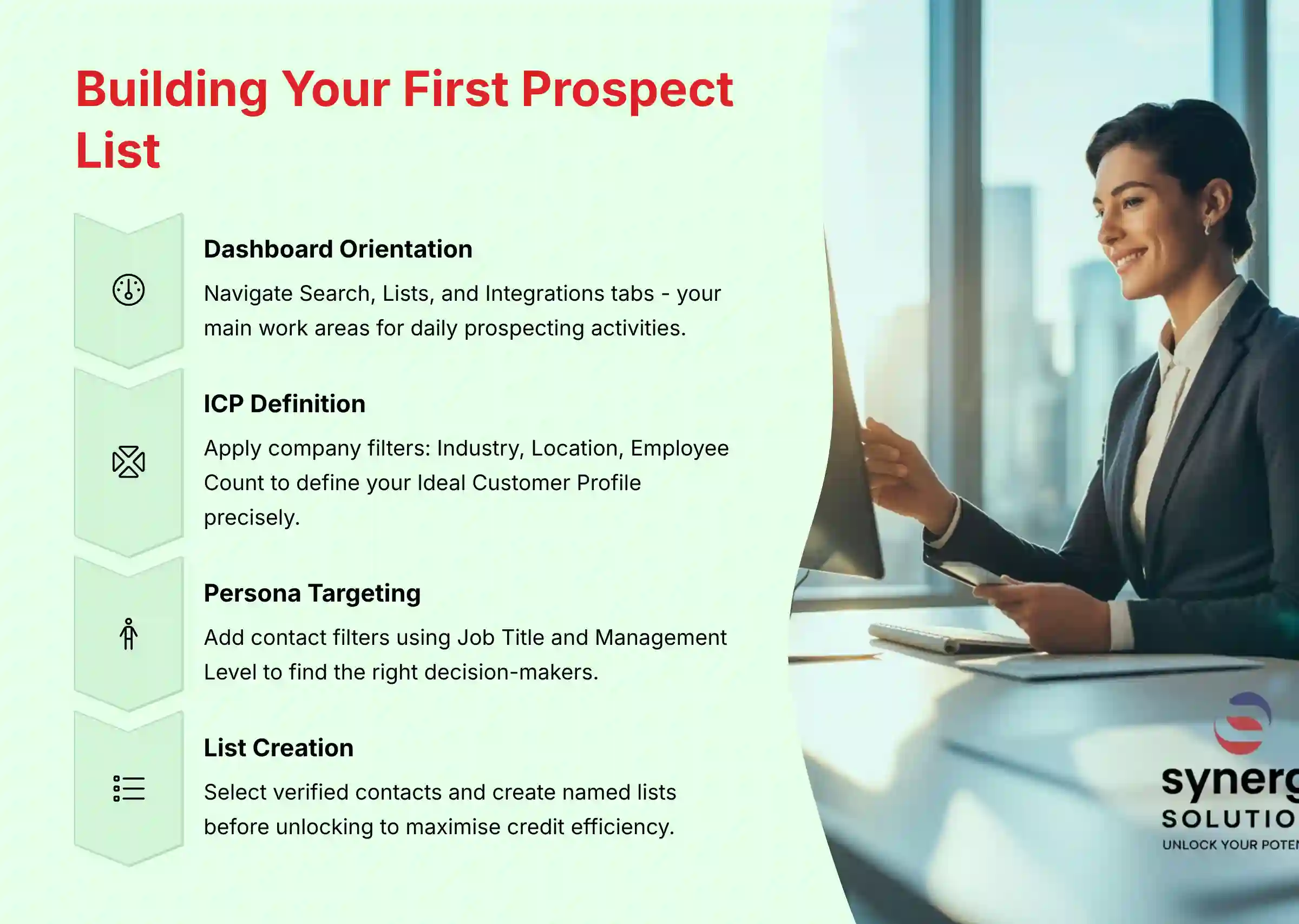
Your goal is to understand the Uplead interface and apply core filters to define an Ideal Customer Profile (ICP). This process generates a verified, exportable list of leads. In my experience, mastering this is the foundation of daily SDR work.
Specific Procedures:
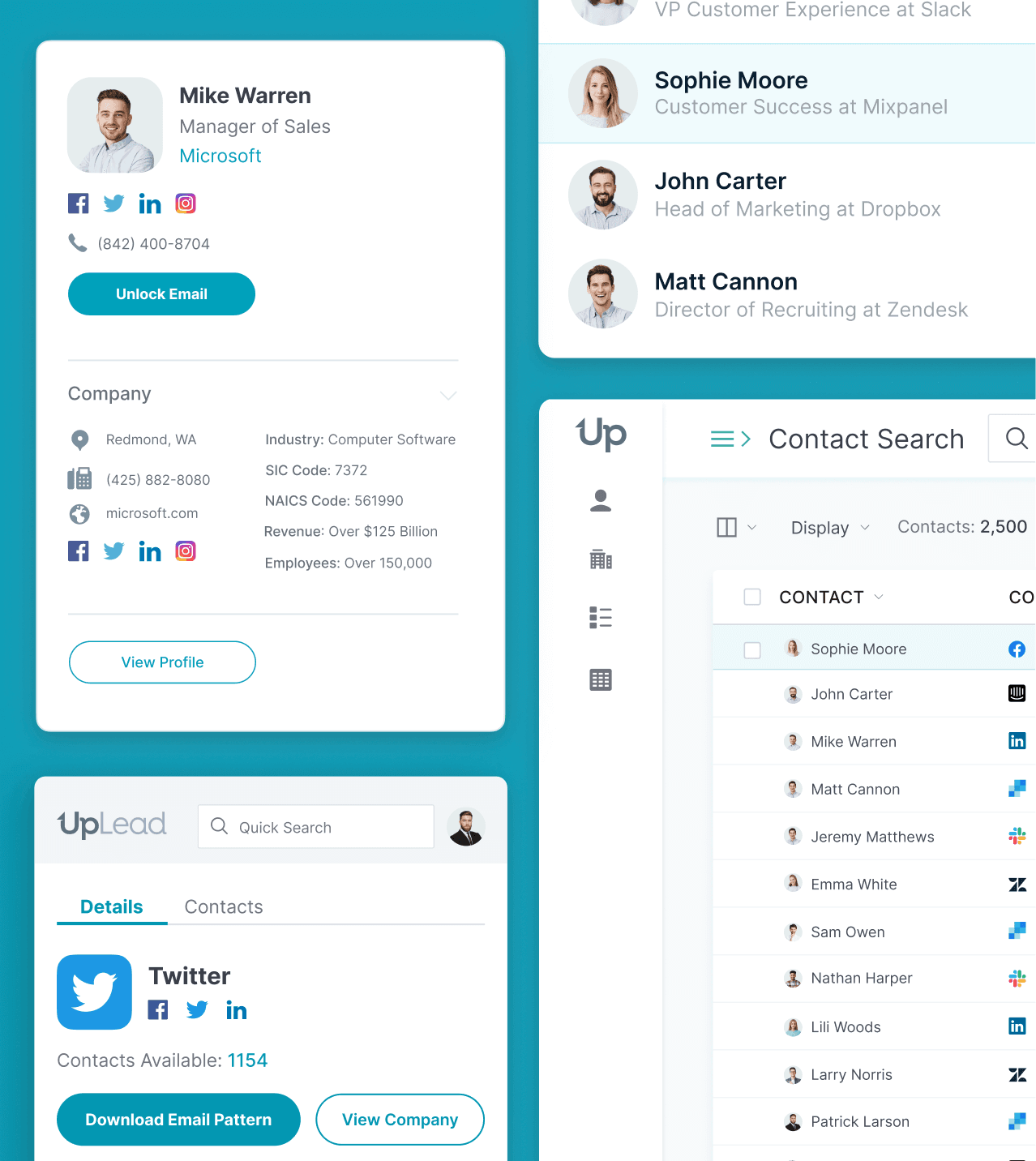
- Dashboard Orientation: Log in and find the Search, Lists, and Integrations tabs. These are your main work areas.
- ICP Definition: Go to the Search tab. Apply company filters first, such as Industry, Location, and Employee Count.
- Persona Targeting: Add contact filters to find the right people. Use Job Title and Management Level to narrow your search.
- List Creation: Select verified contacts from the results. Add them to a new list with a clear name.
- Data Access: Go to your list, select the contacts, and click Download to get a CSV file. This action uses your credits.
This workflow provides a quick win. In about 15 minutes, you have a real asset: a lead list. Start with broader filters and then narrow them down. It is more efficient than starting too specific. A key warning is to be mindful of credit use; build your list before you unlock contacts.
Uplead's data is claimed to be ~95% accurate. Still, you should verify a small sample before a mass campaign to protect your domain reputation. For detailed accuracy analysis, refer to our comprehensive Uplead Review which examines data quality and potential risks in depth.
Section 1.2: Live Prospecting with the Chrome Extension
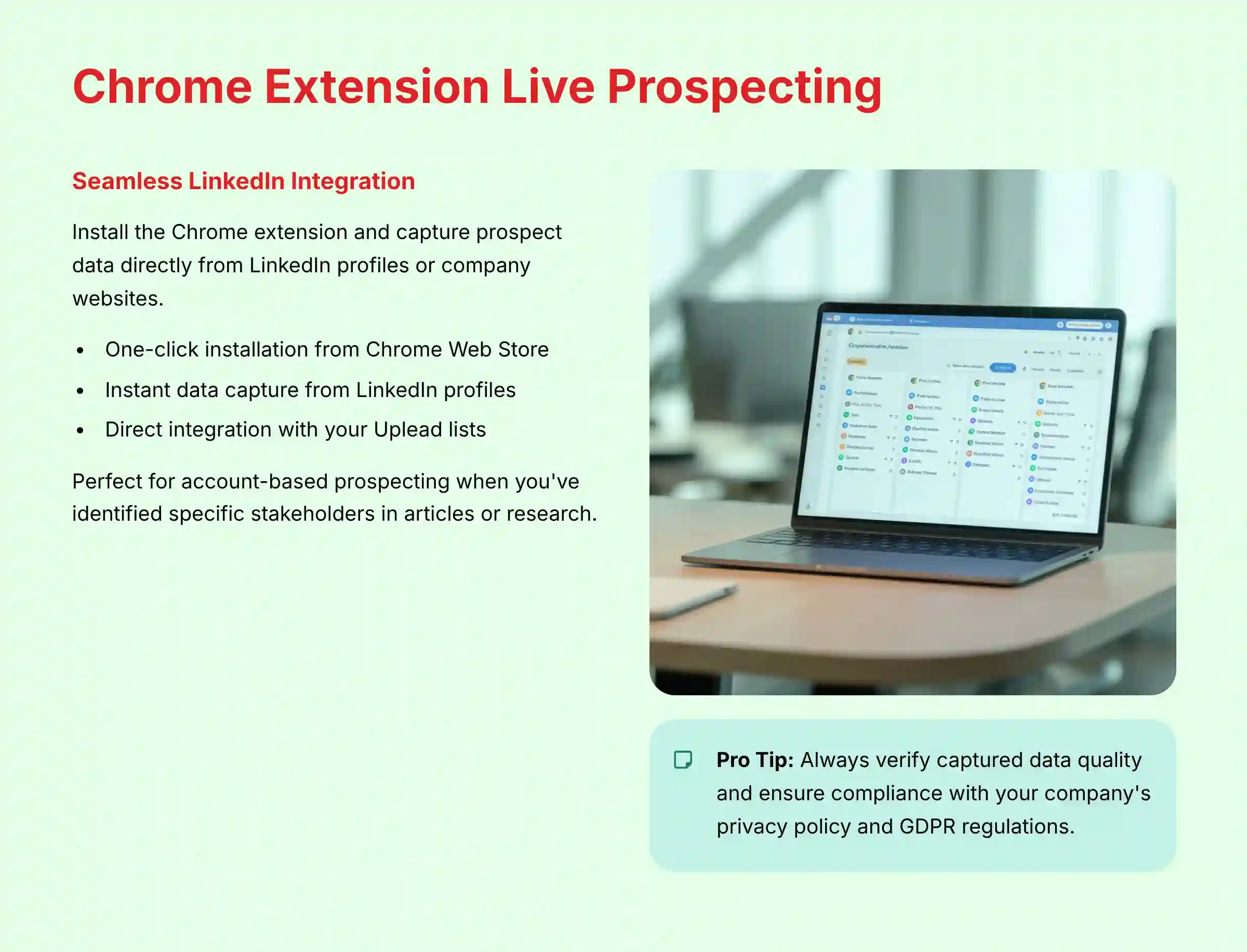
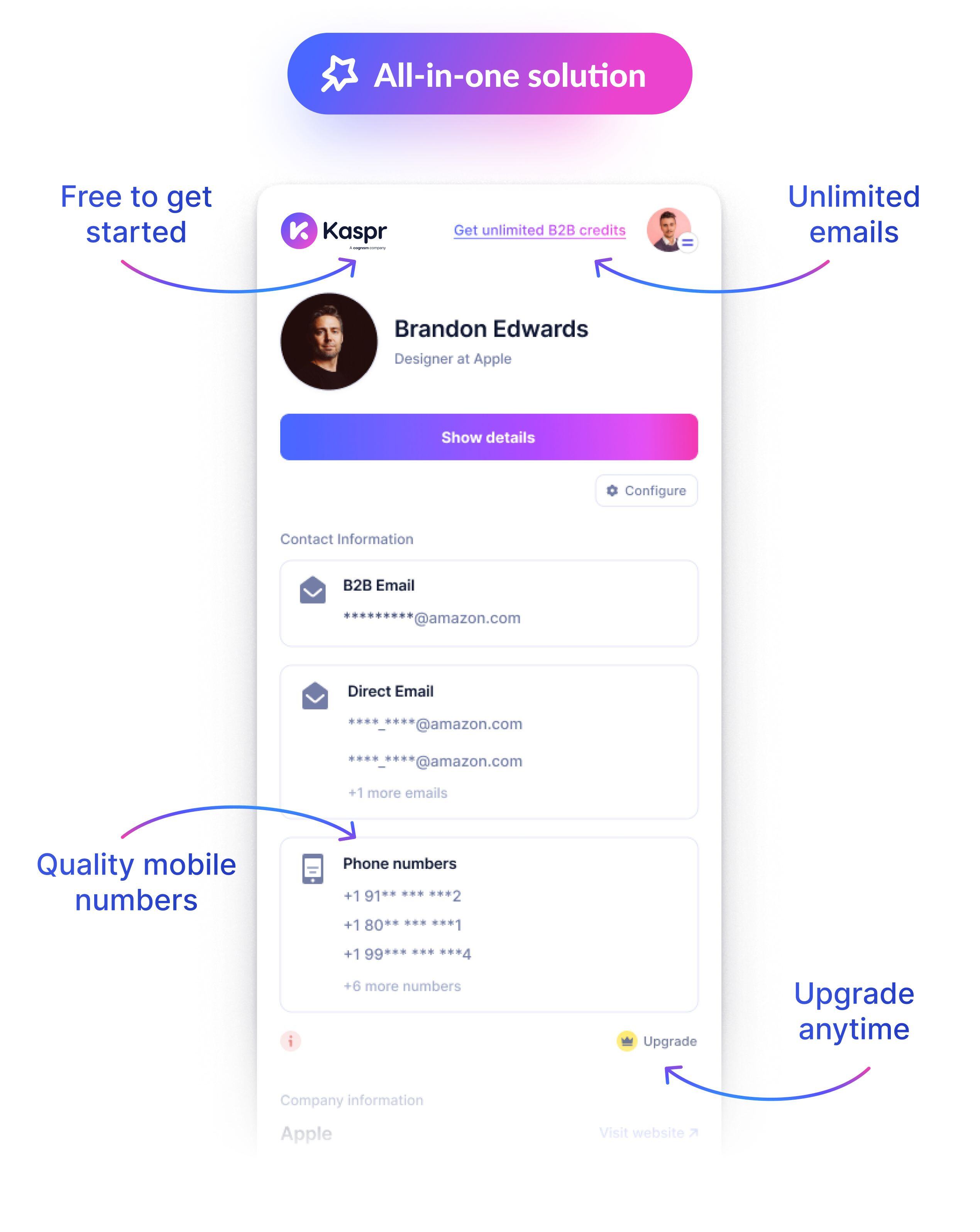
Here, you will install the Uplead Chrome Extension and learn to capture prospect data from LinkedIn or company websites. This method integrates Uplead into a common sales workflow.
Specific Procedures:
- Installation: Get the extension from the Chrome Web Store and log in.
- LinkedIn Prospecting: Go to a target's LinkedIn profile. Activate the extension by clicking its icon.
- Data Capture: Review the data Uplead finds in the extension pop-up.
- List Integration: Click “Add to List” to save the prospect to a designated list in your Uplead account.
This is the best workflow for account-based prospecting when you have already found a specific person. It is faster than searching for them inside the Uplead platform. I use this when I find a key stakeholder in an article, as it lets me capture their data instantly.
The extension relies on public data, so if a LinkedIn profile is sparse, the data may be incomplete. Always check your use of captured data against your company's privacy policy and regional regulations like GDPR.
Section 1.3: Data Enrichment – Turning Partial Data into Actionable Intelligence
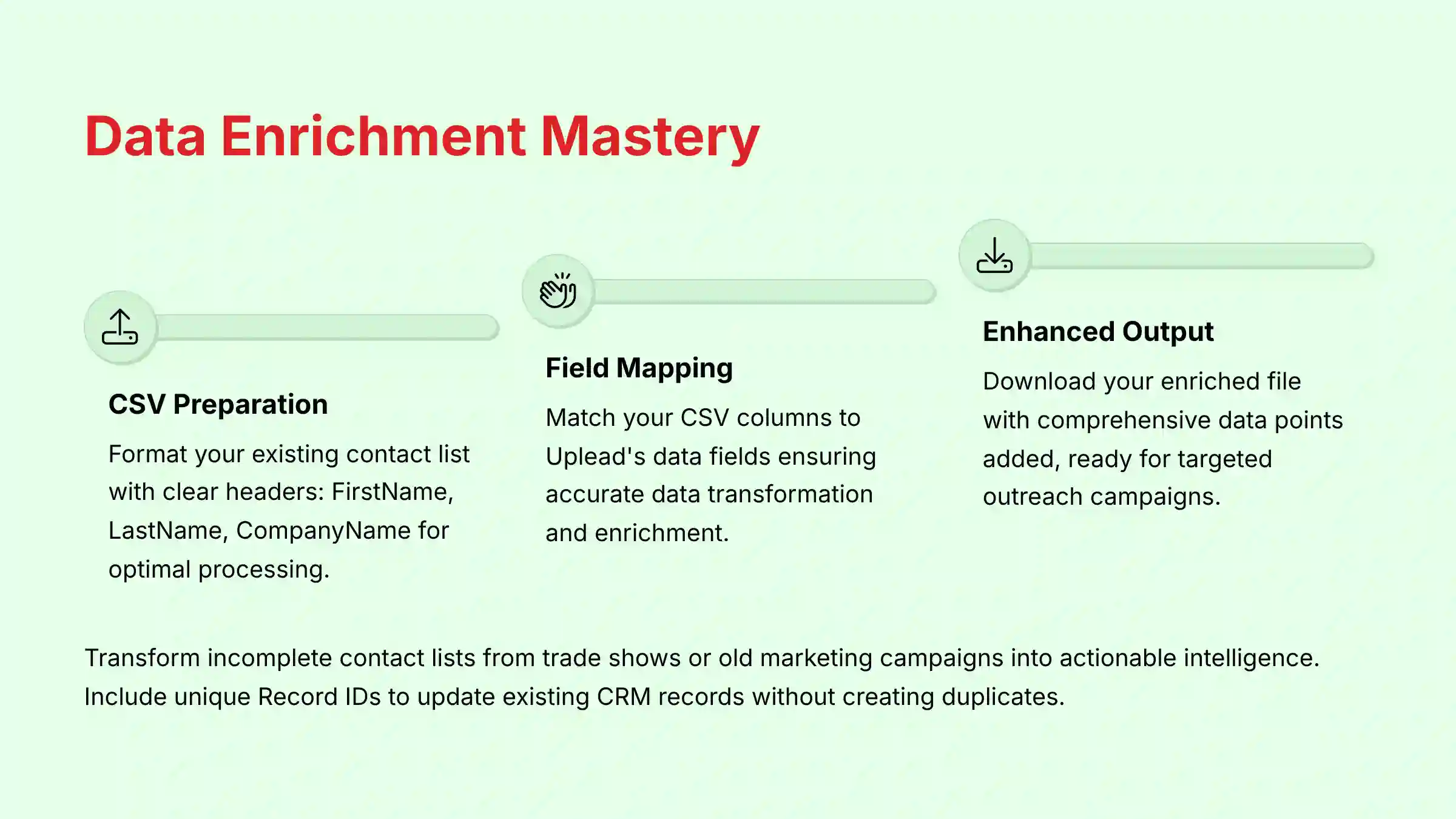
This section teaches you how to use Uplead's enrichment feature to add missing data to an existing contact list. Think of data enrichment as a detail shop for your messy contact list. A list goes in with missing information and comes out clean and ready for outreach.
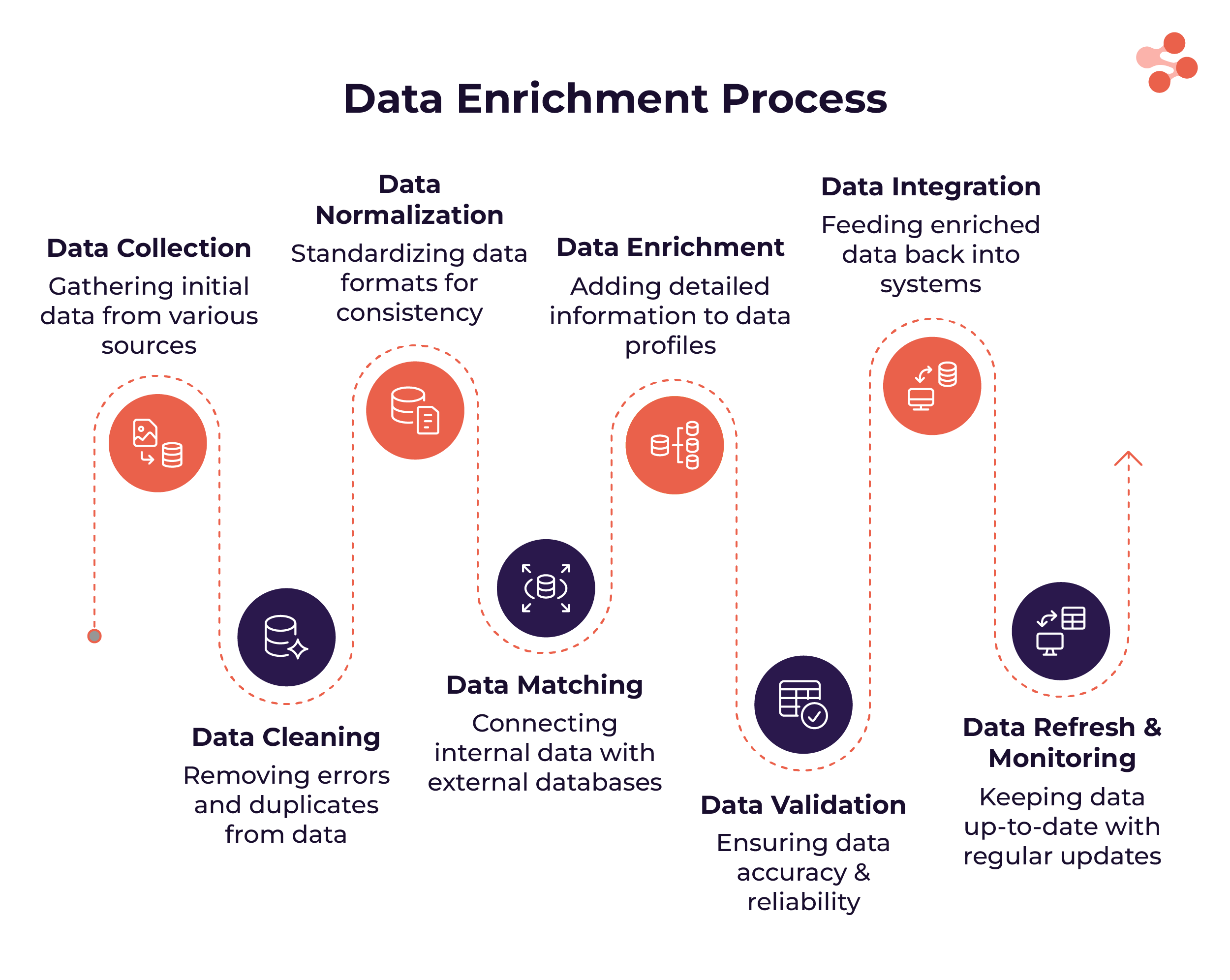
Specific Procedures:
- CSV Preparation: Format your list in a CSV file with clear headers like FirstName, LastName, and CompanyName.
- Upload Data: Go to the Enrich tab and upload your CSV file.
- Field Mapping: Match the columns in your file to the correct Uplead data fields.
- Process & Download: Start the enrichment process. Download the completed file with new data points added.
This is a core task for any Sales or Marketing Operations role. You can use it to clean lists from trade shows or old marketing campaigns. For CRMs, you must include the unique Record ID in your file to update existing records without creating duplicates. The quality of the output depends on the quality of the input.
Part 2: Advanced Prospecting & Intelligence Strategies
Section 2.1: The ABM Trigger – Combining Technographics with Intent Data
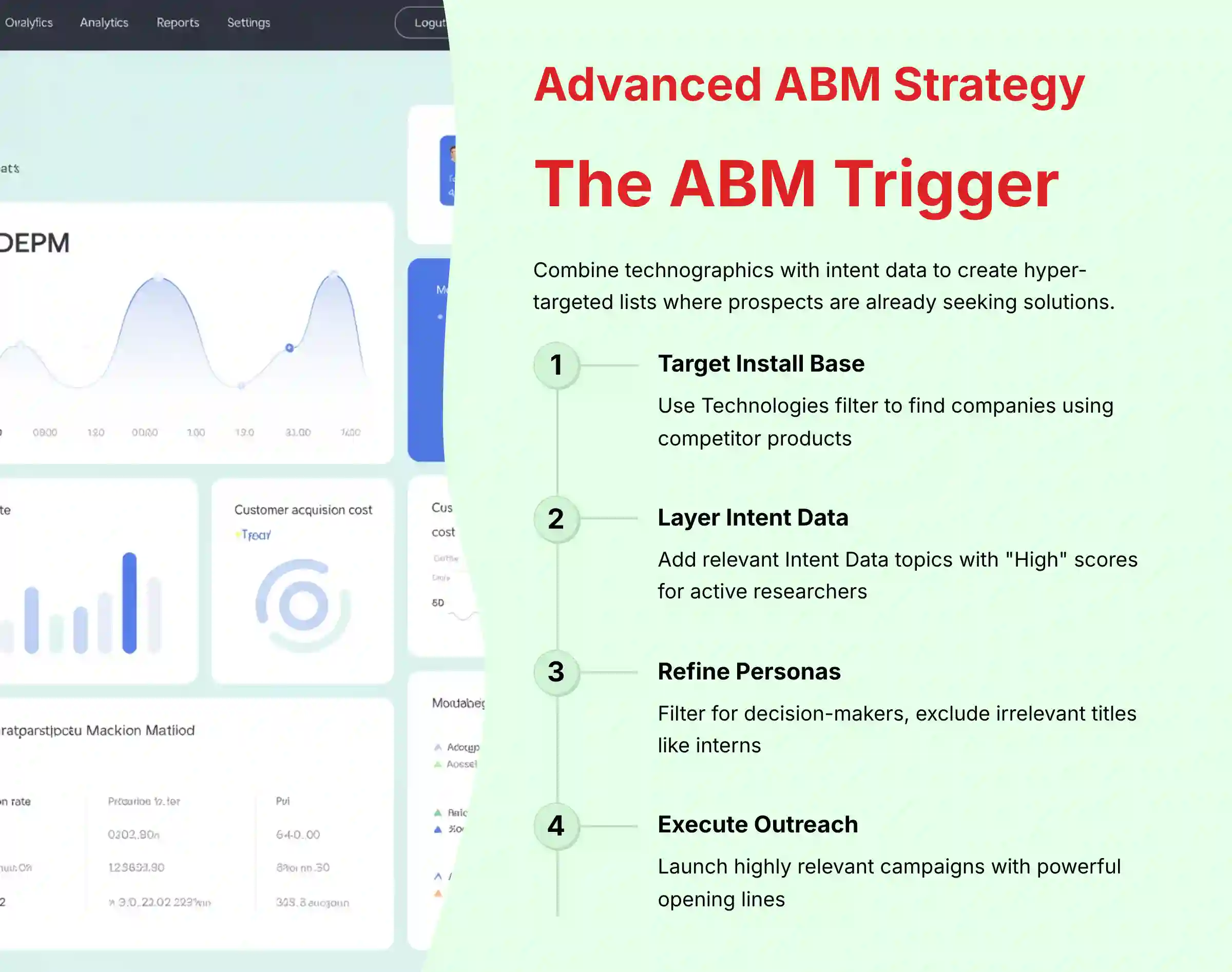
This advanced workflow helps you build hyper-targeted lists for Account-Based Marketing (ABM). Combining Technographics with Intent Data is like being a detective. You not only know the suspect has a specific tool (technographics) but you also hear them planning to use it (intent data).
Specific Procedures:
- Target Install Base: Use the Technologies filter to find companies using a competitor's product.
- Layer Intent Data: Add relevant Intent Data topics. Set the score to “High” to find accounts actively researching solutions.
- Refine Personas: Use Job Title filters for decision-makers. Use Exclude Titles to remove noise like interns or consultants.
- Execute Outreach: Export the list for a very relevant outreach campaign.
This workflow creates a “warm” list of accounts with proven needs and active interest. In my testing, this is how you move from competing on price to competing on value. Your opening line becomes very powerful. For example: “I saw you use Salesforce and are researching Marketing Automation.”
Remember that intent data is a strong signal, but not a guarantee of a sale. It shows research is happening, which is the perfect time to start a conversation. For organizations seeking Uplead Top Alternatives and Competitors, understanding these advanced techniques helps evaluate feature parity across platforms.
Section 2.2: The “Lookalike” Expansion – Cloning Your Best Customers
This process helps you find new prospects that share characteristics with your best existing customers. It is a data-driven strategy for market expansion.
Specific Procedures:
- Profile Customers: Export a list of your top customer domains from your CRM.
- Analyze Attributes: Use Uplead's Enrich feature on this list. Identify common firmographics and technographics.
- Build Lookalike Search: Create a new search in Uplead using these common attributes as your filters.
- Exclude Customers: Use the Exclusions feature to upload your current customer list. This ensures you only target new accounts.
This is one of the most powerful workflows, but it is often underutilized. The exclusion step is absolutely mandatory and frequently forgotten. Your “best customer” profile can change, so re-run this analysis quarterly to keep your targeting accurate.
Part 3: Implementation, Integration & Automation
Section 3.1: Core CRM Integration (Salesforce & HubSpot)
This section covers connecting Uplead to your CRM and configuring data settings. This task is best handled by a Sales Ops or Revenue Operations (RevOps) professional to prevent data errors and maintain your CRM as the single source of truth. Setting up CRM duplication rules is like giving your CRM a unique fingerprint scanner. It prevents duplicate records and mitigates data decay.
Specific Procedures:
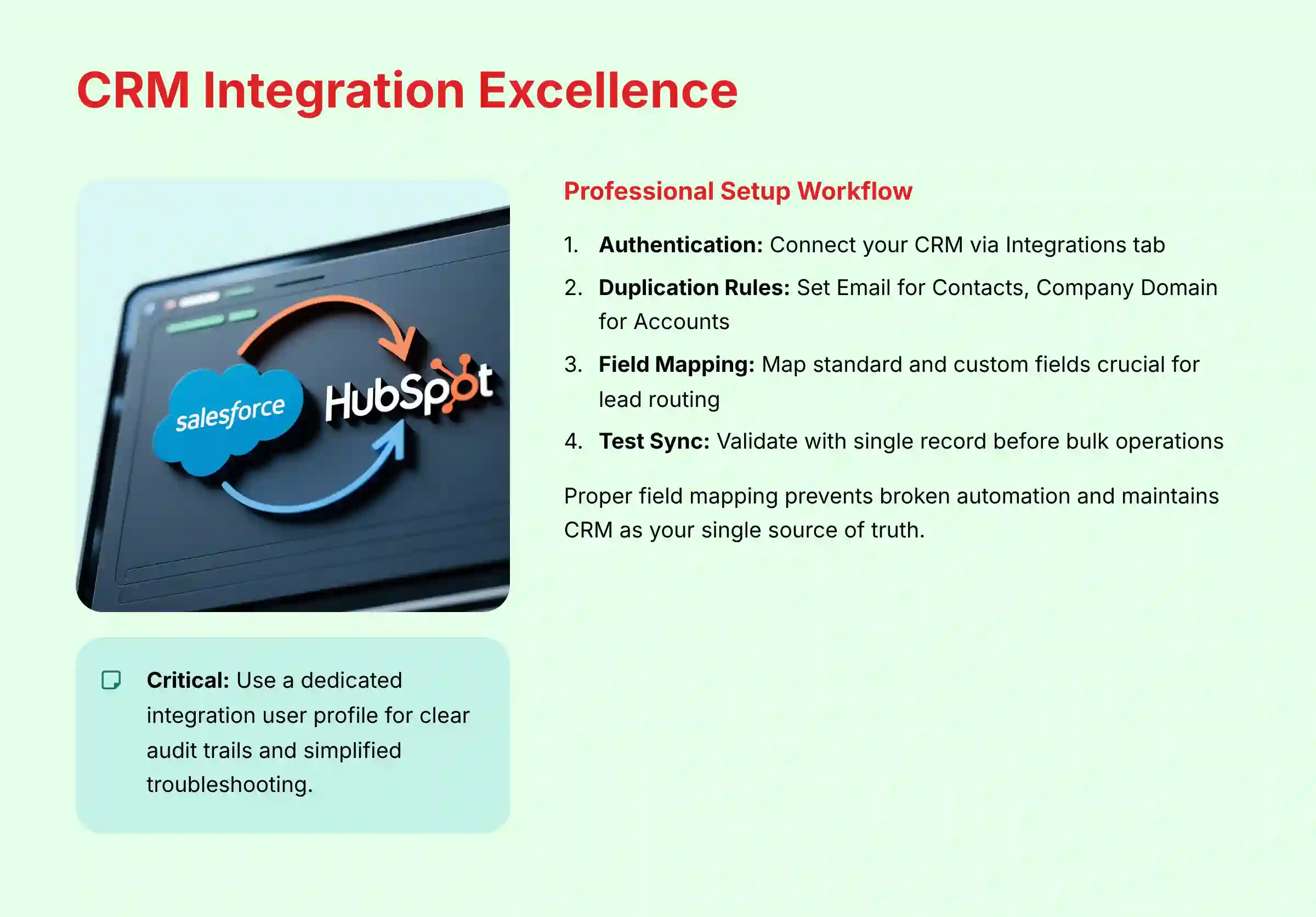
- Authentication: In Uplead's Integrations tab, select your CRM and authenticate your account.
- Duplication Rules: Set rules to check for duplicates. Use Email for Contacts and Company Domain for Accounts.
- Field Mapping (Critical for Data Integrity): Map Uplead data fields to the correct fields in your CRM. Pay close attention to custom fields that are crucial for your sales process, such as
ICP_ScoreorLead_Source_Detail. A failure to map these correctly can break lead routing automation and reporting. We professionally recommend performing a test sync with a single record to validate all standard and custom field mappings before a bulk operation. - Data Sync & Error Handling: Select a list and use the “Export to [CRM]” option to push the data.
The duplication rules step is the single most important action in this guide for long-term data hygiene. Professional Best Practice: Use a Dedicated Integration User. In your CRM, create a unique user profile (e.g., ‘Uplead Integration') for the authentication step. This is non-negotiable for serious data governance. It provides a clear audit trail for every record created or updated by the system, simplifies troubleshooting API errors, and allows you to build reports that isolate automated data entry from manual entry.
Mismatched picklist values are a common cause of sync errors, so a pre-sync audit is a professional best practice.
Section 3.2: Advanced Automation with API and Zapier
Here, you will learn how to use Uplead's API for real-time enrichment and connect it to other tools with Zapier. The API workflow is for companies with developers and can change how you qualify leads. The Zapier workflow is for any sales manager wanting to automate tasks.
API (Technical Workflow) for Real-Time Enrichment:
Uplead's RESTful API is ideal for technical teams looking to programmatically enrich leads in real-time. The workflow typically involves using API key authentication to make secure calls to specific API endpoints.
- Trigger: A user submits a form on your website (e.g., a “demo request”).
- API Call: Your system's backend sends the prospect's email and company name in a JSON payload to the Uplead /enrich API endpoint.
- Action: The API returns a rich dataset, including firmographics, title, and social profiles. Use this data to instantly score the lead, route it to the correct AE via your CRM, and trigger a personalized nurture sequence.
A robust implementation requires professional-grade error handling to manage scenarios where an API call fails or returns no match, preventing data contamination. We recommend consulting Uplead's official API documentation for details on rate limits and data schemas.
Zapier (Practical) Workflow:
- Trigger: Select “New Contact in a List” in Uplead.
- Action: Select “Create a Task” in a tool like Asana or Trello.
- Map Fields: Pull the contact's name and company into the task description.
Automating data workflows requires solid error handling. You need a plan for what happens if an API call fails to prevent bad data from spreading through your systems. When considering this level of automation, I recommend a consultation with a qualified technical professional or a certified Zapier Expert to ensure proper error handling, field mapping, and system governance are in place before activation.
Part 4: Optimization, Troubleshooting & Governance
Section 4.1: The Sales Ops Troubleshooting Playbook
This is a quick reference guide for diagnosing and solving common technical issues.
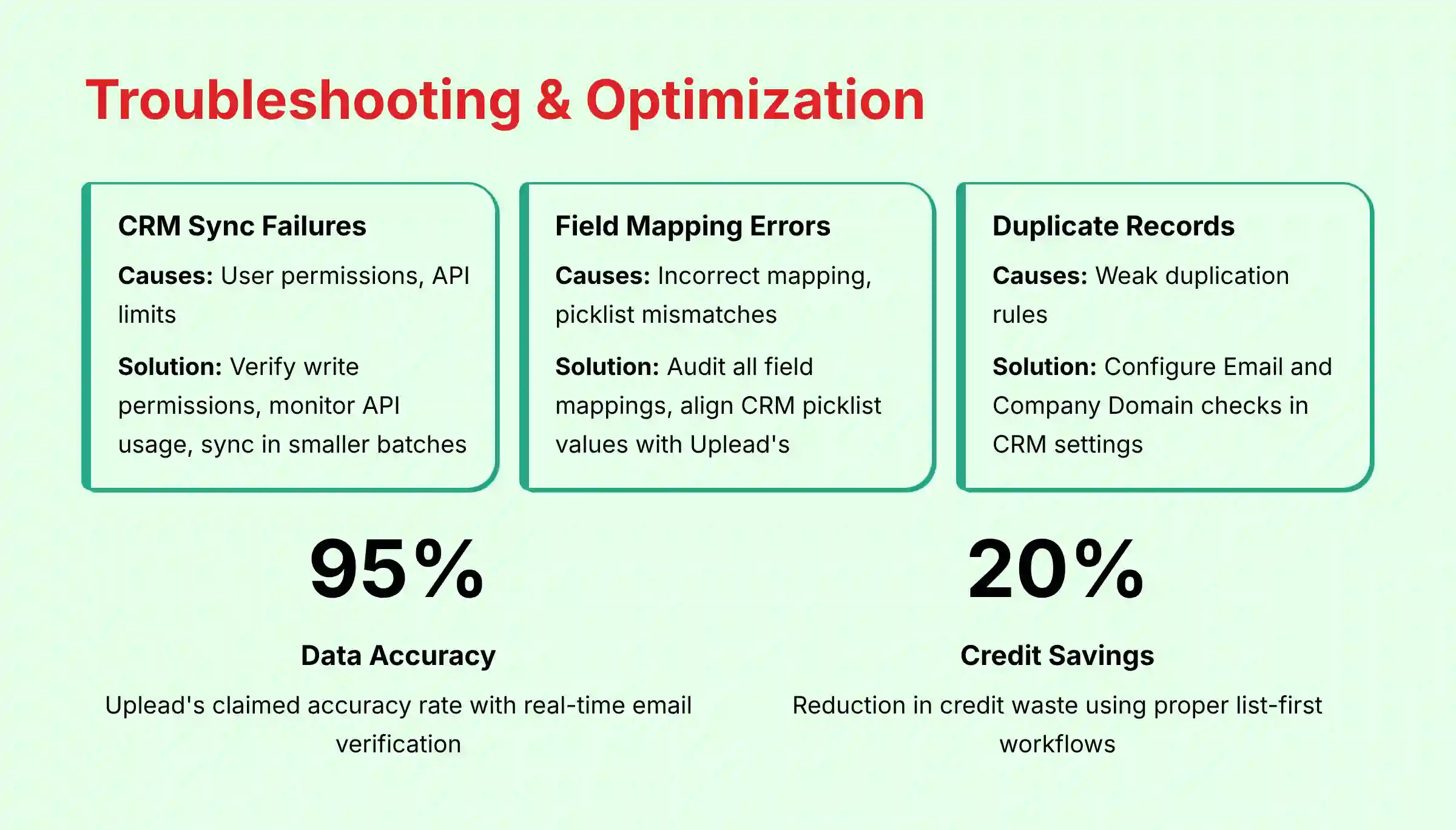
| Problem and Symptom | Common Cause(s) | Solution and Workflow |
|---|---|---|
| CRM Sync Fails or is “Stuck” | 1. Permissions: The connected CRM user lacks write permissions. 2. API Limits: Your CRM instance has hit its daily API call limit. |
1. Check User Permissions: Confirm the authenticating CRM user has full Create/Read/Update permissions. 2. Monitor CRM API Usage: Check your CRM's API dashboard and sync in smaller batches. |
| Data Not Mapping to Correct Fields | 1. Incorrect Field Mapping: A field is mapped incorrectly. 2. Picklist Mismatch: Uplead's value doesn't exist in your CRM's dropdown menu. |
1. Audit Mapping: Review every field mapping in Uplead's integration settings. 2. Align Picklists: Update your CRM's picklist values to match Uplead's. |
| Duplicate Records are Being Created | Weak Duplication Rules: Uplead's duplication settings are not configured correctly. | Strengthen Rules: In Uplead's CRM settings, set the check to use Email for contacts and Company Domain for accounts. |
Section 4.2: Power-User Tips for Efficiency and ROI
This section offers tips for managing credits and using the tool in a cost-effective way. These are “insider” tips that provide big benefits.
Specific Procedures:
- Credit Management: Add prospects to a list first, then sync to your CRM. This method avoids spending credits on contacts already in your system.
- Performance: Split lists larger than 10,000 contacts into smaller batches before processing.
- Workspace Hygiene: Use the “List Archiving” feature to keep your dashboard clean.
The credit management tip should become a standard operating procedure for the whole sales team. It directly maximizes the ROI of your Uplead subscription.
Part 5: Strategic Use Cases & Measurable Outcomes
Section 5.1: Use Case Implementation Framework
This part connects the skills you have learned to specific business goals. It shows how Uplead is a part of a larger go-to-market strategy. Adapting these frameworks for your specific GTM strategy may benefit from consultation with a RevOps professional.
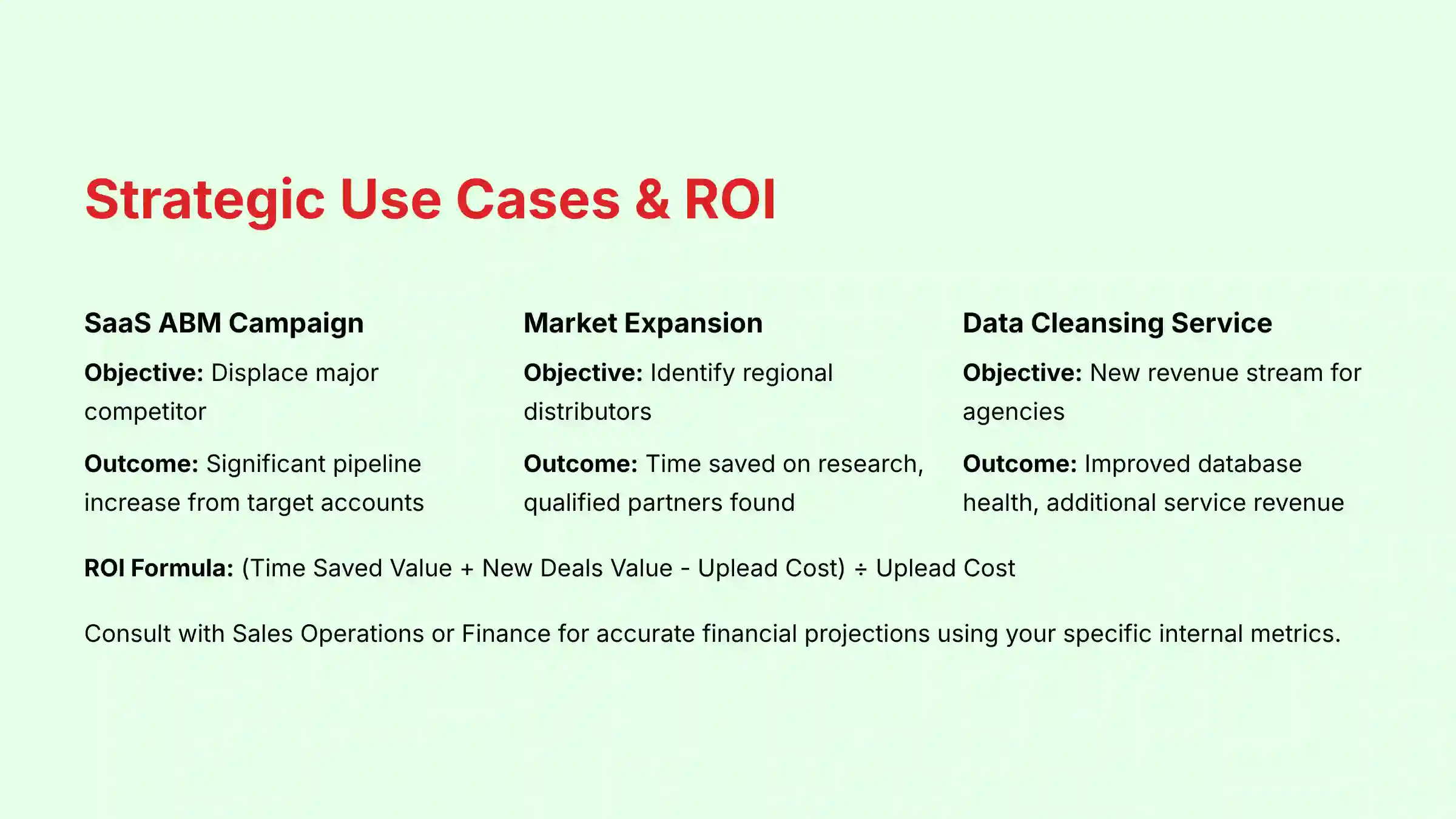
- Use Case 1: SaaS ABM Campaign
- Objective: Displace a major competitor.
- Workflow: Execute the “ABM Trigger” workflow (2.1).
- Measurable Outcome: Increase in pipeline from the target account list. A potential goal for this workflow could be to generate a significant increase in the sales pipeline from the target account list within a specific timeframe.
- Use Case 2: Manufacturing Market Expansion
- Objective: Identify distributors in a new region.
- Workflow: Execute the “Lookalike” Expansion workflow (2.2), but change the location filter.
- Measurable Outcome: Time saved on market research and the number of qualified partners found.
- Use Case 3: Marketing Agency Data Cleansing Service
- Objective: Offer a new revenue-generating service to clients.
- Workflow: Execute the Data Enrichment workflow (1.3) for clients.
- Measurable Outcome: Client database health score improvement and new service revenue.
Each use case is tied to a measurable outcome and ROI. These examples provide a strategic blueprint managers can adapt for their own teams. Note that results can vary based on many factors. For teams seeking to maximize ROI across multiple platforms, exploring Best 10 AI Sales Prospecting & Intelligence tools can provide valuable context for implementation decisions.
Frequently Asked Questions About Uplead Tutorials and Usecase
How Accurate Is Uplead's Data Really?
Uplead's claimed ~95% accuracy is achieved via real-time email verification, a feature designed to protect your domain reputation and maximize deliverability. Think of it as a first line of defense against bounces. However, as a professional best practice, you should always treat your domain as your most critical asset. Before any large-scale send, validate any new list with a small test campaign. This two-step process—Uplead's verification followed by your own validation—is the gold standard for maintaining a healthy sender score.
What Is the Difference Between Uplead and LinkedIn Sales Navigator?
They are complementary tools designed for different stages of the prospecting process. Sales Navigator is best for finding people within the LinkedIn ecosystem. Uplead provides the validated, off-platform contact information, like business emails and phone numbers, needed to contact those people. A great workflow is to build a target list in Sales Navigator and then use the Uplead Chrome Extension to get their contact details.
How Do I Calculate the ROI for an Uplead Subscription?
The main value drivers are time savings and new deals closed. A simple ROI formula is:
- Calculate Time Saved: Estimate the hours your SDRs save on manual prospecting each week and multiply by their hourly cost.
- Calculate Value of New Business: Determine the average contract value (ACV) of a deal sourced from Uplead.
- Formula:
ROI = ( (Value of Time Saved + Value of New Deals) - Cost of Uplead ) / Cost of Uplead
For an accurate financial projection, users should consult with their Sales Operations or Finance department. These professionals can help build a formal business case using the company's specific internal cost and revenue data, leading to a much more reliable ROI calculation than the generic formula allows.
Can Uplead Get My Email Domain Flagged for Spam?
Uplead itself will not get your domain flagged. How you use the data can. Sending mass, unpersonalized emails risks high bounce rates and spam complaints. You must follow email outreach best practices like personalization and providing a clear unsubscribe link to comply with CAN-SPAM and GDPR.
My CRM Sync Is Failing. What's the First Thing I Should Check?
The two most common causes are user permissions and field mapping errors.
- Check Permissions First: The CRM user account connected to Uplead must have “Create” and “Edit” permissions for leads, contacts, and accounts.
- Check for Picklist Mismatches: The next likely problem is a picklist mismatch. For instance, your CRM may have a required “Industry” field with a restricted list of values. If Uplead tries to sync a value that is not on that list, the record creation will fail.
What Are ‘Intent Data' Topics and How Should I Use Them?
Intent Data tracks when a company's employees are actively researching specific topics online. It signals which accounts are showing “buyer intent.” The best way to use this is to layer it on top of your standard ICP filters. It helps you prioritize outreach to companies that are not just a good fit, but are also in a buying cycle.
Is Uplead's API Difficult to Use for a Non-Developer?
Yes, using the Uplead API directly requires technical expertise and is typically a developer's job. For non-developers who want automation, Uplead offers a solid integration with Zapier. Zapier acts as a middle layer, letting you connect Uplead to other apps with a user-friendly, no-code interface.
How Can I Avoid Creating Duplicate Contacts in My Salesforce or HubSpot CRM?
This is a very important governance step. Before you sync any lists, you must configure Uplead's duplication rules in the CRM integration settings. The best practice is to set the rules to check for duplicates based on the Email field for contacts and the Company Domain field for accounts. Taking five minutes to set this up will save hundreds of hours of data cleanup later.
Is Uplead Compliant with Regulations like GDPR and CCPA?
Yes, Uplead is designed to operate in compliance with major data privacy regulations. For GDPR, they function as a data processor and provide a Data Processing Agreement (DPA). For the CCPA/CPRA, they offer mechanisms to handle data subject requests.
From a professional standpoint, your company remains the data controller. This means you are responsible for how you use the data. We recommend establishing a clear internal data governance policy that dictates the lawful basis for processing and outreach, especially when targeting individuals in regions with strict privacy laws. A key security validation point for our team is Uplead's SOC 2 Type II certification, which provides an independent audit of their security controls.
How Does Uplead Compare to Direct Competitors like ZoomInfo or Apollo.io?
While Uplead and LinkedIn Sales Navigator are complementary, its direct competitors are platforms like ZoomInfo, Apollo.io, and Lusha. The choice often depends on your specific go-to-market strategy and budget.
- Uplead vs. ZoomInfo: Uplead is often praised for its high data accuracy and straightforward, credit-based pricing, making it a strong choice for teams focused purely on high-quality B2B contact and company data. ZoomInfo is an enterprise-grade platform that offers a broader suite of features, including deeper intent data, conversation intelligence, and a more extensive database, but typically comes at a significantly higher price point and complexity.
- Uplead vs. Apollo.io: Apollo is an all-in-one platform that combines data sourcing with a full sales engagement engine (sequencing, dialer). Uplead focuses on being a best-in-class data provider that integrates into your existing sales engagement tool. The decision here is whether you want a specialized data tool or a consolidated “all-in-one” outreach platform. Our professional assessment suggests teams with an established tech stack often prefer a specialized tool like Uplead for its data quality, while startups may prefer Apollo's consolidated approach.
To answer common questions that teams have when evaluating this platform, we've compiled a comprehensive Uplead FAQs resource that addresses implementation concerns, pricing considerations, and technical requirements in detail.


Leave a Reply