
Is Uplead the Right B2B Intelligence Platform for Your Team?
Take This Quick Quiz to Find Out!

As the founder of Best AI Sales Software, I've spent years testing tools that promise to make sales easier. A core challenge for any sales team is finding accurate contact information. This is where a platform for AI Sales Prospecting & Intelligence becomes a game-changer. For those exploring comprehensive solutions in this space, our detailed analysis of the Best 10 AI Sales Prospecting & Intelligence tools provides valuable insights for informed decision-making. This Uplead Overview and Features guide provides a deep, technical look at a tool designed to solve that exact problem.
Uplead is a B2B sales intelligence platform. Its main job is to give sales and marketing teams correct contact and company data. The platform helps streamline lead generation with real-time verified data. This cuts down on time spent prospecting by hand and makes outreach campaigns more effective.
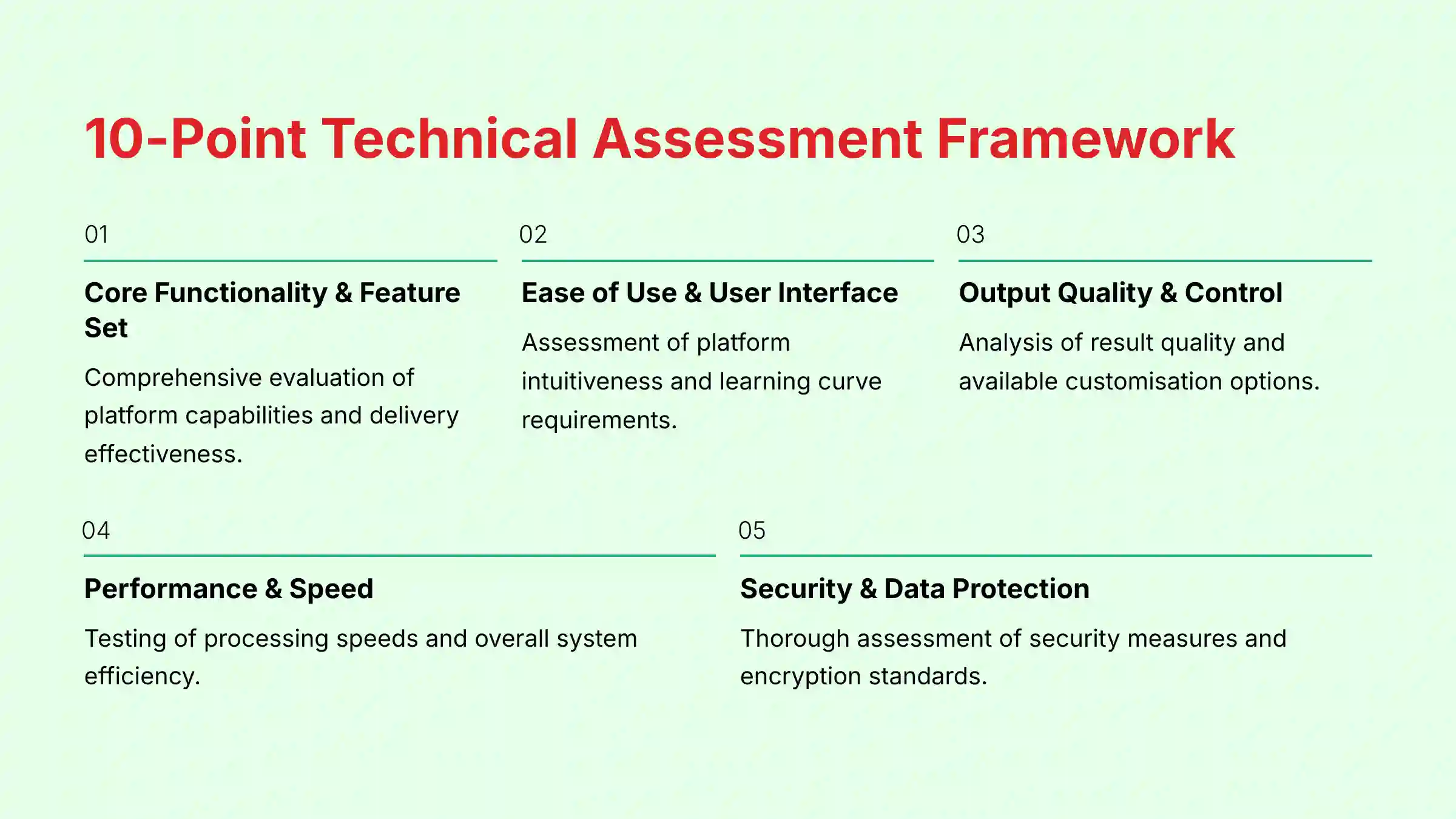
After analyzing hundreds of tools and testing Uplead in many real-world projects in 2025, my team at Best AI Sales Software created a comprehensive 10-point technical assessment framework:
- Core Functionality & Feature Set: We assess what the tool claims to do and how effectively it delivers
- Ease of Use & User Interface: We evaluate the platform's intuitiveness and learning curve
- Output Quality & Control: We analyze the quality of generated results and customization options
- Performance & Speed: We test processing speeds and overall efficiency
- Security Protocols & Data Protection: We thoroughly assess security measures and encryption standards
- Compliance & Regulatory Adherence: We verify GDPR, CCPA, SOC 2, and industry-specific compliance
- Input Flexibility & Integration Options: We test data input methods and integration capabilities
- Pricing Structure & Value for Money: We examine subscription costs and credit systems for true value
- Developer Support & Documentation: We investigate the quality of support and documentation
- Risk Assessment & Mitigation: We identify potential risks and evaluate built-in safeguards
This framework is our commitment to providing expert, authoritative, and trustworthy content. Our process includes a full security assessment, compliance verification, and risk analysis to meet professional standards.
Key Takeaways
- Core Functionality: Uplead is a B2B data provider for lead generation, data enrichment, and email verification. It replaces manual searching with an efficient, filter-based system.
- Data Accuracy: The platform's standout promise is its 95% data accuracy guarantee. This is backed by a live email verification process and an automatic credit-back policy for any emails that bounce.
- Key Features: Advanced functions include Technographics for filtering companies by the software they use. It also offers Intent Data to find companies actively researching specific solutions.
- Integrations: Uplead offers direct integrations with major CRMs like Salesforce and HubSpot. It also connects to sales platforms like Outreach and SalesLoft and provides API access.
- Pricing Model: The platform uses a credit-based subscription. One credit unlocks one contact or company profile, and any unused credits roll over to the next month.
What Is Uplead and How Does It Work?
Uplead is a B2B sales intelligence and prospecting platform. Its primary purpose is to provide sales teams with accurate, verified contact and company information for building targeted lead lists. At its core, Uplead gives you the raw materials—names, emails, and phone numbers—that your sales team needs to start conversations.
The platform works through a simple, powerful process. A user first defines their ideal customer using a wide range of filters, like industry, company size, or job title. Uplead then searches its large database to find matching contacts and companies. Before you spend a credit to unlock a contact's details, Uplead performs a real-time verification check on the email address to confirm it is valid.
This live verification step is what supports its 95% accuracy guarantee. In my experience testing prospecting tools, this on-demand check is a key differentiator from platforms that rely on static, periodically updated databases. This process is designed to lower email bounce rates and improve the overall quality of sales outreach.
In the context of a sales development workflow, Uplead sits at the very top of the sales funnel. Its function is to supply the raw material (accurate data) needed for your CRM and sales engagement tools to be effective.
Data Accuracy and Verification Framework
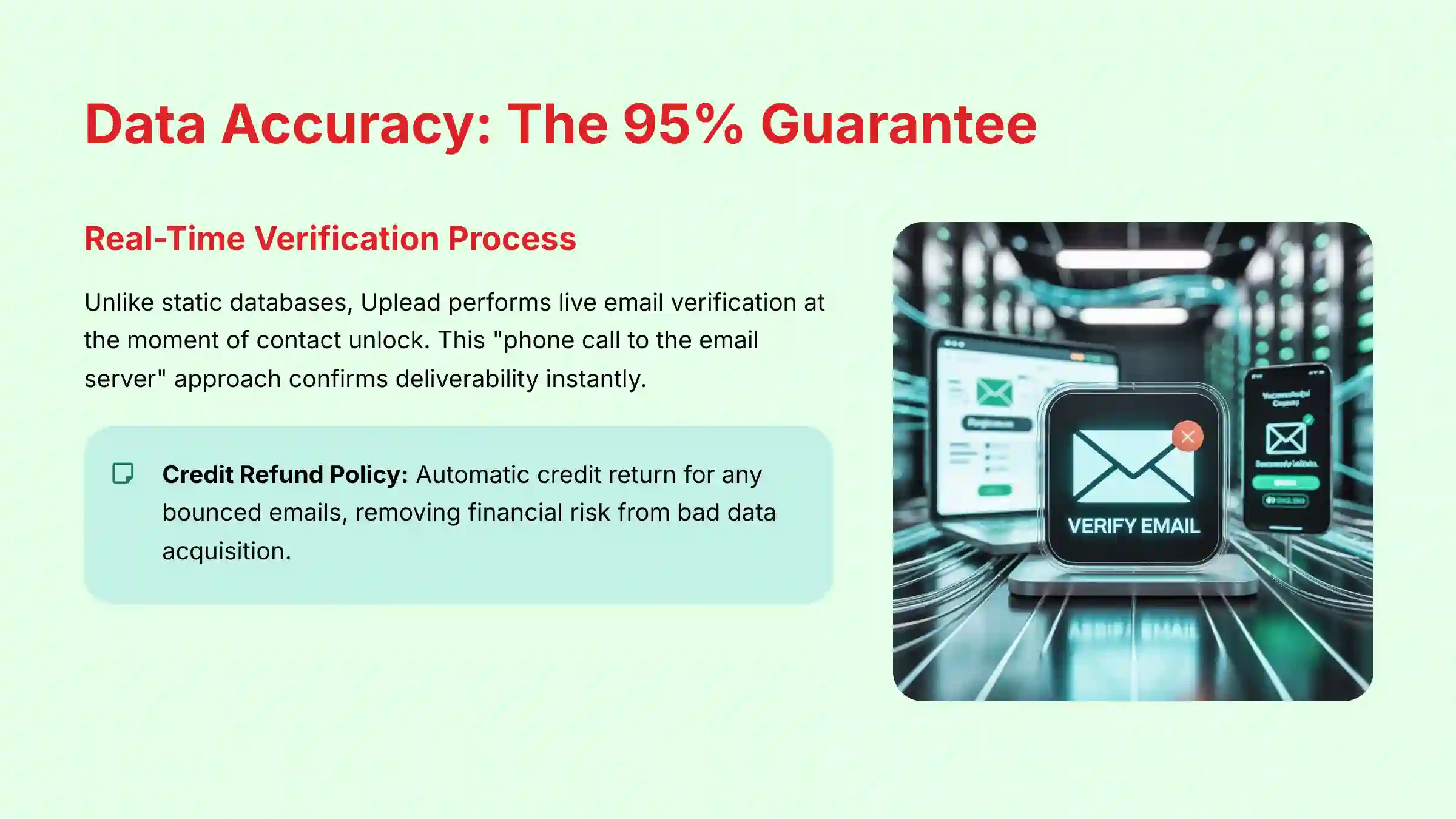
The most important promise Uplead makes is its data accuracy. The platform is built around a 95% Data Accuracy Guarantee, which specifically applies to email deliverability. This is not just a marketing claim; it is a functional part of the product backed by a clear policy that directly impacts your bottom line by reducing wasted resources on invalid contacts and protecting your domain's sending reputation.
The guarantee is made possible by a Real-Time Email Verification process. Think of it like a live phone call. Instead of using an old address book, Uplead calls the email server to see if someone is home right before giving you their address. This check confirms that the email address exists and can receive mail at that exact moment.
To support this system, Uplead has a Credit Refund Policy. The credit you spent is automatically returned to your account if you purchase a contact and the email bounces. This mechanism removes the financial risk of acquiring bad data. While the 95% guarantee focuses on emails, it is a good practice to remember that other data points like phone numbers naturally change over time and may not have the same level of live verification.
Uplead Core Features and Capabilities (A Deep Dive)
Prospecting and Lead Generation Engine
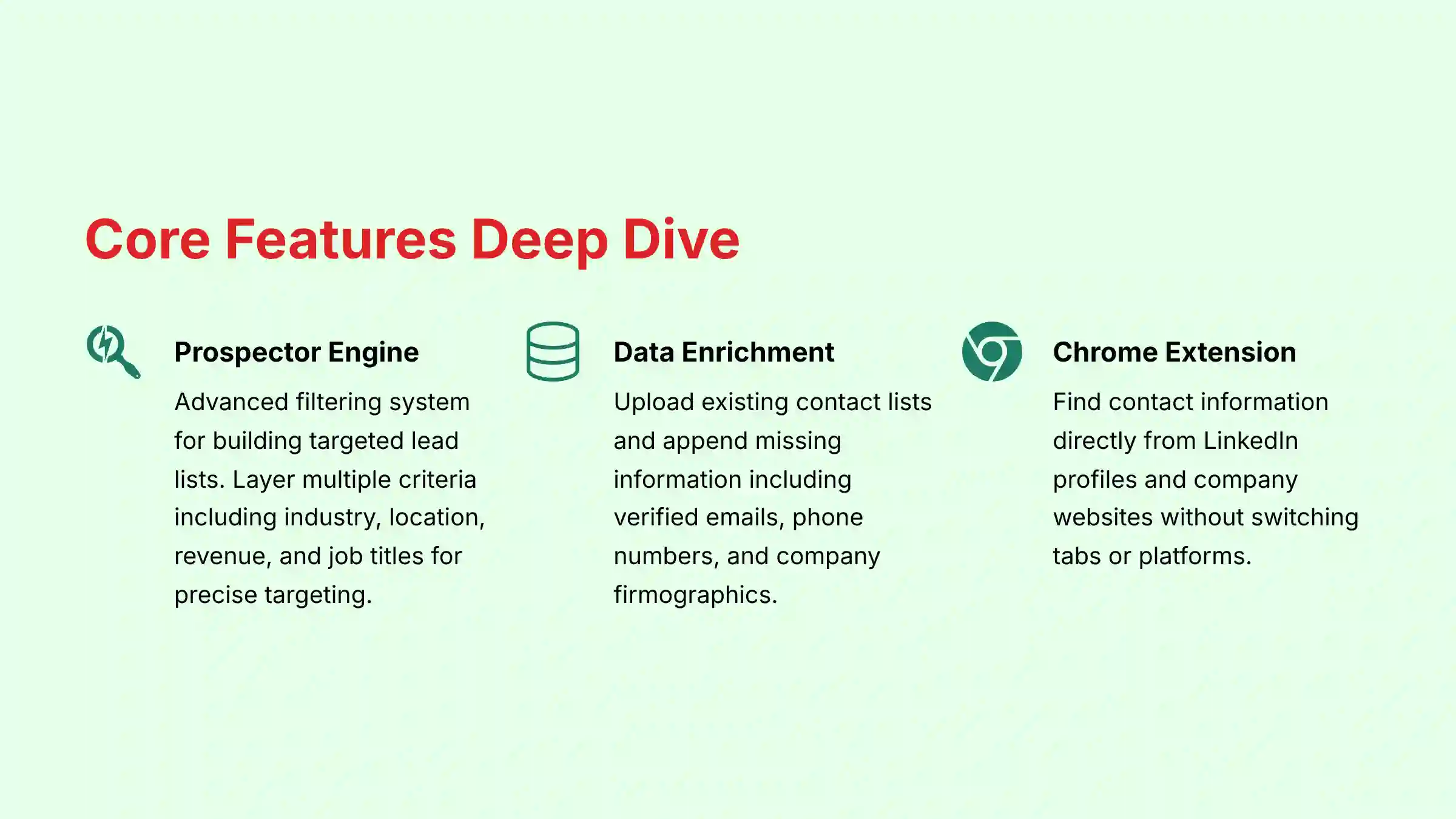
The Prospector tool is the heart of the Uplead platform. This is the main interface where sales professionals build targeted lead lists from a database of over 155 million contacts and 16 million companies. The power of the engine comes from its detailed and combinable search filters.
The Prospector tool is the heart of the Uplead platform, but its effectiveness is entirely dependent on a well-defined Ideal Customer Profile (ICP). Before a single filter is applied, a sales team must have strategic clarity on the firmographics (industry, company size, revenue) and buyer personas (job titles, seniority) they are targeting. Uplead's engine is the machine that operationalizes your ICP, turning strategic definitions into actionable, high-quality lead lists.
In my testing, the ability to layer multiple filters is what allows for the creation of very specific prospect lists. For example, you can build a list of VPs of Marketing at software companies in California that use Salesforce. This level of targeting is what makes modern outbound sales effective.
| Filter Category | Specific Filters |
|---|---|
| Company | Industry, Location, Revenue, Employee Count, Company Type |
| Contact | Job Title, Management Level, Job Function, Location |
| Technographics | Technologies Used (CRM, Marketing Automation, etc.) |
| Intent Data | Companies researching specific topics |
Data Enrichment and Cleansing
Data enrichment is the process of taking your existing, incomplete contact lists and adding missing information from Uplead's database. This feature is a powerful way to improve the quality of leads you already have, such as from a webinar or a trade show. The process works by uploading a CSV file of contacts or companies.
Uplead then matches that information against its database and appends missing data points. This is like hiring a detective for your contact list. You give it a name and company, and it returns with a full dossier of actionable information.
Data points that can be appended include:
- Verified email addresses
- Direct-dial and mobile phone numbers
- Job titles and management levels
- Company firmographics (industry, revenue, etc.)
Intelligence Features (Technographics & Intent Data)
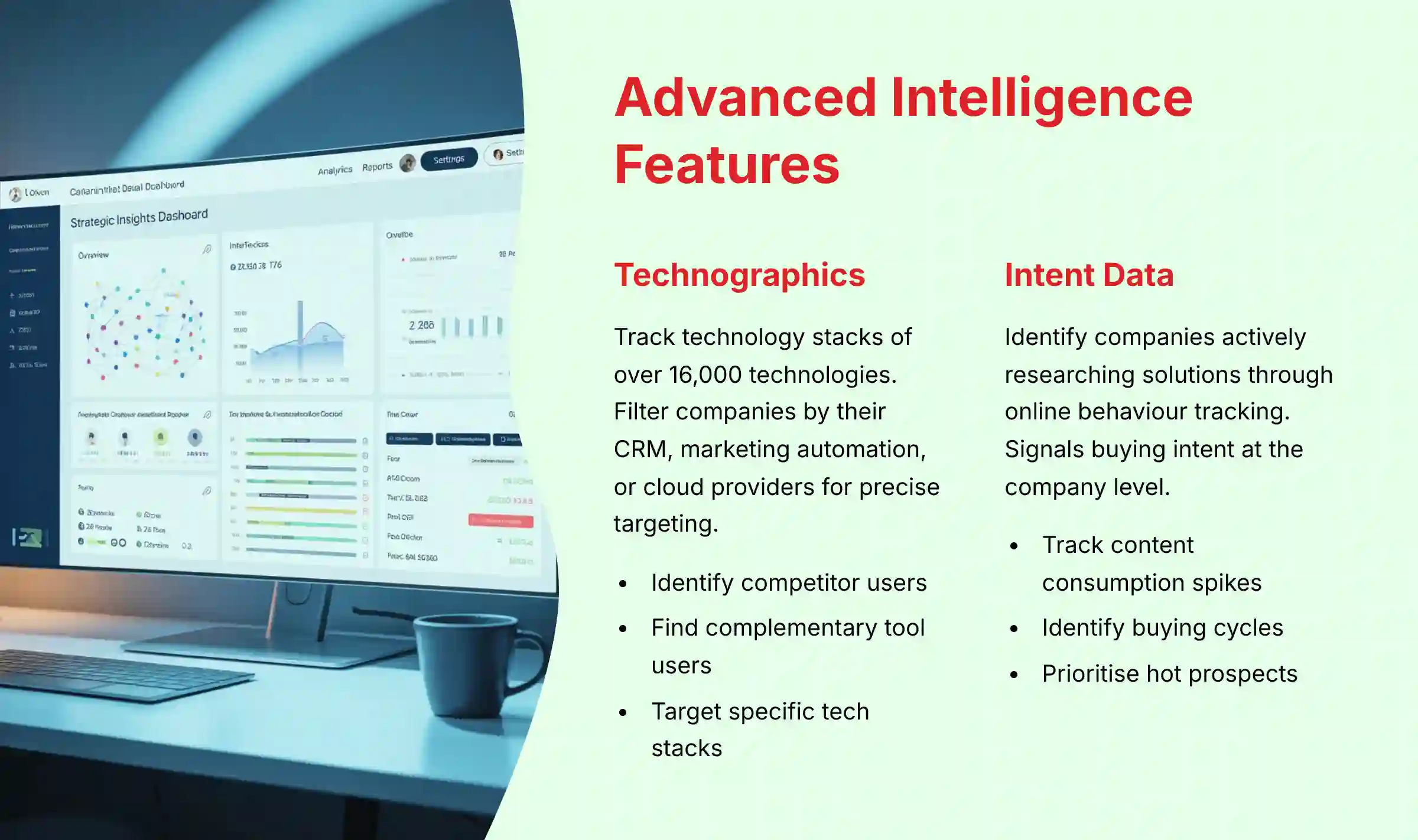
Beyond basic contact data, Uplead offers two advanced intelligence features for even more precise targeting. These features are typically available on higher-tier plans and provide a competitive advantage.
Technographics is data that tracks the technology stack of a company. With a library of over 16,000 tracked technologies, you can filter for companies that use a competitor's product or a complementary one. For example, a company selling a HubSpot plugin can build a list of all companies that use HubSpot.
Intent Data acts like a heat map over the internet, showing you which companies are ‘glowing hot' with interest in your type of solution. It works by tracking the online research behavior of millions of companies. When a company shows a spike in content consumption around a topic like “Cybersecurity Solutions,” it signals they may be in a buying cycle.
It is critical to understand that this feature identifies interested companies, not individuals. This distinction is vital for compliance and effectiveness; sales teams must use this signal as a starting point for account research, not as a confirmation of individual buying intent. The required next step is to use the Prospector to ethically identify and engage the appropriate contacts within that organization.
Workflow and Productivity Tools (Chrome Extension)
The Uplead Chrome Extension is a productivity tool that brings Uplead's database directly into a salesperson's daily workflow. It allows users to find contact information for people they find on LinkedIn profiles or company websites without switching tabs. This makes the prospecting process much smoother.
The workflow is simple:
- Visit a LinkedIn profile or company website.
- Click the Uplead extension icon in your browser.
- Unlock the contact's information using one credit.
- Export the contact directly to your CRM or a prospect list.
My advice is to always use such tools in line with the terms of service of the platform you are on, like LinkedIn. Uplead's extension is designed to identify the person and then find their data in its own database, not scrape it directly from the page.
Uplead Pricing, Plans, and Credits System (2025)

Uplead uses a subscription model based on monthly credits. This is a straightforward system where one credit can be used to unlock the full profile of one contact or one company. A key benefit of this model is that any unused credits automatically roll over to the next month, so you do not lose their value.
The platform offers several plans designed for different team sizes and needs. Advanced features like Technographics and Intent Data are included in the higher-tier plans. Calculating your cost per lead is as simple as dividing the monthly plan cost by the number of credits you receive.
| Plan Name | Monthly Price (approx.) | Monthly Credits | Key Features Included | Target User |
|---|---|---|---|---|
| Free Trial | $0 | 5 | All features for 7 days | Individuals evaluating the tool |
| Essentials | $99 | 170 | Core prospecting, Verified emails & numbers | Individual Reps, Small Startups |
| Plus | $199 | 400 | Everything in Essentials + Technographics | Growing Sales Teams |
| Professional | $399 | 1,000 | Everything in Plus + Intent Data, API | Large Teams, Power Users |
Note: These prices are based on monthly billing. Annual billing prices are significantly lower at Essentials ($74/mo), Plus ($149/mo), and Professional ($299/mo). Additional user seats can be added for an extra cost.
Calculating the ROI of Uplead
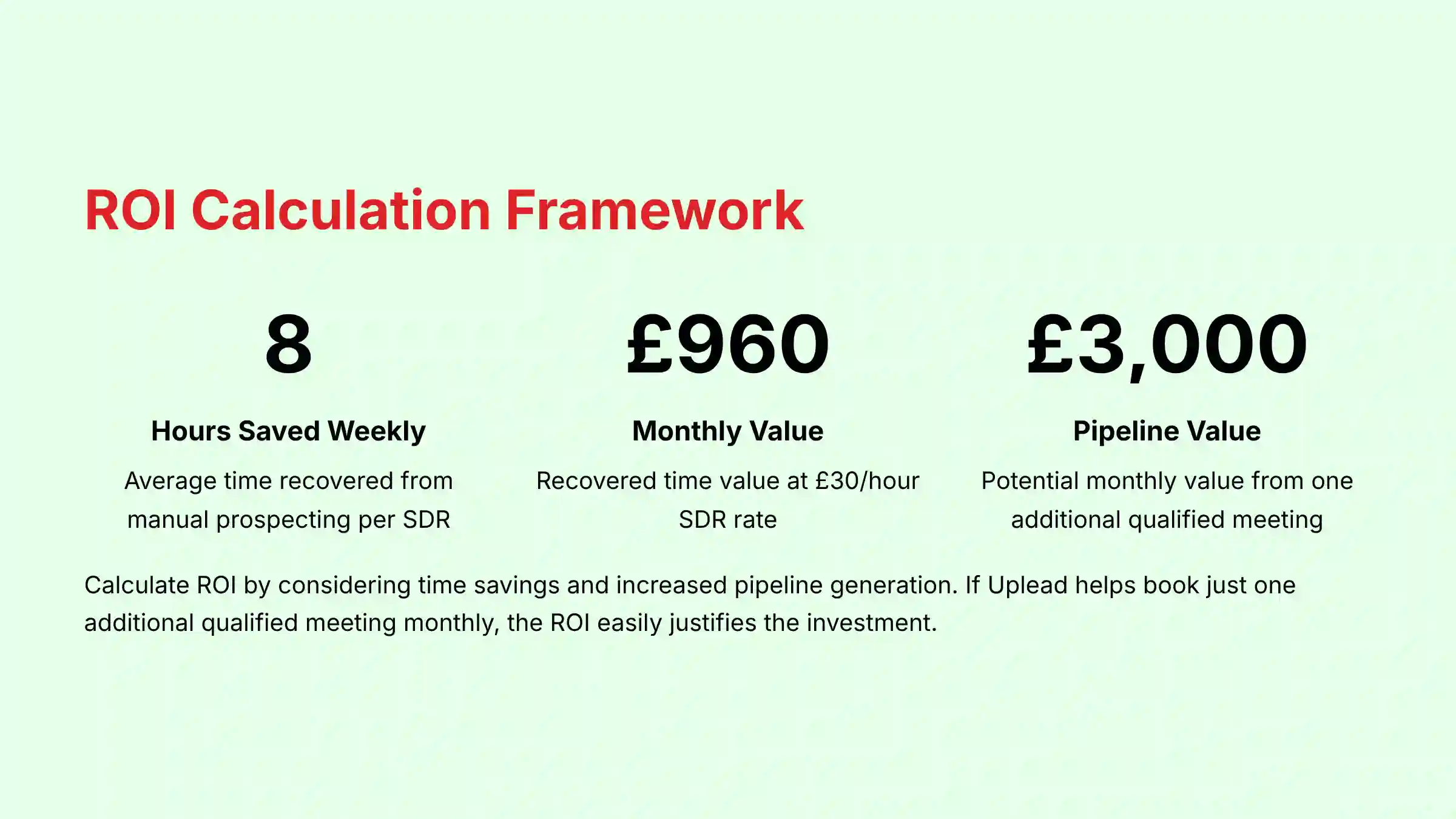
For sales leaders, the cost of a tool like Uplead must be weighed against its potential return. A practical ROI framework considers two factors: time savings and increased pipeline generation.
- Efficiency Gains: Calculate the hourly cost of an SDR. If Uplead saves them 5-10 hours per week from manual prospecting, that recovered time can be reinvested into revenue-generating activities like calling and emailing. (e.g., 8 hours/week x 4 weeks x $30/hour = $960/month in recovered time value, easily justifying a Plus or Professional plan).
- Pipeline Value: The primary ROI driver is a net new opportunity. If access to Uplead's accurate data helps an SDR book just one additional qualified meeting per month, and your average deal size is $15,000 with a 20% close rate, the potential pipeline value added is $3,000 per month from a single meeting.
The AI Advantage: Uplead vs. Manual Prospecting
To understand Uplead's value, it's essential to contrast it with the traditional, manual sales process it replaces. A sales rep without an AI prospecting tool spends hours each day on low-value tasks: guessing email permutations, searching Google for phone numbers, and cross-referencing outdated spreadsheets.
Uplead's AI-driven approach provides critical leverage by:
- Scaling Discovery: Instead of finding one contact at a time, a rep can generate a list of 500 perfectly-fit prospects in minutes.
- Eliminating Guesswork: The real-time verification engine replaces the “email bounce-and-blacklist” cycle with a 95% accuracy guarantee, protecting domain reputation.
- Uncovering Hidden Opportunities: Features like Intent Data and Technographics provide buying signals that are impossible to detect through manual research, allowing teams to engage prospects at the perfect moment.
Ultimately, Uplead automates the ‘work' of prospecting so reps can focus on the ‘skill' of selling.
Integrations, Plugins, and API Capabilities
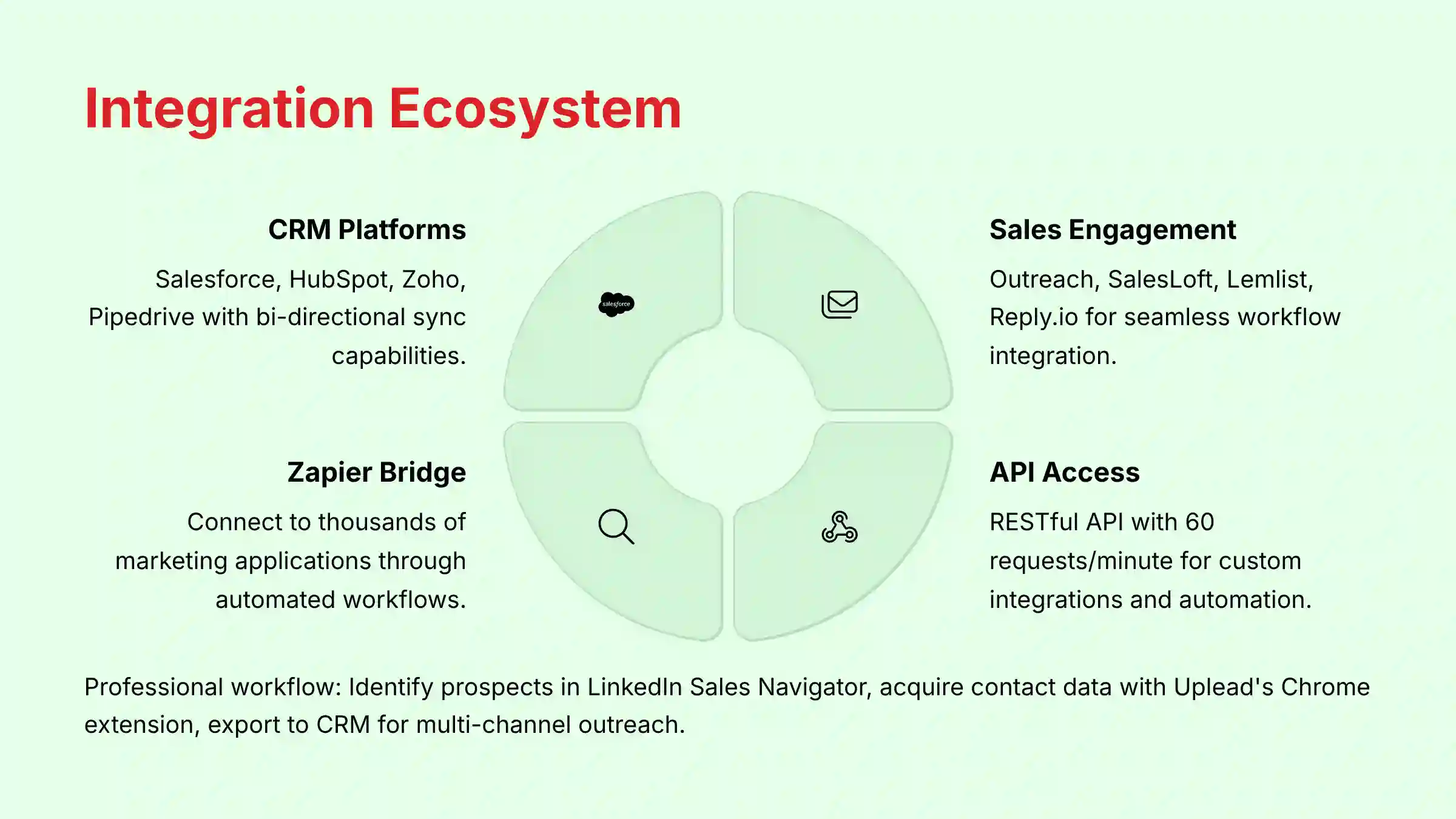
A prospecting tool must fit into a company's existing technology stack to be effective. Uplead connects with many popular sales and marketing platforms, which helps automate the flow of data and saves time.
Native Integrations
Uplead offers direct, one-click integrations with many platforms, including:
- CRMs: Salesforce, HubSpot, Zoho, Pipedrive, and Insightly.
- Sales Engagement: Outreach, SalesLoft, Lemlist, and Reply.io.
- Marketing Automation: A Zapier integration connects Uplead to thousands of other marketing applications.
Beyond the list of logos, the integration depth is a critical evaluation point. Uplead's native CRM integrations support bi-directional sync for certain activities and allow for custom field mapping. This is crucial for Sales Ops teams who need to ensure that data from Uplead (e.g., ‘Technology Used') populates the correct custom fields in Salesforce or HubSpot, maintaining data integrity and enabling sophisticated reporting.
Regarding data sourcing, while email verification is real-time, the underlying database of 155 million contacts undergoes a continuous data refresh cadence. This process is designed to validate and update profiles systematically, purging stale contacts and ensuring the firmographic and technographic data remains current.
Plugin Ecosystem
The primary plugin is the Uplead Chrome Extension, which is central to many users' prospecting workflow. The Zapier integration also acts as a powerful bridge, allowing for custom workflows with tools that do not have a native connection.
RESTful API
For teams with development resources, Uplead provides API access on its Professional plan. This allows for programmatic access to Uplead's database to build custom solutions. For example, a marketing team could use the API to automatically enrich a new lead from a ‘Contact Us' form in real-time. The moment a user submits their name and company, the API can instantly append their job title, direct-dial phone number, and company size directly into your CRM before a sales rep even sees the lead.
The API uses standard JSON data format and API key authentication, with a rate limit of 60 requests per minute.
Expert Recommendation: Before committing to custom development, I advise that your team consult with qualified engineering or IT security resources. A proper assessment will ensure that any custom API integration aligns with your company's data governance policies, security standards, and technical infrastructure.
Objective Use Cases and Industry Applications
Uplead is a versatile tool used across various B2B industries for several distinct purposes. The application of its features depends on the specific goals of the sales, marketing, or recruiting team.
- Sales Development: This is the most common use case. Sales Development Reps (SDRs) build highly targeted lists for outbound email and cold calling campaigns. For instance, building a list of all VPs of Marketing at SaaS companies in North America that use Marketo.
- Account-Based Marketing (ABM): Marketing teams use Uplead for demand generation and sizing a Total Addressable Market (TAM). It helps refine their go-to-market (GTM) strategy by providing a clear view of the potential customer base. The Data Enrichment feature helps complete the contact profiles for target accounts.
- Recruiting: Recruiters use the platform to find and contact potential candidates who have specific job titles or work at certain companies.
The tool is most popular in industries like B2B Software (SaaS), Financial Services, and Marketing & Advertising, where targeted outreach is critical for growth.
Security, Compliance, and Data Governance

When handling contact and company data, security and compliance are not optional. In my assessment, Uplead meets the professional standards required for business use. The platform has strong protocols in place to protect user data and help its customers comply with privacy regulations.
Uplead's key credentials include:
- GDPR and CCPA Compliance: The platform operates in accordance with major data privacy laws in Europe (GDPR) and California (CCPA).
- SOC 2 Type 2 Certification: This is a critical trust signal. SOC 2 Type 2 is an independent audit that verifies Uplead's security controls and data protection processes over time.
- Data Encryption: The platform uses industry-standard TLS encryption for data in transit and AES-256 encryption for data at rest.
As a customer, you are the data controller, and Uplead acts as the data processor. Their robust data governance framework, verified by the SOC 2 audit, is designed to meet these obligations. Adhering to their accuracy guarantee also helps protect your domain reputation by minimizing email bounce rates, which is a critical factor for deliverability.
For businesses with strict data handling policies, I recommend having your IT or legal team review Uplead's official compliance documents before full-scale deployment. This check helps make sure the tool aligns with your internal governance standards and any industry-specific regulatory requirements your organization may be subject to.
Technical Specifications and System Requirements
Uplead is a web-based platform, making it accessible without complex software installations. The technical requirements are minimal and standard for modern cloud-based tools.
| Specification | Requirement |
|---|---|
| Supported Platforms | Web-based (accessible via any modern browser) |
| System Requirements | A stable internet connection |
| Browser Requirements | Google Chrome (recommended for extension), Firefox, Safari |
| Input Formats | CSV for data enrichment uploads |
| Output Formats | CSV, Direct export to integrated platforms (e.g., Salesforce) |
It's also worth noting that API access has rate limits, such as 60 requests per minute, which is a standard technical constraint for developers to consider when building custom integrations.
Getting Started with Uplead: A Factual Walkthrough
Starting with Uplead is a straightforward process. Before signing up, I advise teams to have a clearly defined Ideal Customer Profile (ICP). Knowing the job titles, industries, and company sizes you want to target will make your use of the filters much more effective. For those looking to master the platform effectively, comprehensive Uplead Tutorials and Usecase guides provide step-by-step implementation strategies.
- Create an Account. Sign up for the free trial on the official Uplead website. This gives you 5 credits to test the platform's full functionality.
- Set Up Integrations. After logging in, navigate to the “Integrations” tab. Connect your CRM, such as Salesforce or HubSpot, to allow for direct and seamless data syncing.
- Build Your First List. Use the Prospector tool to build a small, targeted test list based on your ICP. Unlock a few contacts to verify the data quality and test the workflow of exporting them to your CRM.
Uplead Frequently Asked Questions (FAQs)
How does Uplead guarantee 95% data accuracy?
Uplead uses a multi-step, real-time email verification process. It checks the validity of an email address at the moment you unlock a contact and offers an automatic credit refund for any email that bounces.
What is the difference between Uplead and LinkedIn Sales Navigator?
Think of them as complementary tools in a modern prospecting workflow. LinkedIn Sales Navigator is unparalleled for discovery and research within the closed LinkedIn ecosystem. You use it to identify the right people, understand their career history, and engage with their content.
However, Sales Navigator does not provide exportable email addresses or direct-dial phone numbers. This is where Uplead comes in. The professional workflow is often:
- Identify prospects in Sales Navigator.
- Use the Uplead Chrome Extension on their profile to acquire their verified contact data.
- Export that data to a CRM or sales engagement platform to begin multi-channel outreach (email, cold call).
In short, Sales Navigator is for finding people, and Uplead is for getting their contact information to start a conversation outside of LinkedIn.
Can I get direct-dial phone numbers with Uplead?
Yes, Uplead's database contains millions of direct-dial and mobile phone numbers. This information is valuable for sales teams looking to connect directly with decision-makers.
Do my Uplead credits roll over?
Yes. Any unused credits at the end of your monthly billing cycle are automatically carried over to the next month, so you do not lose their value.
Is Uplead compliant with GDPR and CCPA?
Yes, Uplead is fully compliant with both GDPR and CCPA. The company maintains strong data governance practices and has completed a SOC 2 Type 2 audit to verify its security controls.
What is ‘Technographics' data in Uplead?
Technographics is a premium feature that lets you filter and search for companies based on the specific software and technologies they use, such as their CRM, cloud provider, or marketing automation platform.
How does Uplead's Intent Data work?
Intent Data tracks the online research behavior of companies to identify buying signals. It alerts you when a company is actively consuming content related to specific topics, indicating they may be in the market for a solution like yours.
What happens if I get an inaccurate contact from Uplead?
If an email address you acquire from Uplead bounces, the credit you used for that contact is automatically refunded to your account. This is the mechanism that backs their accuracy guarantee.
For additional detailed answers and common implementation questions, our comprehensive Uplead FAQs resource provides extensive coverage of user concerns and technical specifications.
Based on our comprehensive analysis, Uplead stands out as a robust B2B sales intelligence platform that delivers on its core promises of data accuracy and verification. While no tool is perfect, Uplead's combination of real-time verification, advanced filtering capabilities, and comprehensive integrations makes it a valuable asset for modern sales teams. For teams considering alternatives, our detailed Uplead Top Alternatives and Competitors analysis provides strategic insights into competitive options.
The platform's 95% accuracy guarantee, backed by automatic credit refunds, demonstrates a commitment to data quality that directly impacts ROI. For sales organizations looking to scale their prospecting efforts while maintaining high data standards, Uplead provides the infrastructure needed to build efficient, effective outbound campaigns. To gain deeper insights into real-world performance and potential risks, I recommend reviewing our comprehensive Uplead Review for a balanced assessment of the platform's capabilities and limitations.
Disclaimer
The information about Uplead Overview and Features presented in this article reflects our thorough analysis as of 2025. Given the rapid pace of AI technology evolution in the AI Sales Software space, features, pricing, and specifications may change after publication. While we work for accuracy, we recommend visiting the official website of any tool for the most current information. Our overview is designed to provide a complete understanding of the tool's capabilities rather than real-time updates.


Leave a Reply