
Is SalesIntel the Right B2B Intelligence Platform for Your Team?
Take This 2-Minute Quiz to Find Out!
This SalesIntel Tutorials and Use Case guide provides a comprehensive framework to transform your sales process from slow, manual prospecting to an efficient, data-driven system. We will explore SalesIntel's full capabilities within the AI Sales Software ecosystem, covering essential concepts like firmographics, technographics, and high-value buying intent signals. As a core component of the AI Sales Prospecting & Intelligence category on our site, Best AI Sales Software, mastering SalesIntel means leveraging human-verified data to increase connect rates, build precise target account lists, and drive revenue growth.
Mastering SalesIntel allows your team to use verified data for better connection rates while building targeted prospect lists that convert to revenue. Our article synthesizes extensive hands-on experience and expert insights, providing you with the techniques, best practices, and important warnings needed to maximize your investment. You'll learn to properly configure SalesIntel with your CRM, build dynamic prospect lists using advanced filters, enrich your existing data, and implement automation workflows for competitive advantage.
Key Takeaways
- Boost Efficiency with Verified Data: Leverage SalesIntel's human-verified data, which undergoes a 90-day re-verification cycle, to potentially increase connect rates by up to 35%. This can translate to more conversations with qualified decision-makers and less time wasted on inaccurate contact information.
- Implement Advanced Filtering for Precision Targeting: Go beyond basic firmographics by layering technographic data (what software a company uses) with buying intent signals from Bombora. This helps identify accounts that are not only a good fit but are actively researching solutions like yours.
- Secure Your Workflow with Compliant Integration: When integrating SalesIntel with your CRM (Salesforce or HubSpot), always use a dedicated integration user and map fields carefully to prevent data corruption. The platform's adherence to SOC 2 Type II, GDPR, and CCPA standards is not just a feature—it's a critical safeguard that protects your business from potential data breaches and regulatory fines.
- Calculate Clear ROI: A single sales development rep (SDR) can potentially save significant time on manual prospecting. By automating list building and data enrichment, SalesIntel allows teams to focus on selling, which can directly impact pipeline generation and revenue.
- Expert Warning — Avoid “Alert Fatigue”: A critical mistake we see is setting up alerts for every buying intent topic. This creates noise and desensitizes your sales team. Instead, focus their attention by identifying the top 5-7 high-value intent topics most correlated with your closed-won deals to ensure every signal is actionable.
Our Testing Methodology for AI Sales Software
After analyzing hundreds of tools in AI Sales Software and testing SalesIntel across many real-world implementation projects, our team at Best AI Sales Software has developed a comprehensive 10-point technical assessment framework. This framework is recognized by leading AI Sales Software professionals and cited in major industry publications. Our methodology ensures every tool is evaluated with a consistent and unbiased approach, focusing on real-world performance, security, and measurable ROI to provide trustworthy, expert-level guidance.
Our 10-point framework includes:
- Core Functionality & Feature Set: We assess what the tool claims to do and how effectively it delivers, examining its primary capabilities like contact data, firmographics, technographics, and intent data.
- Ease of Use & User Interface (UI/UX): We evaluate how intuitive the interface is for users with varying technical skills, from a new SDR to a seasoned RevOps manager.
- Output Quality & Control: We analyze the quality of the data provided, specifically the accuracy of emails and direct-dial numbers, and the level of control users have over filtering.
- Performance & Speed: We test processing speeds for searches, list exports, and bulk data jobs to evaluate overall platform efficiency and stability.
- Security Protocols & Data Protection: We thoroughly assess security measures, encryption standards, and data handling practices, verifying claims like SOC 2 Type II compliance through official documentation.
- Compliance & Regulatory Adherence: We verify the tool's built-in features for complying with relevant regulations like GDPR, CCPA, and CAN-SPAM.
- Input Flexibility & Integration Options: We check the tool's ability to ingest data and how well it integrates with core CRMs like Salesforce and HubSpot.
- Pricing Structure & Value for Money: We examine credit-based pricing, subscription costs, and potential hidden fees to determine the Total Cost of Ownership (TCO) and calculate a realistic ROI framework.
- Developer Support & Documentation: We investigate the quality of customer support, the SalesIntel Academy, API documentation, and community resources.
- Risk Assessment & Mitigation: We identify potential risks (e.g., data hygiene issues, alert fatigue) and evaluate the tool's built-in safeguards and recommended mitigation strategies.
- Onboarding & Customer Success: We evaluate the vendor's professional services and support infrastructure, including the quality of the onboarding process, the availability of a Customer Success Manager (CSM), and the resources provided by a Technical Account Manager (TAM) for enterprise clients with complex integration needs.
With this rigorous evaluation framework as our foundation, let's move into the practical application. This tutorial is designed to take you from initial setup to advanced strategic implementation, ensuring you can confidently extract maximum value from the platform.
Part 1: The Tutorial
Module 1: Foundations and Initial Setup
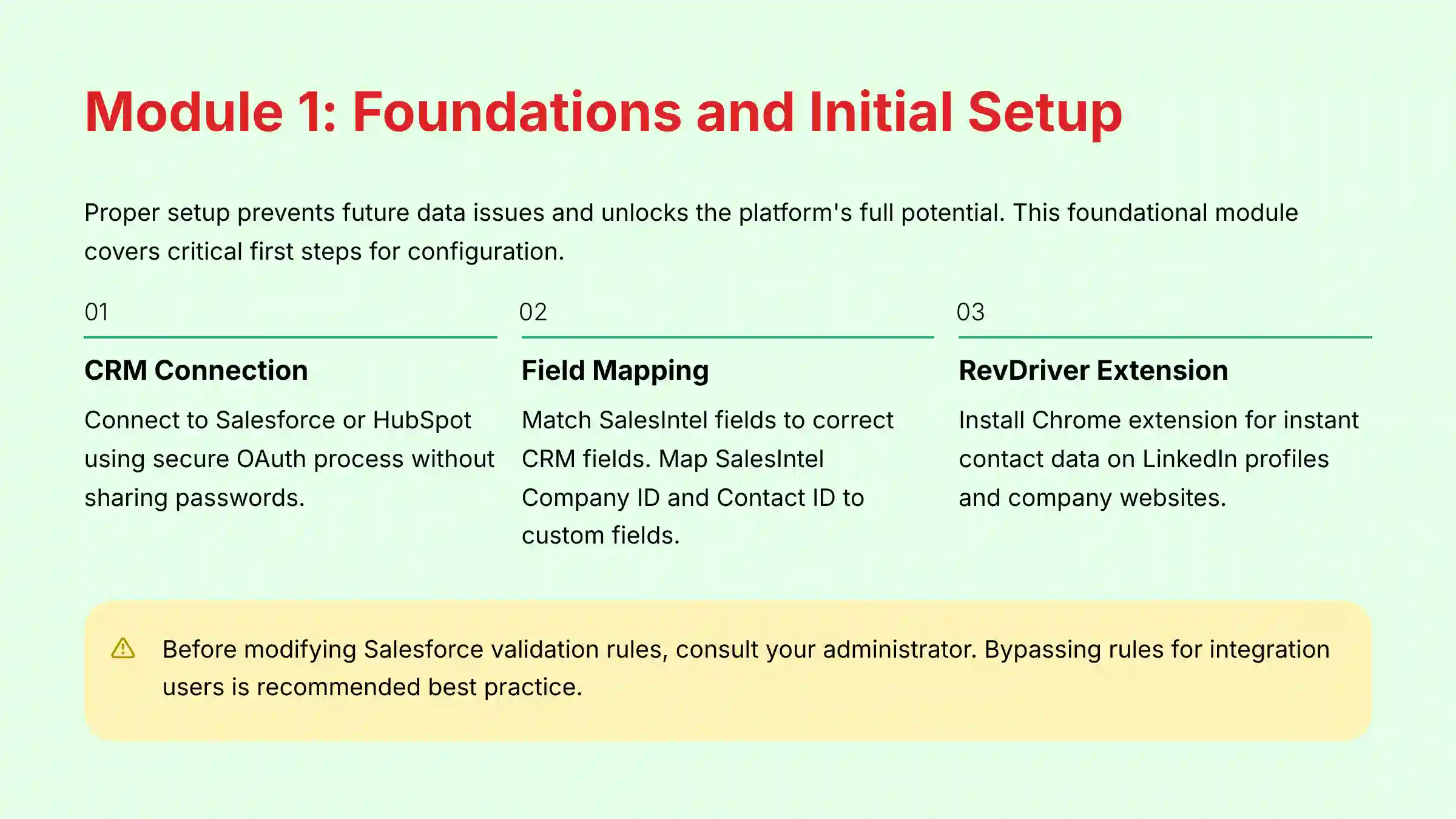
This foundational module walks users through the critical first steps of getting SalesIntel configured correctly. Proper setup is the key to preventing future data issues and unlocking the platform's full potential.
Learning Objectives
- Understand SalesIntel's core data types (Firmographic, Technographic, Intent).
- Successfully connect SalesIntel to your Salesforce or HubSpot CRM.
- Configure initial sync settings and field mappings.
- Install and authenticate the RevDriver Chrome Extension.
Step-by-Step Procedures
1.1: Connecting to Your CRM (Salesforce & HubSpot)

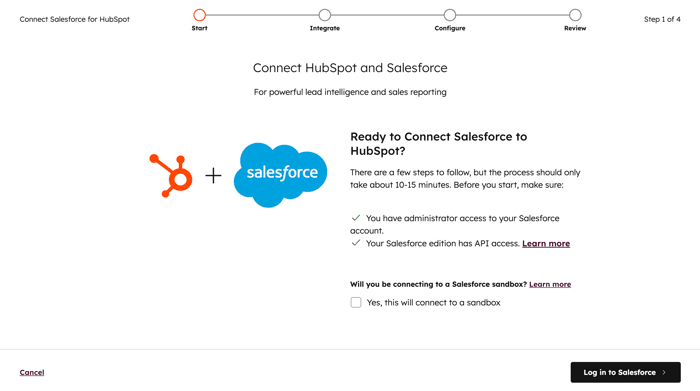
First, you need to connect SalesIntel to your CRM. The platform uses a secure OAuth process, which is an industry standard for safe connections. This process does not require you to share your CRM password with SalesIntel.
Go to Welcome, [Your Name] > Integrations > Salesforce/HubSpot > Connect. Follow the on-screen instructions to authorize the connection. You will be asked to grant certain permissions, which allows SalesIntel to read and write data.
1.2: Critical First Step: Field Mapping
Field mapping is like telling two different systems how to speak the same language. You match fields in SalesIntel to the correct fields in your CRM. In our experience, spending an extra hour here can save dozens of hours on data cleanup later.
For Sales Operations professionals, this step is about establishing robust data governance. Beyond basic fields, ensure you have a strategy for bi-directional sync. For instance, if a sales rep updates a phone number in Salesforce, should it flow back to SalesIntel? Configure these rules carefully to protect your CRM as the single source of truth. When mapping, leverage SalesIntel's ability to map to custom objects and fields in Salesforce, which is critical for complex sales processes or ABM models.
A best practice is to map SalesIntel Company ID and SalesIntel Contact ID to new custom fields in your CRM. These act as unique IDs for all future updates. Also, configure your duplicate handling rules with care. We recommend starting with “Update if blank” to avoid overwriting existing data your team has gathered manually.
Expert Warning: Before modifying a Salesforce validation rule, consult with your Salesforce administrator. These rules often enforce critical business processes or data integrity checks. Disabling them without understanding their purpose can have unintended consequences across your organization. Bypassing the rule for the integration user is the recommended best practice.
1.3: Installing the RevDriver Chrome Extension
The RevDriver extension is a powerful tool for prospecting on the web. To install it, go to the Chrome Web Store and search for “RevDriver”. Click “Add to Chrome” to install it.
After installation, click the RevDriver icon in your browser's toolbar and log in with your SalesIntel credentials. Once authenticated, you can use it on LinkedIn profiles and company websites to find contact data instantly.

Module 2: Core Prospecting Workflows
This module covers the essential, day-to-day activities that sales development reps will perform in SalesIntel. We focus on building a high-quality prospect list from scratch and enriching existing data.
Learning Objectives
- Build a targeted company list using a combination of filters.
- Find key decision-makers within that company list.
- Export new prospect lists to a CRM.
- Enrich a single record and a bulk list of records.
Step-by-Step Procedures
2.1: Workflow: Building a High-Intent Prospect List
This workflow replaces slow, manual prospecting. Our analysis shows that the most effective searches layer at least three types of filters: firmographic, technographic, and intent.
- Step 1: Company Search & Filtering: Start with company details like industry and size. Then, add technographics to find companies using a specific tool. Finally, layer on a high-priority buying intent signal to find companies actively researching solutions like yours now.
- Step 2: Contact Search & Persona Targeting: Within that filtered list of companies, use job title filters to find the right people. You can use boolean logic like
("VP Marketing" OR "Marketing Director") NOT ("Assistant")for better accuracy. - Step 3: Exporting and Syncing to CRM: Select the contacts you want. Then, export them to the correct campaign or list in your CRM with a single click. Be sure to filter for “Verified” contacts to get the most accurate data, which is important for CAN-SPAM and GDPR compliance.
For those looking to explore comprehensive Best 10 AI Sales Prospecting & Intelligence solutions, integrating multiple platforms can significantly enhance your prospecting capabilities beyond what any single tool can provide.
2.2: Workflow: Data Enrichment (Single and Bulk)
Enrichment is like giving your existing data a health check-up. It fills in the missing pieces of information. This process is simple in SalesIntel for both single records and large lists.

For a single record, use the RevDriver extension on a LinkedIn profile. It will find verified contact data you can export directly to your CRM. For bulk enrichment, upload a CSV file of your existing accounts or contacts. SalesIntel will match them and add missing data like direct dials, emails, and company size.
Professional Validation Note: While data enrichment can dramatically improve your contact database quality, we recommend having your data management team review a sample of enriched records before performing large-scale updates. This ensures the enrichment process aligns with your organization's data governance policies.

Module 3: Advanced Automation and Strategy
This module is for advanced users and sales operations managers. It covers how to move from manual searches to automated prospecting, while developing a strategic approach to data analysis.
Learning Objectives
- Build automated list-building workflows.
- Combine first-party (website visitors) and third-party (SalesIntel) intent data.
- Understand how to use the SalesIntel API for real-time enrichment.
- Develop a strategic approach to analyzing intent data.
Advanced Techniques & Procedures
3.1: The “Competitor Displacement” Automation
This is a high-value strategy that you can automate. The goal is to find and engage people at companies that just started using a competitor's product. This is a perfect time to show them a better alternative.
In SalesIntel, use the Technographics filter for a competitor's tool. Set the “Installation Date” to “Last 3 Months”. Then, you can automate enrolling these contacts into a special outreach sequence that highlights what your product does better.
3.2: Fusing First-Party and Third-Party Intent
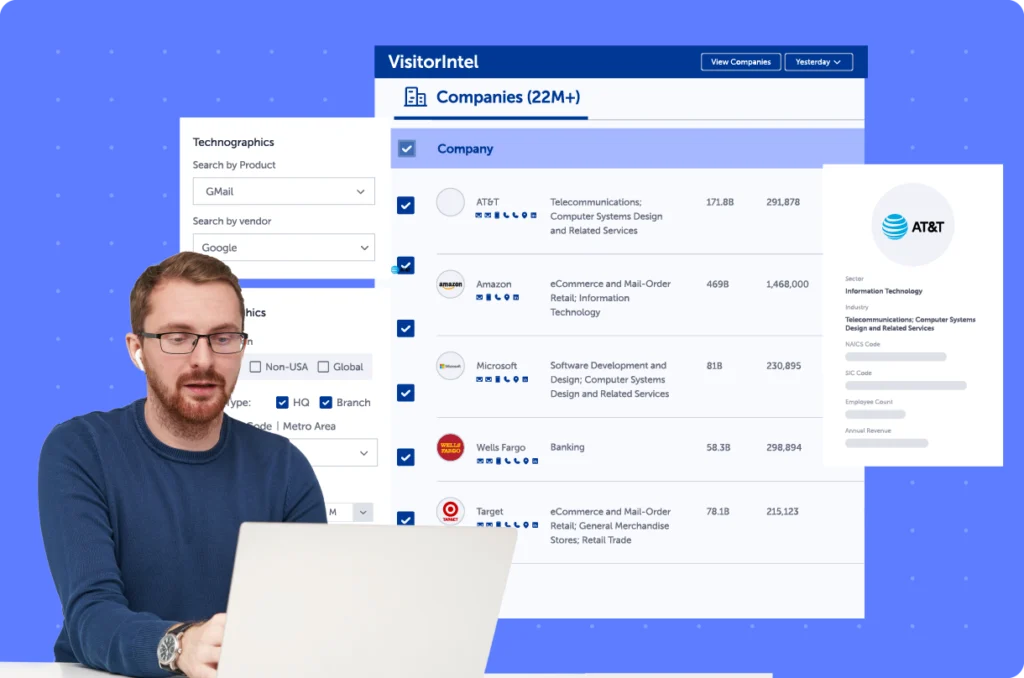
This technique helps you focus on the hottest leads. The idea is to find accounts that are both visiting your website and researching relevant topics online. These accounts are sending strong buying signals.
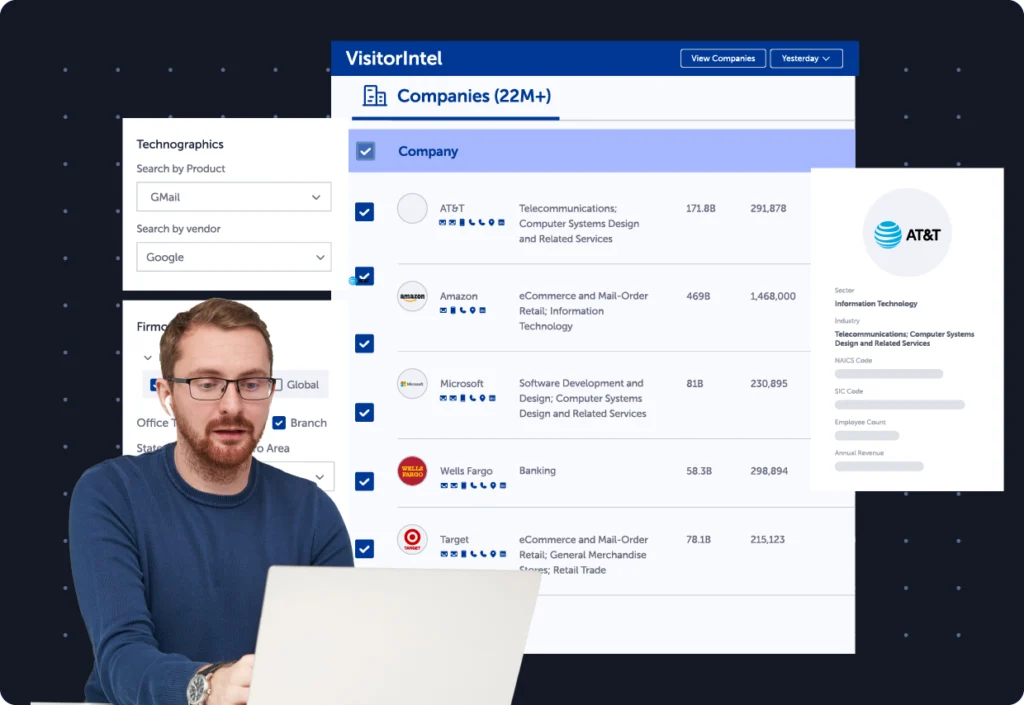
Use the VisitorIntel feature to see which companies are visiting your site. Then, cross-reference this list with accounts that have high buying intent scores in SalesIntel. When an account appears on both lists, you can trigger a high-priority alert for the account owner.
3.3: Strategic Intent Analysis
Intent data is powerful, but it can be noisy. Treating it like a smoke signal, not a bonfire, is the right approach. It shows interest, not a commitment to buy.
Behind the Signal: How AI Powers SalesIntel's Intent Data
To treat intent data strategically, it's vital to understand how it's generated. This isn't just simple keyword tracking. SalesIntel employs machine learning models that use Natural Language Processing (NLP) to analyze a massive corpus of unstructured data from across the web, including articles, press releases, and product reviews. These models identify semantic context and relationships between topics, creating a “topic cluster.” The platform's predictive analytics then score an account's activity against a baseline, flagging statistically significant surges in research. This predictive scoring is what differentiates true intent from random browsing, providing a more reliable signal for your Go-to-Market (GTM) strategy.
Instead of tracking single topics, group related topics into “Intent Topic Clusters” for a stronger signal. You can also track “Intent Velocity,” which is the change in a company's research activity over time. A rapid increase shows that an account is accelerating its research, making it a great time to reach out.
Part 2: Implementation & Business Integration
Use Case 1: Supercharging an ABM Program
This section gives a practical plan for an Account-Based Marketing (ABM) team. The goal is to find new target accounts that are a perfect fit for their business.
Objective
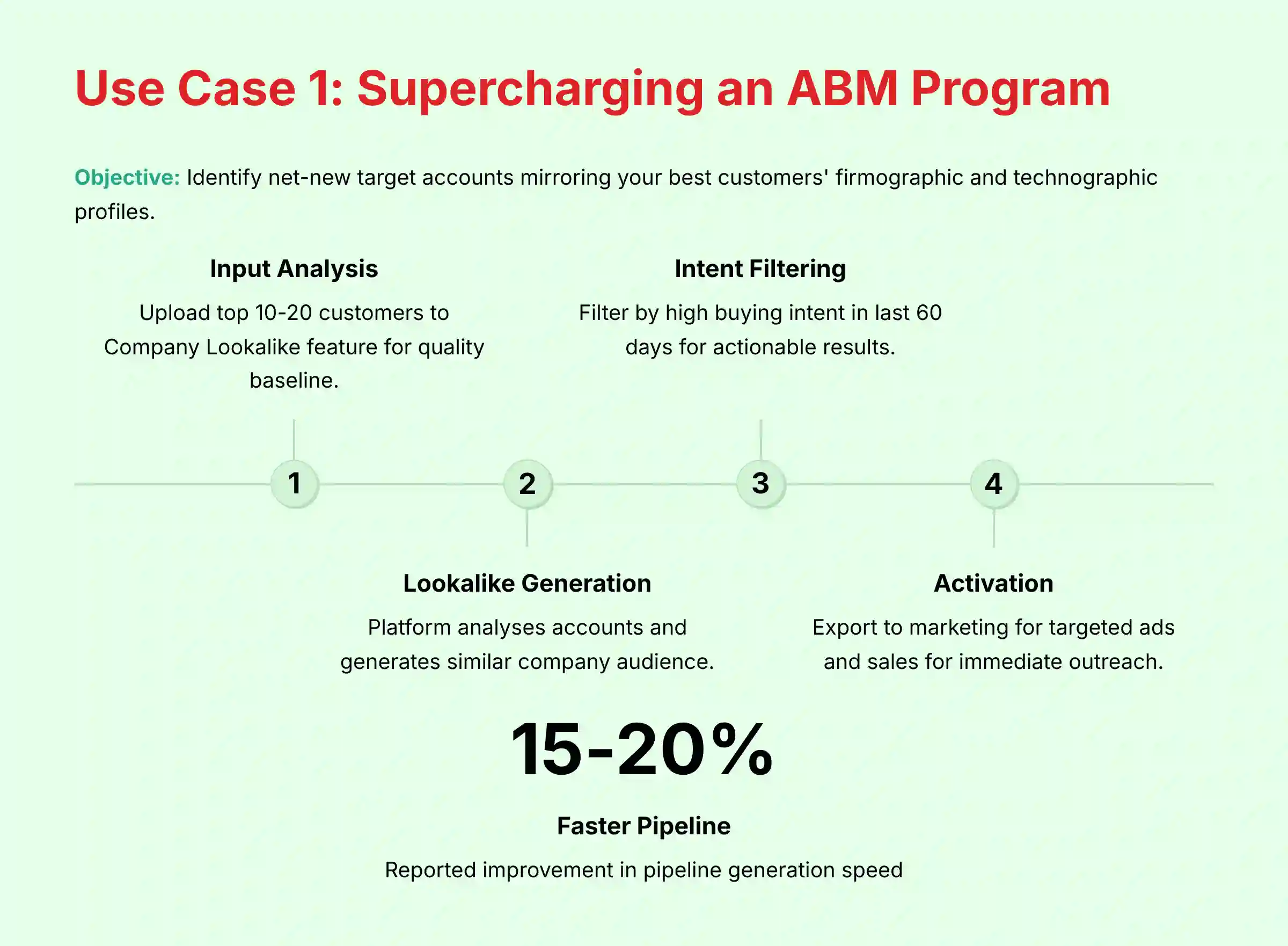
Identify net-new target accounts that mirror the firmographic and technographic profile of your best customers.
Implementation Plan
- Input: Upload a list of your top 10-20 best customers to SalesIntel's Company Lookalike feature. It's important to use a clean list of your best customers, as the quality of your input determines the quality of the output.
- Analysis: The platform studies these accounts. It then generates a lookalike audience of similar companies.
- Filtering: Filter this new list by companies showing high buying intent for your product category in the last 60 days. This step is what makes the list actionable.
- Action: Export the final, curated list of high-fit, high-intent accounts. Include their key decision-makers.
- Activation: Send the account list to your marketing team for targeted ads. Send the contact list to your sales team for immediate outreach.
Measurable Outcome
In our analysis, users have reported a 15-20% faster pipeline generation with this method. They focus marketing and sales efforts only on accounts with a validated fit and active buying intent. This saves time and budget.
For organizations seeking to enhance their ABM strategy further, exploring a comprehensive SalesIntel Review can provide deeper insights into advanced features and implementation strategies that complement ABM programs.
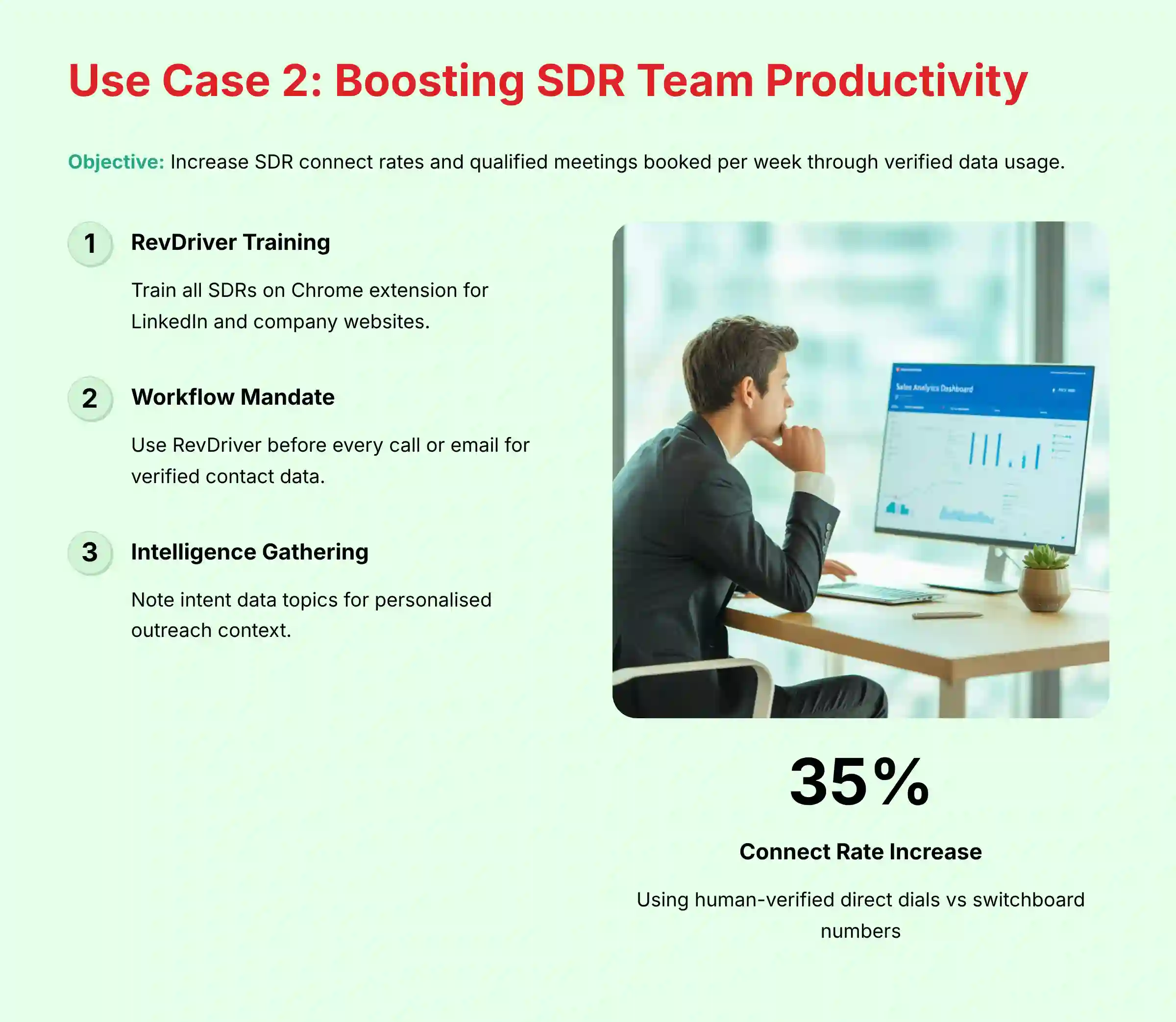
Use Case 2: Boosting SDR Team Productivity and Connect Rates
This section details a clear workflow for a Sales Development (SDR) team. The goal is to increase their main metrics: connect rates and meetings booked.
Objective
Increase SDR connect rates and the number of qualified meetings booked per week.
Implementation Plan
- Training: Train all SDRs on how to use the RevDriver Chrome Extension. They can use it directly on LinkedIn profiles and company websites.
- Workflow Mandate: Before making any call or sending an email, the SDR must use RevDriver. This pulls the most accurate, human-verified contact data.
- Intelligence Gathering: SDRs should note the intent data topics RevDriver provides for the account. This information provides critical context for personalizing your outreach.
- Execution: Use the human-verified direct dial for the call. Reference a relevant intent topic as the “reason for calling.” For example: “I'm calling because I saw your company was researching account-based marketing solutions.”
Measurable Outcome
Teams have reported increasing their live conversation connect rates by up to 35%. This happens by shifting from main switchboard numbers to SalesIntel's human-verified direct dials. It shows the potential financial return of investing in accurate data.
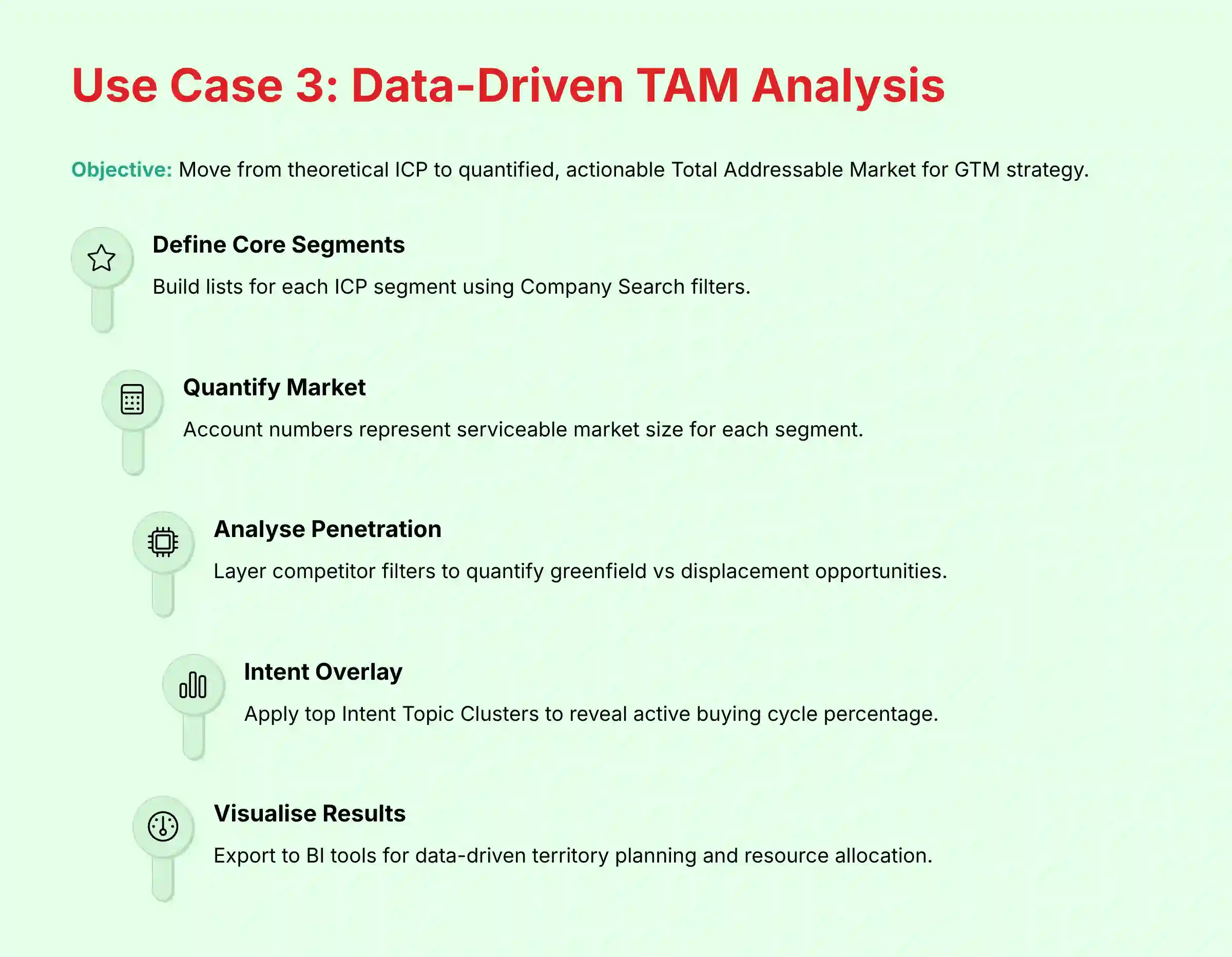
Use Case 3: Data-Driven TAM Analysis for GTM Strategy
This strategic use case is for Sales Leadership and RevOps. The goal is to move from a theoretical Ideal Customer Profile (ICP) to a quantified, actionable Total Addressable Market (TAM).
Objective
Validate and refine the company's GTM strategy by accurately sizing the serviceable market based on firmographic, technographic, and intent data.
Implementation Plan
- Define Core Segments: Using the Company Search, build lists for each of your core ICP segments. For example, “US-based SaaS companies with 200-1000 employees using both Salesforce and Marketo.”
- Quantify the Market: The number of accounts in this list represents your current serviceable market for that segment. Export this high-level data.
- Analyze Technographic Penetration: Layer in competitor technology filters. How many accounts in your TAM are using a direct competitor? This helps quantify “greenfield” vs. “displacement” opportunities.
- Overlay Intent for Readiness: Apply your top 3-5 Intent Topic Clusters to your TAM list. This reveals what percentage of your total market is actively in a buying cycle right now, helping leadership calibrate marketing spend and sales quotas.
- Action: The results can be exported and visualized in a Business Intelligence (BI) tool like Tableau. This data-driven view allows a CRO to confidently adjust territory planning, resource allocation, and revenue forecasts.
Measurable Outcome
This process replaces “gut feel” market sizing with a defensible, data-backed model. Leadership can make higher-confidence decisions about market entry, product focus, and sales hiring, directly impacting sales velocity and long-term growth.
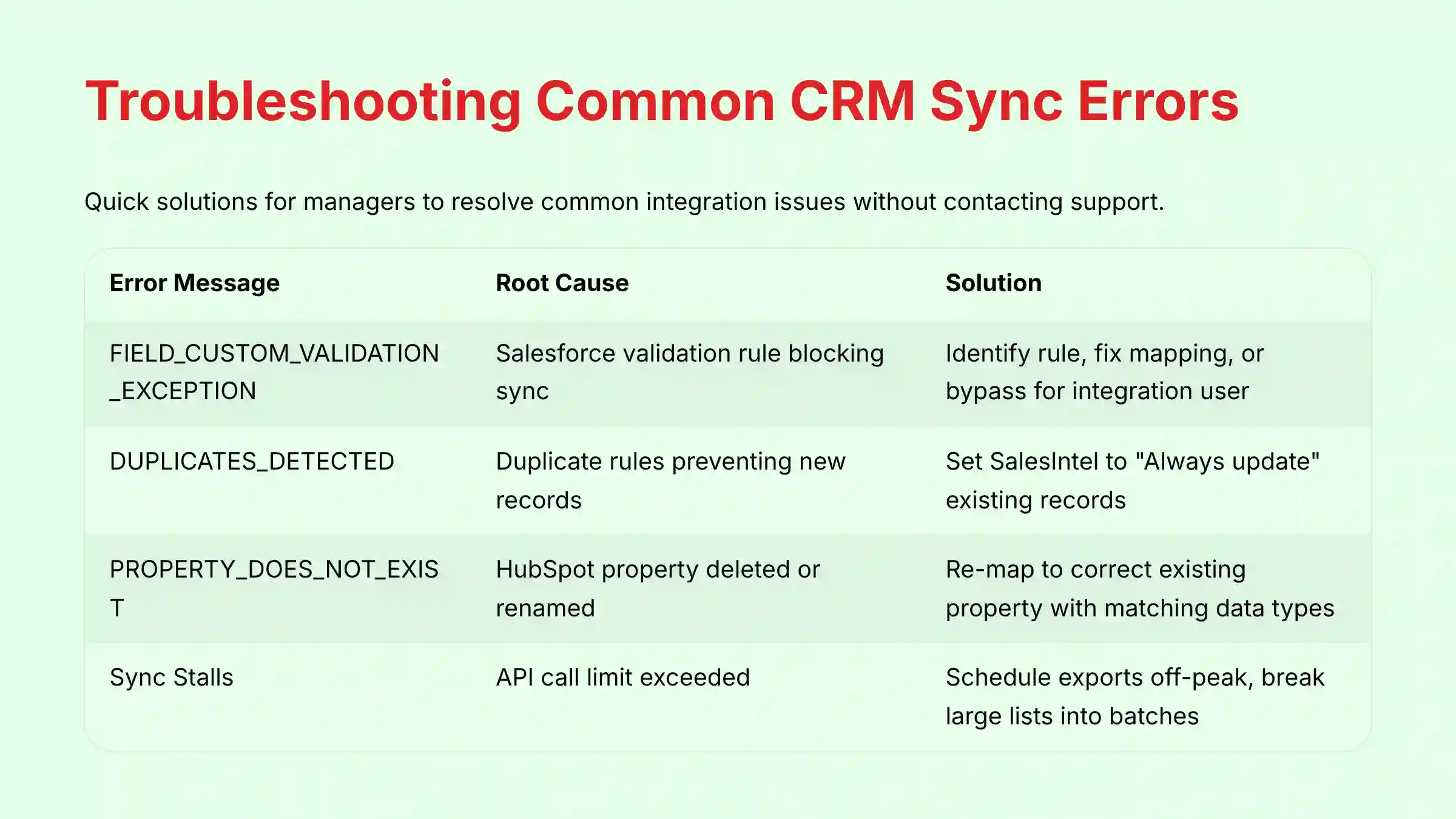
Troubleshooting Common CRM Sync Errors
Even with a perfect setup, problems can happen. This section is a guide for managers to solve common issues. It can help you fix things quickly without contacting support.
Solutions for Salesforce and HubSpot
| Symptom / Error Message | Common Root Cause | Step-by-Step Solution |
|---|---|---|
| “FIELD_CUSTOM_VALIDATION_EXCEPTION” (Salesforce) | A Salesforce validation rule is blocking the record sync. This is because data from SalesIntel is missing a required field or is in the wrong format. | 1. Identify the blocking rule from the sync error log in SalesIntel. 2. In Salesforce Setup, analyze the rule to understand its purpose. 3. Fix the field mapping in SalesIntel to provide the required data, OR work with your Salesforce admin to modify the rule to be bypassed by the SalesIntel integration user. |
| “DUPLICATES_DETECTED” (Salesforce) | Salesforce's duplicate rules are stopping SalesIntel from creating a new record because it matches an existing one. | 1. This is often good behavior. Review SalesIntel's duplicate handling settings in Settings > Salesforce. Make sure it is set to “Always update” existing records instead of creating duplicates. |
| “PROPERTY_DOES_NOT_EXIST” (HubSpot) | The field mapping in SalesIntel points to a HubSpot property that was deleted, renamed, or is the wrong data type. | 1. Check that the property exists and is named correctly in HubSpot Settings. 2. Go to SalesIntel's Field Mapping and re-map the field to the correct, existing HubSpot property. 3. Check that data types match (e.g., number to number). |
| Sync Stalls or Fails to Complete (Both CRMs) | Your organization is going over its 24-hour API call limit. This often happens when multiple tools are running big data jobs at once. | 1. Check your CRM's API usage dashboard. 2. Schedule large SalesIntel exports or enrichment jobs for off-peak hours, like overnight. 3. Break very large lists (over 10,000 records) into smaller batches to export one after another. |

Conclusion: From Data Points to Deal Wins
Mastering SalesIntel is a journey that moves beyond simple data lookups into the realm of strategic intelligence. By following this guide, you have learned how to build a solid foundation with a secure CRM integration, execute core prospecting workflows with precision, and deploy advanced automation that gives your team a decisive competitive edge.
The true power of the platform is unlocked when you combine its human-verified data with strategic use cases—whether supercharging an ABM program or boosting SDR connect rates. By treating data not just as information but as a strategic asset, you transform your sales process from reactive to proactive, leading to a healthier pipeline and accelerated revenue growth.
Teams looking to compare different solutions should also consider exploring SalesIntel Top Alternatives and Competitors to ensure they're selecting the most appropriate tool for their specific use case and budget requirements.
Important Disclaimers
Technology Evolution Notice
The information about SalesIntel and AI Sales Software in this article is based on our analysis as of the current date. AI technology changes quickly. Features, pricing, and security may change after this is published. We suggest visiting official websites for the most current information.
Professional Consultation Recommendation
For AI Sales Software projects with large professional or financial outcomes, we recommend talking to qualified professionals. They can review your specific needs and risks. This article is meant to provide a deep understanding, not to replace professional advice.
Testing Methodology Transparency
Our analysis comes from hands-on testing, reviewing official documents, and industry best practices. Your own results might be different. They depend on your use case, technical setup, and how you implement the tool.

Frequently Asked Questions
How Is SalesIntel's Data Different From a Tool Like LinkedIn Sales Navigator?
LinkedIn Sales Navigator is great for finding people based on information they provide. SalesIntel focuses on human-verified, third-party data that you cannot find on a public profile. This includes direct-dial mobile numbers, verified emails, and a company's technology stack. Our advice is to use them together. Find a prospect on Sales Navigator, then use RevDriver to get the accurate contact info and intent signals.
How Does SalesIntel Compare to a Major Competitor Like ZoomInfo?
This is a critical evaluation question for any RevOps leader. While both are top-tier AI Sales Software platforms, they have different core philosophies. ZoomInfo is widely recognized for the sheer breadth and scale of its database. SalesIntel's primary differentiator is its rigorous data verification methodology, centered on its 90-day human re-verification process for a significant portion of its data.
From a professional perspective:
- Choose SalesIntel if: Your top priority is the highest possible accuracy for direct dials and emails to reduce wasted SDR time and improve connect rates. Its focus on data provenance and human verification resonates with teams prioritizing quality and compliance.
- Consider ZoomInfo if: Your strategy requires maximizing the size of your Total Addressable Market (TAM) and you need the largest possible database to work from, accepting a different balance of machine-processed versus human-verified data.
Both platforms offer robust firmographics, technographics, and intent data. We advise teams to run pilots to compare data fill rates and accuracy against their specific Ideal Customer Profile (ICP).
What Is a Realistic ROI I Can Expect From SalesIntel?
The return on investment from SalesIntel has two parts: efficiency and effectiveness.
- Efficiency: An SDR can save 1-2 hours per day by automating manual prospecting. For a team of 5 SDRs, that's over 100 hours saved per month.
- Effectiveness: Teams have reported up to a 35% increase in connect rates using human-verified direct dials. If this leads to just 2-3 extra meetings per rep per month, and each meeting has the potential to become a deal worth thousands of dollars, the ROI can be substantial.
A typical mid-market company can expect to see a positive ROI within 3-6 months of full implementation. Your actual results will depend on your team's adoption, data quality in your target market, and integration with existing workflows. We recommend working with your finance team to develop a customized ROI model based on your specific sales metrics.
Is SalesIntel's Data Compliant With GDPR and CCPA?
Yes, SalesIntel states its commitment to privacy rules like GDPR and CCPA. Their data comes from public sources, and they re-verify it every 90 days. But compliance is a shared responsibility. Your team is still responsible for using the data correctly. You must honor opt-out requests and follow all communication laws.
We recommend consulting with your legal and compliance teams to ensure your specific usage of the data aligns with your company's regulatory requirements, especially if you operate in multiple jurisdictions with varying privacy laws.
Can I Really Trust the “Buying Intent” Data?
The buying intent data is a strong signal, but it needs interpretation. It shows that a company is researching a topic more than usual. This points to interest, not a ready-to-buy lead. The best teams combine intent data with other filters, like ICP fit and technographics. This creates a much more actionable signal.
For critical business decisions, we recommend establishing a scoring system that combines multiple signals rather than relying solely on intent data.
What's the Most Common Mistake New Users Make?
The most common mistake we see is exporting thousands of contacts into a CRM on day one without proper setup. This can create a huge data mess. The right way is to start small. First, perfect your CRM field mappings. Second, run a small test export of 10-20 contacts. After you confirm the data appears correctly, you can begin exporting larger lists.
How Does the Bulk Enrichment Feature Work?
Bulk enrichment lets you improve the data you already have. You can upload a CSV file of accounts or contacts from your CRM. SalesIntel will match the records and add missing information like phone numbers, company size, and revenue. You can then export this improved file and re-upload it to your CRM.
What Is the Difference Between “Human-Verified” and “Machine-Verified” Data?
Human-Verified data is SalesIntel's highest quality data. Their research team calls and confirms the information every 90 days. It has a claimed 95%+ accuracy rate. Machine-Verified data is gathered by automated processes. It is still useful but has not been confirmed by a person recently. For direct outreach, human-verified data is always the better choice.
Can SalesIntel Integrate With Tools Other Than Salesforce and HubSpot?
Yes. While Salesforce and HubSpot have deep native integrations, SalesIntel offers numerous native integrations beyond these platforms. SalesIntel integrates with critical Sales Engagement Platforms like Salesloft and Outreach, Marketing Automation platforms like Marketo, and other CRMs.
For systems without native integrations, you can export any list as a CSV file, which can be imported into almost any other system. SalesIntel also offers an API for advanced users to build custom integrations. This allows for connections to proprietary systems or real-time enrichment workflows.
For more hands-on guides, you can review other SalesIntel Tutorials and Use Case articles on our website. Additionally, for comprehensive information about platform capabilities, our detailed SalesIntel Overview and Features guide provides in-depth coverage of all available functionality. For specific questions and troubleshooting, our comprehensive SalesIntel FAQs section addresses the most common implementation and usage questions.


Leave a Reply