Is Cognism the Right AI Prospecting Tool for Your Usecase? This 2-Minute Quiz Reveals the Answer!
Key Takeaways: Your Fast-Track to Cognism Mastery
- Master the Chrome Extension First: The Cognism – B2B Contact Data Chrome extension can cut prospecting time to under 90 seconds per qualified prospect from LinkedIn to your CRM.
- CRM Integration is Not Optional: Proper field mapping between Cognism and your CRM is the foundation for all your sales plays – taking 30 extra minutes saves dozens of hours later.
- Enrich Existing Data for Quick Wins: The highest initial ROI comes from cleaning the data you already have by enriching old, cold leads to uncover new opportunities instantly.
- Define Your Ideal Customer Profile (ICP): Never perform a single search until you have a crystal-clear definition of your ICP to prevent wasting valuable credits on prospects who will never buy.
- Compliance is Your Responsibility: While Cognism provides GDPR and CCPA compliant B2B data, the responsibility for using that data compliantly in your outreach campaigns rests with you.
Mastering Cognism: An Integrated Tutorial and Implementation Guide
Introduction: Unlocking Sales Velocity with AI-Powered Prospecting Intelligence
As the founder of Best AI Sales Software, I have spent years analyzing tools that promise to accelerate sales. This guide provides detailed Cognism tutorials and use case examples from my direct experience.
We focus on how this platform transforms AI Sales Prospecting & Intelligence from a manual chore into a strategic advantage. Traditional prospecting is slow, involving hours spent searching LinkedIn and working with outdated lists.
Cognism changes this by using AI to deliver accurate, compliant contact data directly into your workflow. My goal here is to give you a complete playbook. We will cover the “how” of using the tool and the “why” behind its strategic implementation.
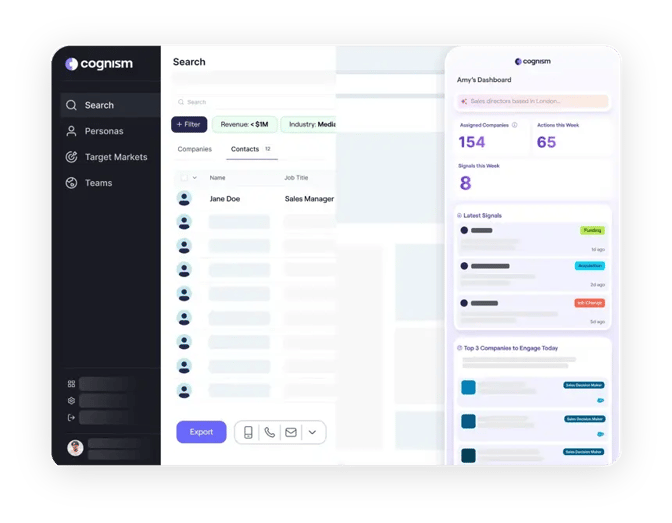
A core theme is integrating Cognism with your CRM to maintain perfect data hygiene. Think of your CRM as a powerful car engine; feeding it bad data is like using dirty fuel. Cognism is the filtration system that provides clean, high-octane information.
But this tool is not a magic wand. Its true power is unlocked through a smart setup and a clear strategy. Throughout this guide, I will stress the importance of ethical data usage and compliance. You will learn how to reduce prospecting time, book more meetings, and prove the tool's value with hard numbers.
Our Testing Methodology for AI Sales Software
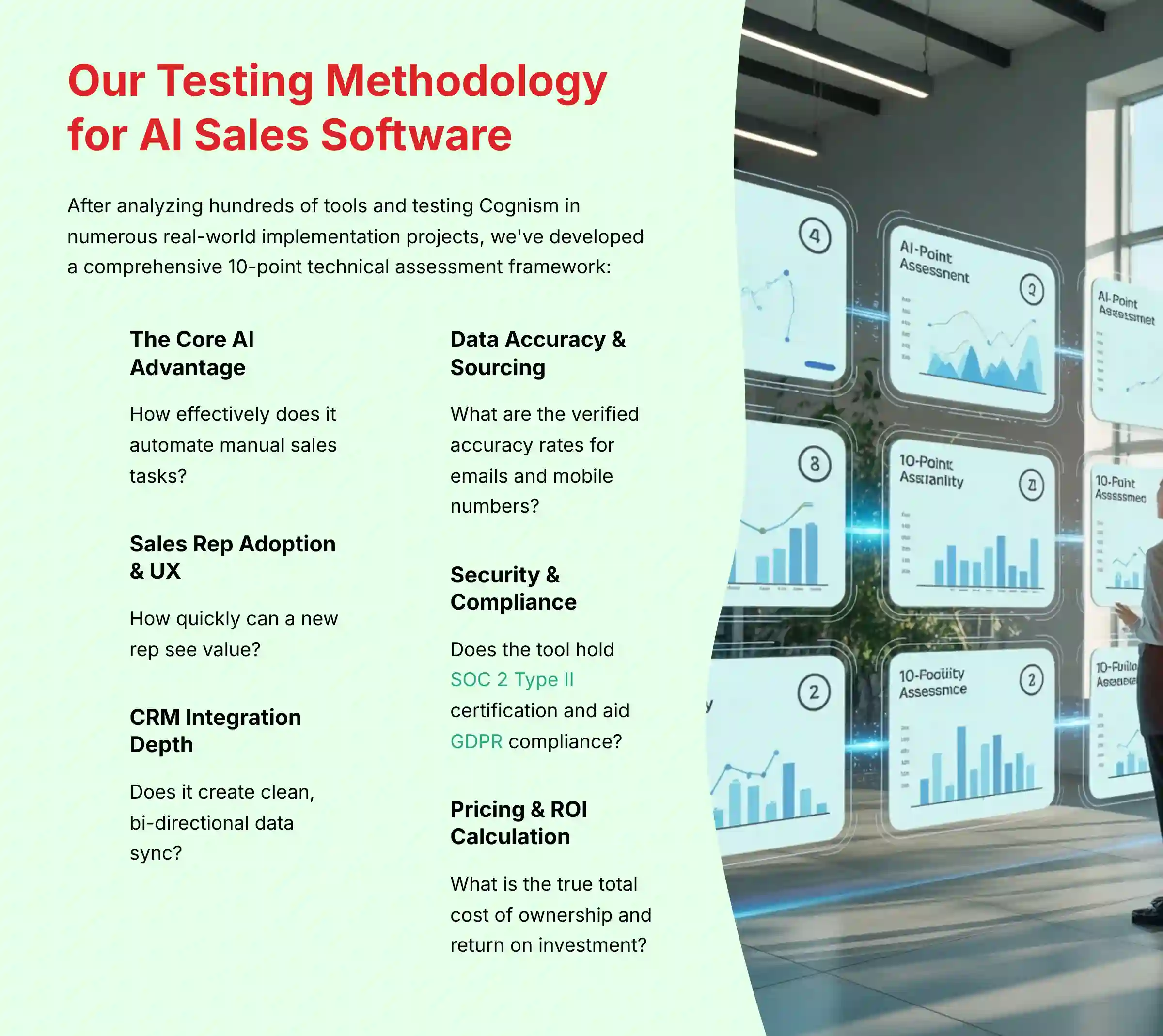
After analyzing hundreds of tools in AI Sales Software and testing Cognism in numerous real-world implementation AI Sales Software projects, our team at Best AI Sales Software has developed a comprehensive 10-point technical assessment framework specifically for AI Sales Software applications.
This framework informs our analysis and recommendations, but we encourage readers to evaluate it based on the quality and verifiability of the claims rather than taking our claimed authority at face value. Our evaluation process includes rigorous security assessment, compliance verification, and risk analysis to ensure recommendations meet professional standards for AI Sales Software applications.
In my experience, many tools look great in a demo, but our hands-on testing often reveals critical flaws in workflow integration or data security that sales leaders need to know. For those exploring Cognism Top Alternatives and Competitors, our methodology provides crucial insights for making informed decisions.
Our 10-point framework includes:
- The Core AI Advantage: How effectively does it automate manual sales tasks?
- Sales Rep Adoption & UX: How quickly can a new rep see value?
- CRM Integration Depth: Does it create clean, bi-directional data sync?
- Data Accuracy & Sourcing: What are the verified accuracy rates for emails and mobile numbers?
- Security & Compliance: Does the tool hold SOC 2 Type II certification and aid GDPR compliance?
- Pricing & ROI Calculation: What is the true total cost of ownership and return on investment?
- Input Flexibility & Integration Options: How well does it connect with the rest of the sales tech stack?
- Output Quality & Actionability: Are the insights provided clear and easy to act upon?
- Community Feedback & Reputation: What are real users saying on G2, Capterra, and Reddit?
- Vendor Support & Documentation: How responsive and helpful is the customer support?
Part 1: Foundational Setup – From Zero to Prospecting in 60 Minutes
This section is your tutorial for getting a new team set up for success. We will focus on the initial configuration and best practices for administrators. The goal is to get your team finding their first prospects in under an hour.
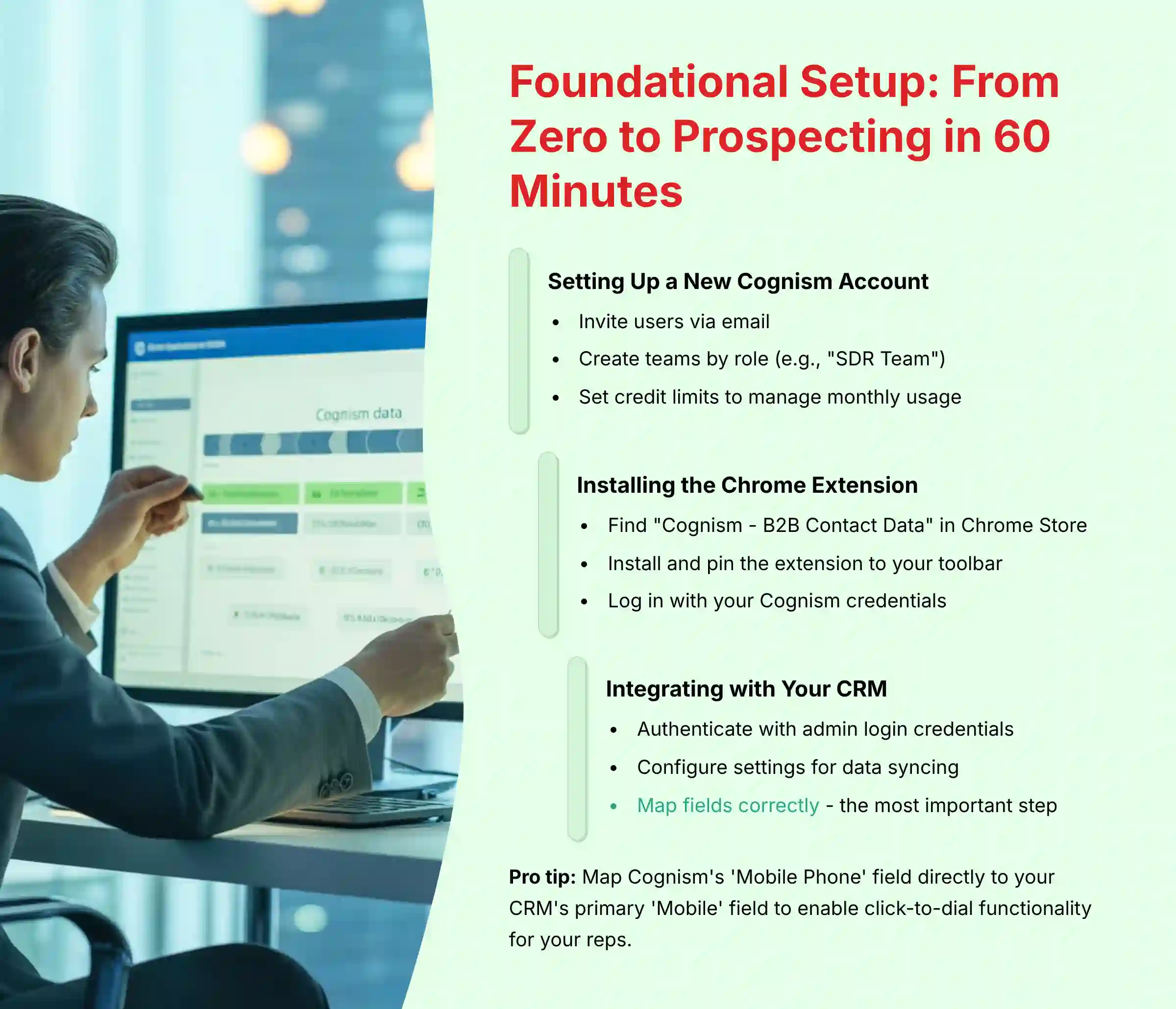
Setting Up a New Cognism Account and Managing Users
The first procedure is creating user accounts, organizing them into teams, and setting limits. This is a basic but important step for data governance and budget control.
In my experience, rushing the CRM integration is the biggest mistake teams make. Spend an extra hour on field mapping to save 20 hours of data cleanup later. Also, make certain the user authenticating the integration has full admin rights in your CRM. Insufficient permissions are the top cause of integration failure.
- Invite Users: An administrator invites new users via email.
- Create Teams: Group users by role, such as “SDR Team” or “AE Team.”
- Set Credit Limits: Allocate a specific number of credits per user or team to manage monthly usage. This prevents unexpected overages.
- Practice Exercise 1: Invite a test user to your team and set a credit limit of 100. (Time: 5 mins)
Installing and Configuring the Chrome Extension
The Chrome Extension is where your reps will spend most of their time. Proper installation is key.

- Find in Chrome Store: Go to the Chrome Web Store and search for “Cognism – B2B Contact Data.”
- Install and Pin: Click “Add to Chrome” and then pin the extension to your toolbar for easy access.
- Log In: Open the extension and log in with your Cognism credentials.
- Practice Exercise 2: Successfully install the Chrome Extension and log in. (Time: 5 mins)
Integrating Cognism with a Primary CRM (e.g., Salesforce)
A seamless CRM connection is the heart of the system. This process involves authentication and field mapping.

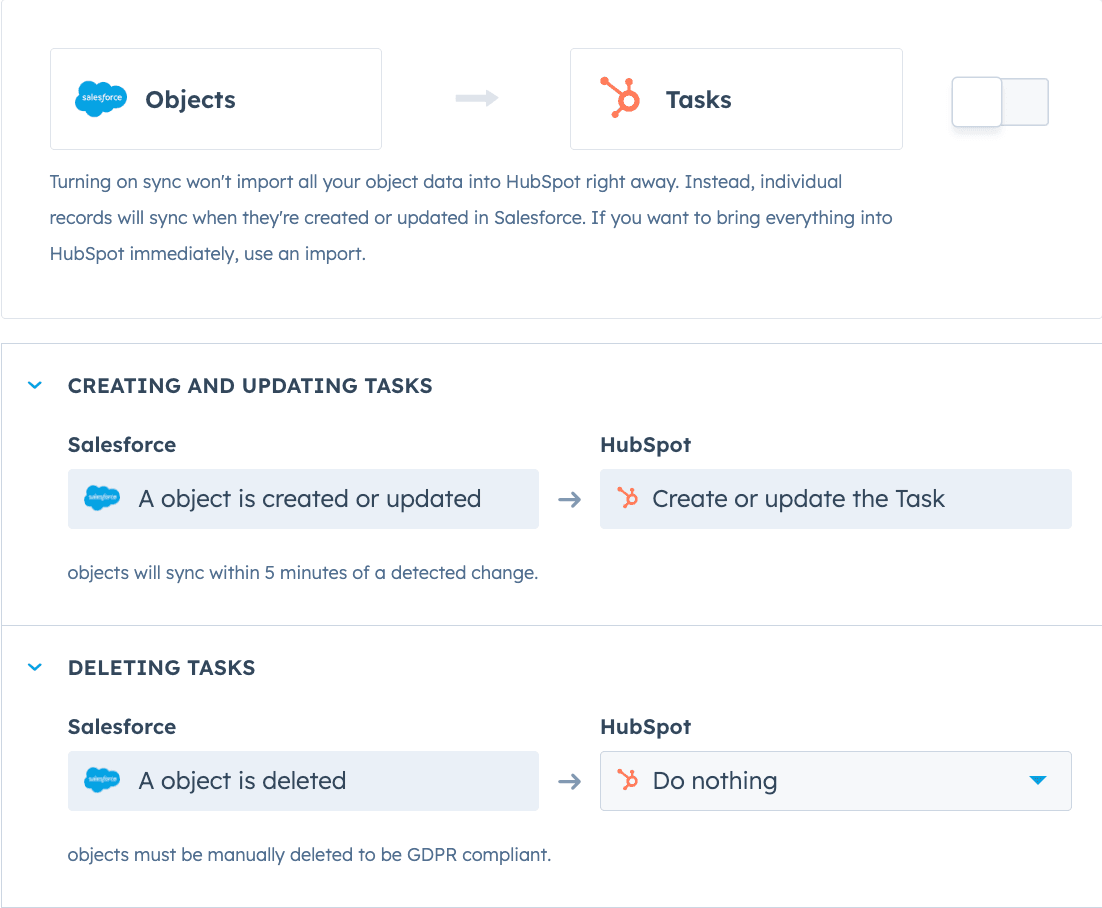
- Authenticate: In your Cognism settings, select your CRM and provide your admin login credentials to authorize the connection.
- Configure Settings: Set rules for data syncing, such as preventing the creation of duplicate contacts.
- Map Fields: This is the most important step. Match Cognism data fields (e.g., “Mobile Phone,” “Job Title”) to the correct fields in your CRM. A pro tip is to map Cognism‘s ‘Mobile Phone' field directly to your CRM's primary ‘Mobile' field to enable click-to-dial functionality for your reps.
- Practice Exercise 3: Map the 5 most critical contact and company fields between Cognism and your CRM. (Time: 20 mins)
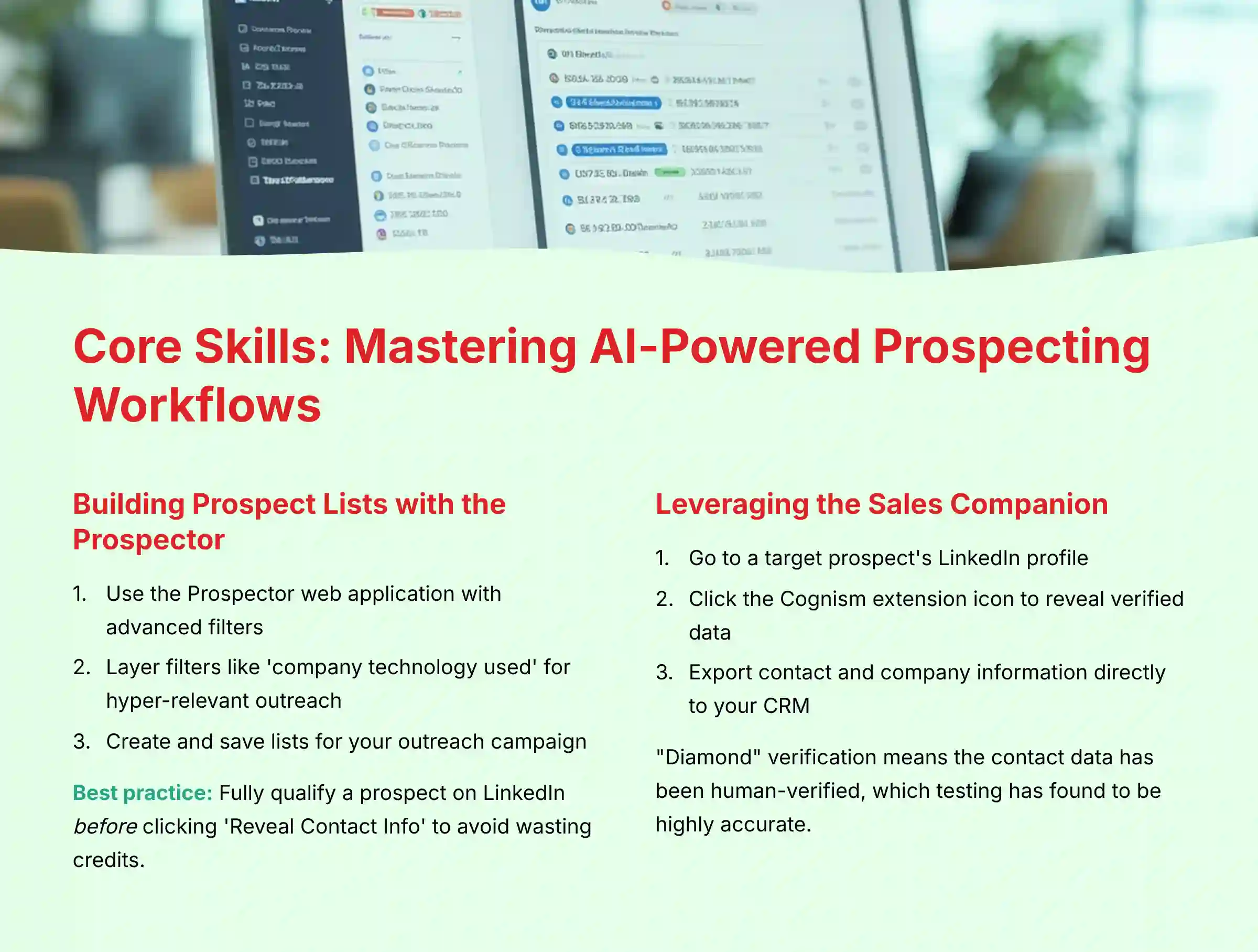
Part 2: Core Skills – Mastering AI-Powered Prospecting Workflows
With your account set up, it is time to master the core features. This section covers the day-to-day activities your sales team will perform to build lists and find opportunities.
Building Prospect Lists with the Prospector and Advanced Filters
The Prospector is the web application where you build large, targeted lists. The real power is not just searching by job title. My analysis shows the best results come from layering filters like ‘company technology used' to create hyper-relevant outreach. For example, show me VPs of Marketing at companies that use HubSpot.
- Use the Prospector: In the Prospector web application, use the search and advanced filters to build your list with a query like “Marketing Directors at B2B SaaS companies in California.”
- Apply Advanced Filters: Refine your list using filters. You can select by company size, industry, specific technologies they use, and more.
- Create and Save Lists: Select your desired prospects and save them to a new list for your outreach campaign.
Be mindful of your credit usage. It is better to fully qualify a prospect on their LinkedIn profile before you click ‘Reveal Contact Info' to avoid wasting credits on poor-fit leads.
- Practice Exercise 1: Build a list of 20 prospects in the Prospector using at least 4 different filters (e.g., Industry, Job Title, Company Size, Location). (Time: 15 mins)
Leveraging the Sales Companion for Real-Time Intelligence on LinkedIn and Corporate Websites
The Chrome Extension is like having X-ray vision for the web. It lets you see the hidden contact data behind a LinkedIn profile or company website. This creates a fast “research-to-outreach” workflow.
- Open on LinkedIn: Go to a target prospect's LinkedIn profile.
- Reveal Data: Click the Cognism extension icon. It will display the verified email addresses and phone numbers it has for that person. Cognism's “Diamond” verification means the contact data has been human-verified, which I've found to be highly accurate.
- Export to CRM: With one click, you can export the contact and their company information directly to your CRM, updating existing records or creating new ones.
- Practice Exercise 2: Find a target prospect on LinkedIn, use the Chrome Extension to reveal their data, and export them to your CRM. (Time: 10 mins)
For comprehensive insights into maximizing these workflows, explore our detailed Cognism Overview and Features analysis that covers advanced prospecting strategies.
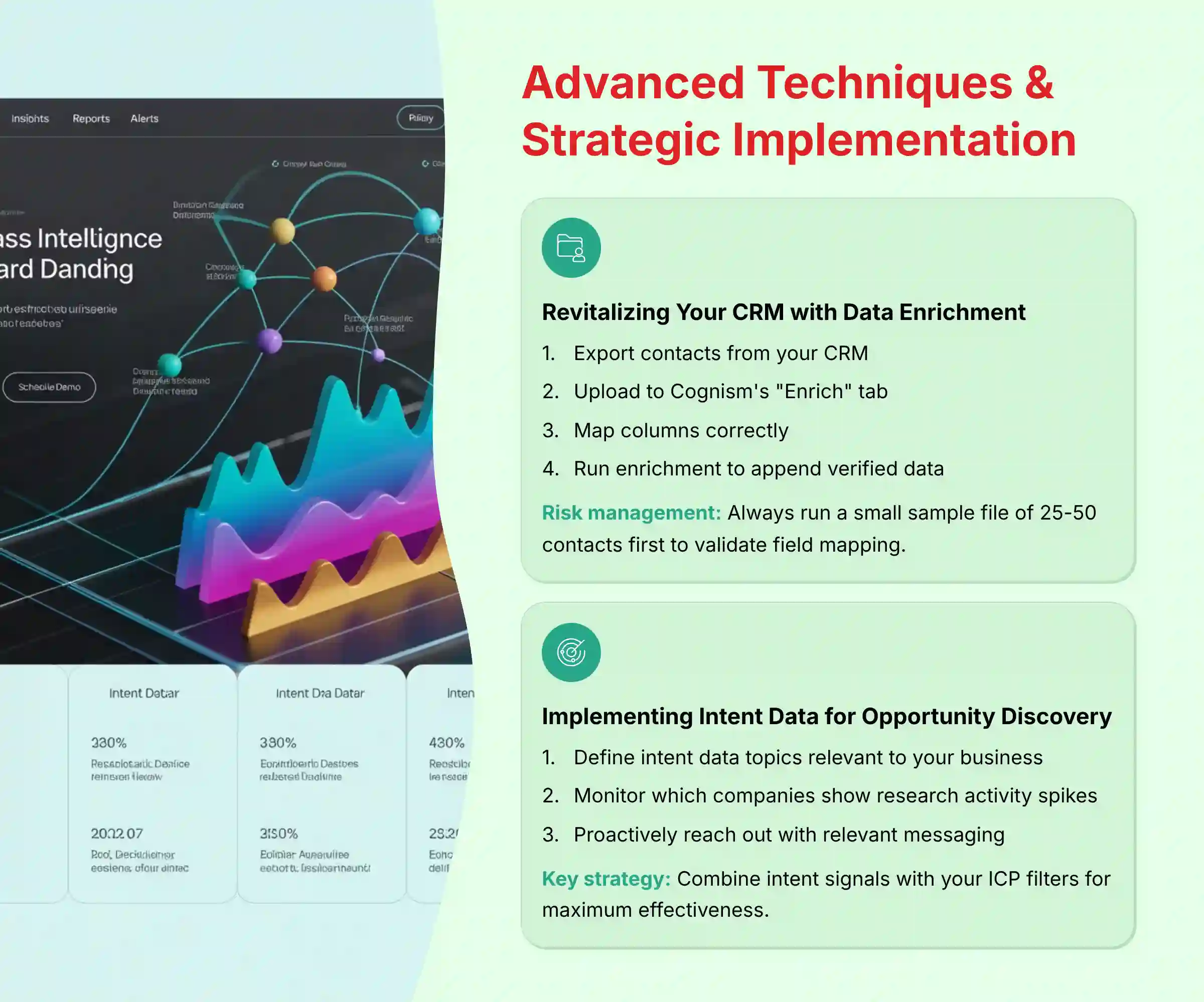
Part 3: Advanced Techniques & Strategic Implementation
This section is for managers and power users. We will move beyond basic prospecting to cover features that support high-level sales strategy, like cleaning your database and identifying in-market buyers.
Revitalizing Your CRM with On-Demand Data Enrichment
Data enrichment is the process of taking your existing, incomplete contact records and updating them with fresh, accurate information from Cognism.
- Prepare a CSV: Export a list of contacts from your CRM. It only needs basic information like name and company.
- Upload to Cognism: In the “Enrich” tab, upload your CSV file.
- Map Columns: Match the columns in your file to the corresponding Cognism fields.
- Run Enrichment: Start the process. Cognism will append verified emails, phone numbers, and other firmographic data to your list.
A crucial risk management step: Before enriching your entire database, always run a small sample file of 25-50 contacts first. This allows you to validate that fields are mapped correctly and prevents the accidental overwriting of thousands of accurate records with incorrect data, a costly and time-consuming mistake to reverse.
- Practice Exercise 1: Take a sample CSV of 10 of your existing contacts, upload it to Cognism, and perform a bulk enrichment job. (Time: 15 mins)
Understanding and Implementing Intent Data for Proactive Opportunity Discovery
Intent data is like a sonar system for sales. Instead of prospecting blindly, you can see which companies are actively researching topics related to your product. This is a powerful way to prioritize your outreach.
- Set Up Topics: In Cognism, define the intent data topics relevant to your business (e.g., “CRM Software,” “Lead Generation”).
- Monitor Signals: Cognism will show you which companies are showing a spike in research activity for those topics.
- Build a Sales Play: When a company in your ICP shows intent, you can proactively reach out with a highly relevant message.
For example, one of our clients, a cybersecurity firm, set ‘ransomware protection services' and ‘cloud security audit' as key intent topics. When a target account in the financial sector showed a high intent score for both topics, their top account executive was immediately notified. They were able to proactively reach out with a message directly addressing recent industry threats, securing a meeting that would have otherwise been missed. This is the power of combining intent data with your ICP.
Intent data can be noisy. The key is to combine it with your ICP filters. Only focus on intent signals from companies that are a perfect fit for your business. When using this data, it is important to operate under a legitimate interest basis for GDPR compliance.
- Practice Exercise 2 (Conceptual): Define 3 intent data topics relevant to your business and sketch out a follow-up sales play for when a target account shows a spike in one of these topics. (Time: 20 mins)
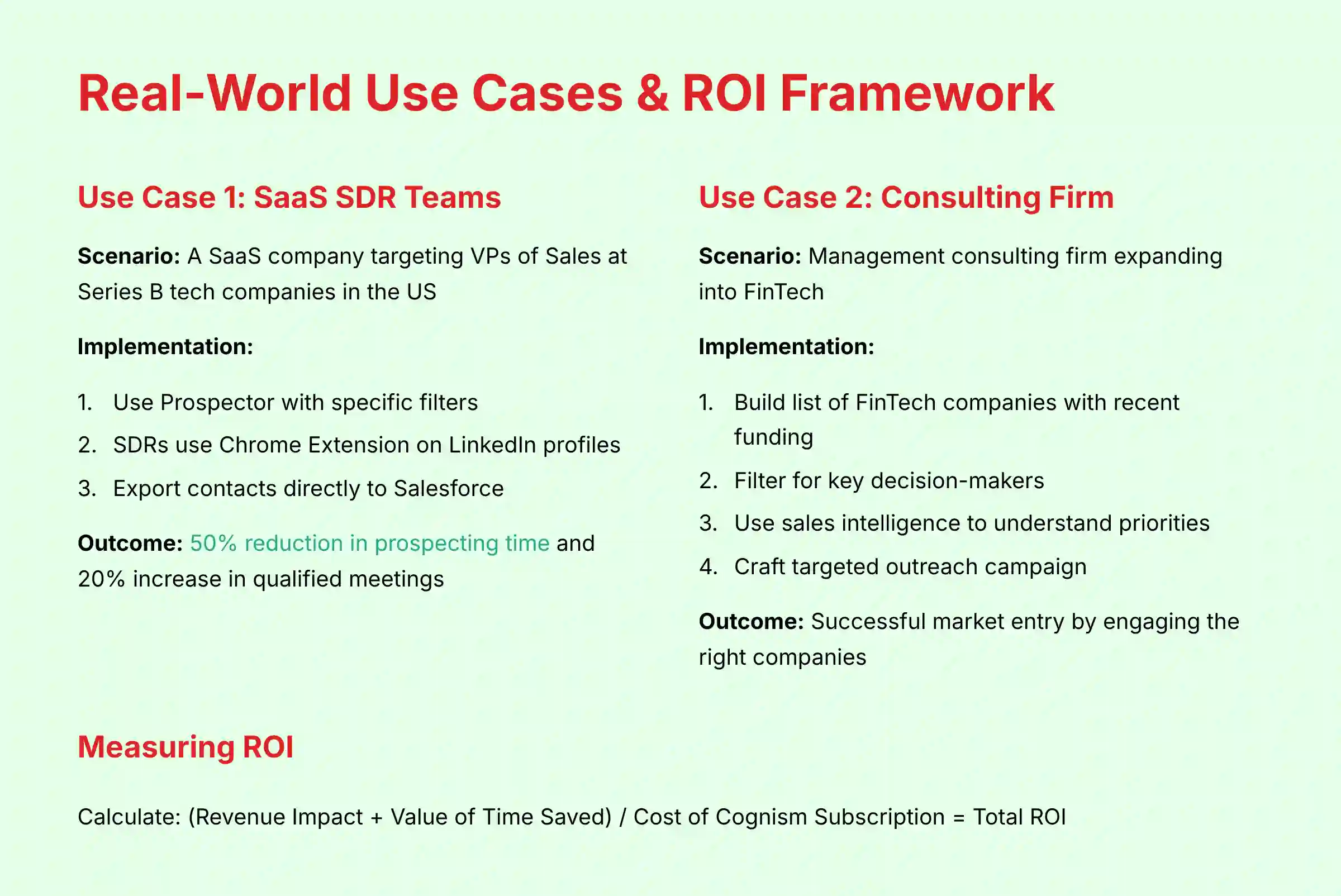
Part 4: Real-World Use Cases & ROI Framework
This section connects features to business value. We will walk through two practical use cases and provide a simple framework for you to calculate the return on investment for your own team.
Use Case 1: Slashing Prospecting Time for SaaS SDR Teams
- Scenario: A SaaS company needs to increase meetings booked by its SDR team. They are targeting VPs of Sales at Series B tech companies in the United States.
- Implementation Steps:
- Use the Prospector with filters for Industry (SaaS), Funding (Series B), Job Title (VP of Sales), and Location (USA).
- SDRs use the Chrome Extension on the LinkedIn profiles of these targets to get verified contact data.
- Contacts are exported directly to Salesforce. This is where the sales tech stack integration becomes critical. The clean data from Cognism populates the CRM, which then syncs to a Sales Engagement platform like SalesLoft or Outreach. This ensures the SDRs' multi-step outreach sequences are powered by accurate, verified contact information, dramatically increasing connection rates. The relationship can be visualized as: Cognism (Data Acquisition) → Salesforce (System of Record) → SalesLoft (System of Action).
- Expected Outcome: My analysis suggests this workflow can reduce prospecting time by over 50%. This could lead to a projected 20% increase in qualified meetings, but results may vary based on team skill, industry, and CRM configuration. For a financial decision, a sales leader should conduct their own pilot program to establish a baseline and measure their team's specific performance improvement, rather than relying on a single external projection.
Use Case 2: Identifying New Market Opportunities for a Consulting Firm
- Scenario: A management consulting firm wants to expand into the financial technology (FinTech) sector.
- Implementation Steps:
- Use the Prospector to build a list of all FinTech companies that recently received funding.
- Filter the list to find key decision-makers, such as Chief Operating Officers or Heads of Strategy.
- Use the sales intelligence data in Cognism to understand their business priorities.
- Craft a targeted outreach campaign based on the market insights gathered.
- Expected Outcome: Successful entry into a new market by identifying and engaging the right companies at the right time.
Develop a Framework for Measuring the ROI of Cognism
To justify the investment, you need to measure its impact. Be realistic; ROI is not just about new leads. It is also about the massive efficiency gains for your team.
- Calculate Time Saved: (Avg. hours prospected per rep weekly BEFORE Cognism) – (Avg. hours prospected per rep weekly AFTER Cognism) = Hours Saved. Multiply this by the rep's hourly cost.
- Track Pipeline Generated: Create a “Cognism Sourced” lead source in your CRM. Track the total pipeline value generated from these leads.
- Measure Revenue Impact: Track how many deals sourced from Cognism are closed each quarter.
- Calculate Final ROI: (Revenue Impact + Value of Time Saved) / Cost of Cognism Subscription = Total ROI.
- Analyze Pipeline Velocity: Beyond simple pipeline value, measure how quickly deals sourced by Cognism move through the sales stages. Accurate data and intent signals often lead to a reduction in sales cycle length, a powerful ROI metric for any sales leader.
- Measure Market Penetration: Use Cognism to define your Total Addressable Market (TAM). Track the percentage of your TAM you have successfully added to your CRM over time. This shifts the conversation from simple lead generation to strategic market penetration.
- Practice Exercise 1: Using the provided framework, calculate the potential time savings for your own sales team based on your current prospecting process. (Time: 20 mins)
For deeper insights into performance evaluation, our comprehensive Cognism Review provides detailed analysis of ROI calculations and security considerations.
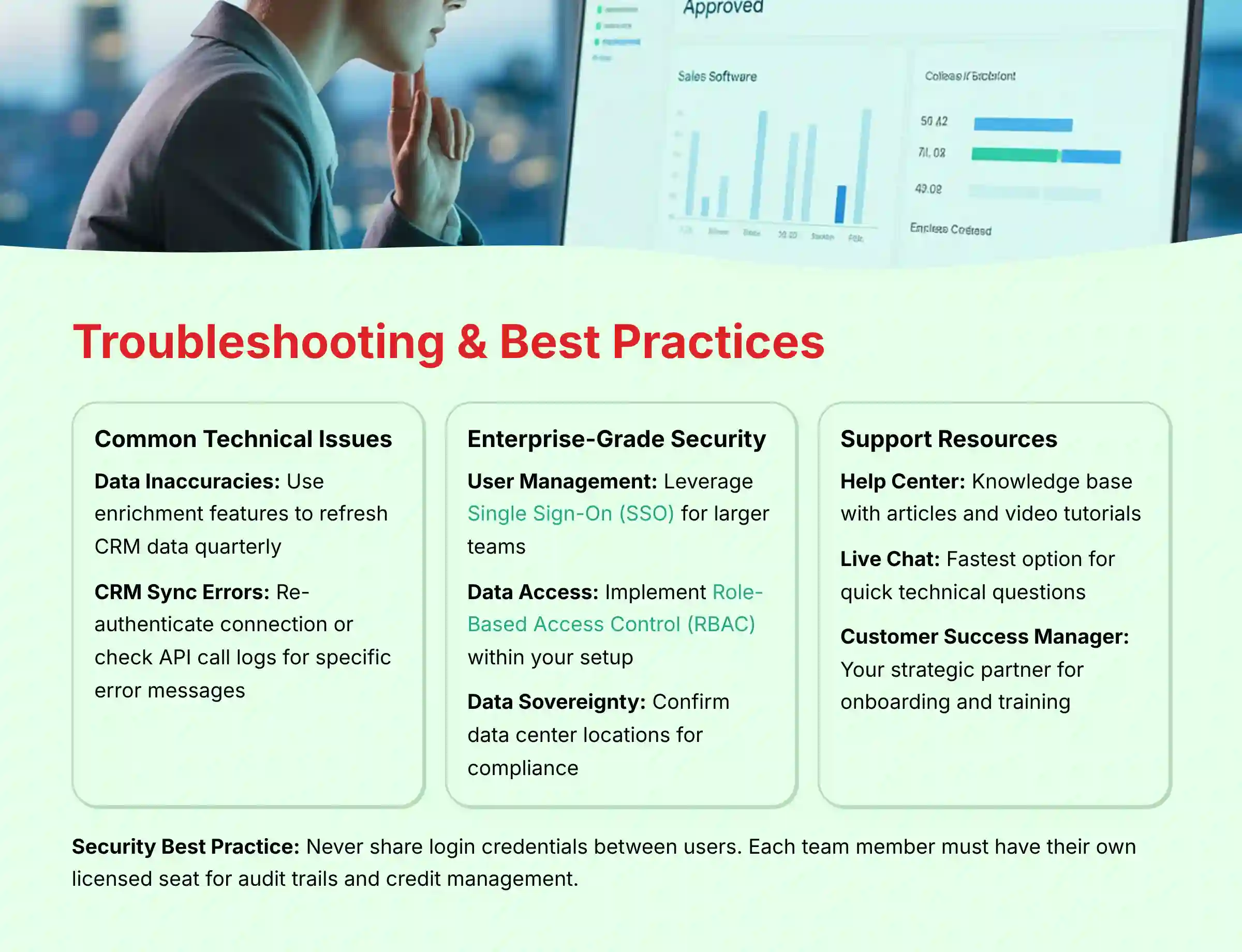
Part 5: Troubleshooting & Best Practices
This section provides a quick reference for solving common problems and reinforcing habits that lead to long-term success. Following these best practices will help you avoid common pitfalls.
Identify and Solve Common Technical Issues
- Problem: Data Inaccuracies. Most “data inaccuracy” complaints come from users who have not refreshed their data. Contact information decays over time.
- Solution: Use Cognism‘s enrichment features to refresh your CRM data quarterly. You can also flag any incorrect data points directly in the platform for the verification team to review.
- Problem: CRM Sync Errors. This is a frequent issue, especially during initial setup.
- Solution: The first step is to re-authenticate the connection in your settings. If that fails, check the API call logs in your CRM for a specific error message. Often, the issue is a simple permissions mismatch.
Reinforce Enterprise-Grade Security and Data Governance
For sales leaders and RevOps professionals, deploying any new tool requires passing internal vendor due diligence. Cognism's security posture is designed to support this process.
- Problem: Scaling User Management Securely. Adding and removing users one by one is inefficient and a security risk.
- Solution: For larger teams, leverage Cognism's support for Single Sign-On (SSO), typically using SAML authentication. This allows your team to log in using their primary company credentials (e.g., Okta, Azure AD), streamlining user provisioning and ensuring that access is immediately revoked when an employee leaves the company. This is a non-negotiable for most IT security reviews.
- Problem: Controlling Data Access. Not every user needs access to all features or data.
- Solution: Implement Role-Based Access Control (RBAC) within your setup. Define distinct roles for SDRs, AEs, and Managers to ensure users only access the functionalities and data necessary for their job, which is a core principle of a sound data governance policy.
- Problem: Meeting Data Sovereignty Requirements. For global companies, especially in Europe, the question of data residency (where data is physically stored) is critical for compliance.
- Solution: During your procurement process, confirm Cognism's data center locations to ensure they align with your company's legal and compliance requirements for data sovereignty.
Understand How to Access Support and Learning Resources
- Help Center: Cognism has an extensive knowledge base with articles and video tutorials.
- Live Chat: For quick technical questions, live chat is the fastest option.
- Customer Success Manager: Your assigned CSM is your strategic partner. Use them for onboarding, training, and building effective sales plays.
Security & Compliance Best Practice: Individual User Credentials
Never share login credentials between users. Each team member must have their own licensed seat. This is non-negotiable for two reasons:
- Audit & Accountability: It ensures a clear audit trail for data access and exports, which is a core requirement for SOC 2 and GDPR compliance.
- Credit Management: It allows for accurate tracking and management of credit usage on a per-user basis, preventing budget overruns.
Conclusion: From Tool to Strategic Asset
Mastering Cognism is about more than just learning features; it's about adopting a new, strategic approach to sales intelligence. As we've covered, the journey begins with a meticulous setup—especially a flawless CRM integration—and progresses to mastering daily workflows that can slash prospecting time by over 50%.
However, the true transformation happens when you leverage advanced techniques like data enrichment and intent signals to turn your sales function from a reactive one into a proactive, opportunity-finding engine.
Remember the core principle: Cognism is a powerful force multiplier, not a magic wand. Its ROI is unlocked through a clear strategy, a commitment to data hygiene, and the compliant, ethical use of the information it provides. Use this guide as your playbook to not only drive pipeline but to build a more efficient, intelligent, and successful sales organization.
For additional guidance and common concerns, our detailed Cognism FAQs resource addresses the most frequently asked questions from sales professionals implementing this platform.
Important Disclaimers:
Technology Evolution Notice:
The information about Cognism tutorials and use case examples and AI Sales Software tools presented in this article reflects our thorough analysis as of publication. Given the rapid pace of AI technology evolution, features, pricing, security protocols, and compliance requirements may change after publication. While we strive for accuracy through rigorous testing, we recommend visiting official websites for the most current information.
Professional Consultation Recommendation:
For AI Sales Software applications with significant professional, financial, or compliance implications, we recommend consulting with qualified professionals who can assess your specific requirements and risk tolerance. This overview is designed to provide comprehensive understanding rather than replace professional advice from a Sales Operations or data compliance expert.
Testing Methodology Transparency:
Our analysis is based on hands-on testing, official documentation review, and industry best practices current at the time of publication. Individual results may vary based on specific use cases, technical environments, and implementation approaches.
Frequently Asked Questions About Cognism Tutorials and Usecase
How Accurate is Cognism's Data Really?
Cognism's data accuracy is among the best I have tested, particularly for their ‘Diamond' verified contacts. Diamond contacts are human-verified and have a very high connection rate for both emails and mobile numbers. No database is 100% perfect because data decays, but their commitment to verification provides a reliable foundation for outreach.
Is Cognism GDPR and CCPA Compliant?
Yes, Cognism is fully compliant with both GDPR and CCPA. They provide a “notice-provided” database, which is a key requirement under these regulations. In my analysis, their commitment to compliance, including holding SOC 2 Type II certification, is a major advantage for businesses in regulated industries.
How Does Cognism Compare to Alternatives Like ZoomInfo or Apollo.io?
Each tool has its strengths. ZoomInfo has a famously large database but can be more expensive. Apollo.io is a strong all-in-one solution with engagement features but its data quality can be less consistent. Cognism excels with its European data coverage, high-quality mobile numbers, and clean user interface. The best choice depends on your specific budget, target market, and existing tech stack.
For comprehensive comparisons and detailed analysis of competitive options, explore our guide on Best 10 AI Sales Prospecting & Intelligence tools available in 2025.
What is the Fastest Way to Get ROI with Cognism?
The fastest way to get ROI is to use the bulk enrichment feature on your existing CRM database. This can instantly turn a list of old, cold leads into actionable opportunities by providing fresh contact information. This single project can often pay for the first year's subscription within weeks.
Can Cognism Integrate with My Specific CRM?
Cognism offers native integrations with major CRMs like Salesforce, HubSpot, and Microsoft Dynamics. They also have a flexible API for connecting to other systems. Before purchasing, you should always verify the depth of the integration for your specific CRM to ensure it meets your workflow needs.
My CRM Integration is Failing, What Are the First Steps to Fix It?
First, re-authenticate the connection in Cognism's settings. Second, check that the user account used for the integration has full administrative permissions in your CRM. Third, check your CRM's API usage limits to make certain you have not exceeded your daily or monthly call allowance.
How Many Credits Should My Team Need Per Month?
This depends entirely on your sales process and volume. An SDR building large lists might use 500-1000 credits per month, while an Account Executive doing targeted prospecting might only use 100-200. I advise starting with a conservative estimate and adjusting after the first quarter of use.
Does Cognism Work for Industries Outside of Tech?
Yes, Cognism works well for many industries outside of technology. While it has very strong data for SaaS and tech companies, its database covers a wide range of sectors including manufacturing, professional services, and finance. I recommend requesting a demo with a list of your target accounts to verify their data coverage in your specific niche.
I hope this guide on Cognism Tutorials and Usecase has been helpful.


Leave a Reply