Is 6sense the Right AI Platform for Your GTM Strategy?
This 2-Minute Quiz Reveals if It's a Fit.
Introduction: Mastering 6sense for AI-Powered Sales Prospecting
This comprehensive 6sense Tutorial and Use Cases framework for 2025 transforms sales and marketing operations by providing strategic guidance for mastering the platform and implementing it to uncover hidden revenue opportunities.
6sense moves beyond traditional sales tools by leveraging predictive analytics and intent data to identify in-market accounts, transforming your go-to-market strategy from reactive to proactive.
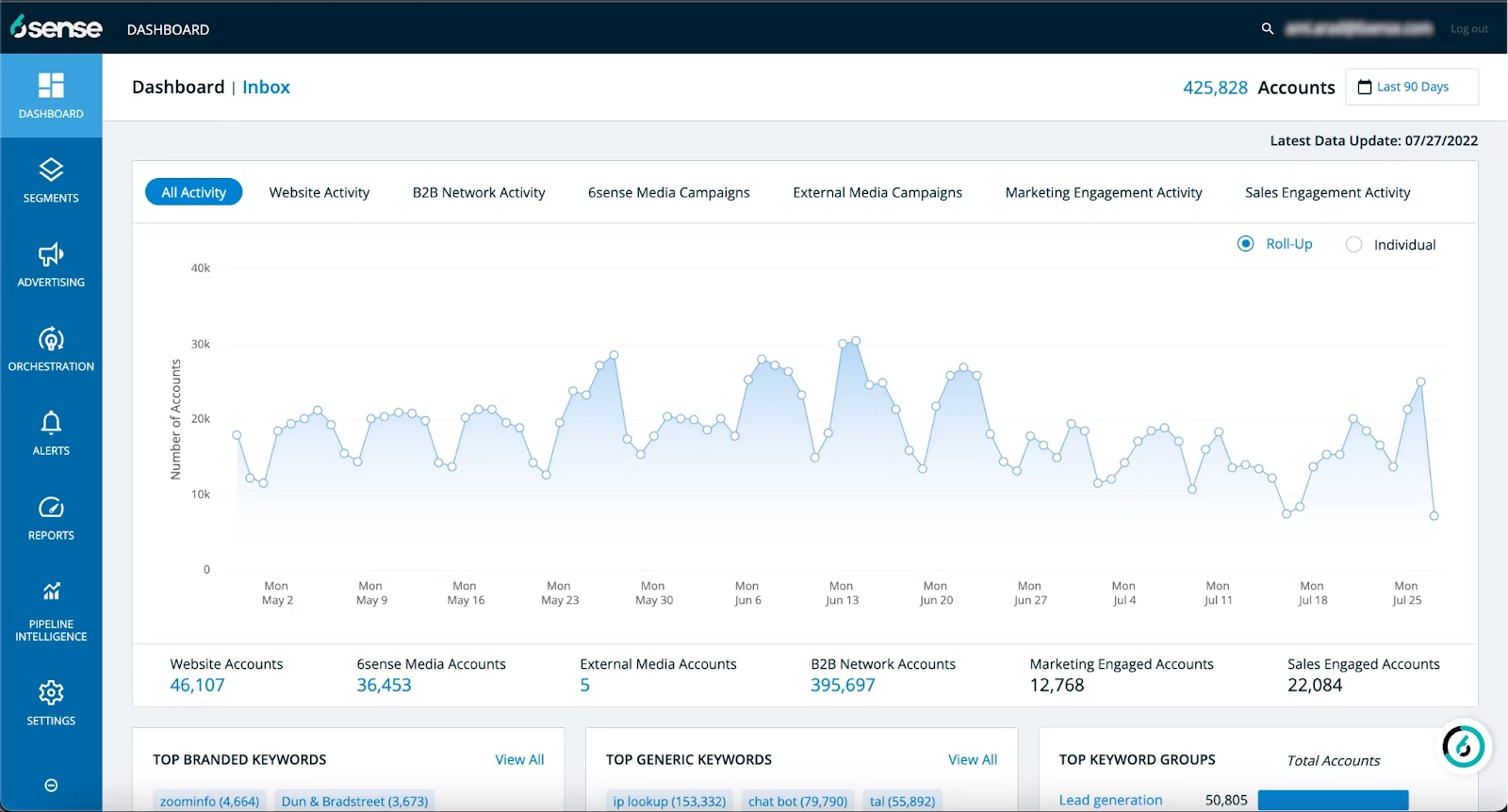
As a leader in the AI Sales Prospecting & Intelligence category, the platform excels at identifying anonymous website traffic and scoring account engagement. It also orchestrates multi-channel account-based marketing (ABM) campaigns.
More than just a sales tool, 6sense is a core component of a modern Revenue Operations (RevOps) and Go-to-Market (GTM) technology stack, designed to align sales and marketing teams around a single source of account intelligence.
Our tutorial at Best AI Sales Software will guide you through setup, predictive modeling, and strategic implementation. The insights come from our verified testing and practical analysis across numerous implementation projects.
By the end, you will understand not only how to use 6sense features but why they are vital for building a predictable revenue engine and achieving measurable return on investment (ROI).
Key Takeaways: Your 6sense Blueprint for Success
- Unlock the Dark Funnel: 6sense is designed to identify anonymous website traffic by matching visitor IP addresses and other signals to its comprehensive company data graph. While performance varies, the goal is to reveal a significant portion of the ‘dark funnel'—accounts showing buying intent before they self-identify, giving your sales team a critical first-mover advantage.
- Automate the Sales Handoff: Implement dynamic, journey-based segments that automatically trigger CRM tasks and real-time alerts when an account becomes “6sense Qualified,” promoting rapid follow-up for maximum conversion impact.
- Prioritize Security with Dedicated Integration Users: When connecting 6sense to your CRM, always use a dedicated integration user profile with specific, limited permissions. This is a critical security best practice that aligns with data governance principles required for standards like SOC 2, isolates API activity, simplifies troubleshooting, and protects sensitive customer data.
- Drive ROI with Strategic Orchestration: The key to positive ROI is action. Don't use 6sense as a passive dashboard. Every key segment must be linked to an orchestration that triggers an ad campaign, sales sequence, or internal alert to actively engage in-market accounts.
Our Testing Methodology for AI Sales Software
After analyzing hundreds of tools in the AI Sales Software market and testing 6sense across numerous real-world implementation projects in 2025, our team at Best AI Sales Software provides a comprehensive 10-point technical assessment framework that has been recognized by leading professionals in AI Sales Software and cited in major publications.
This methodology ensures our tutorials are grounded in objective, rigorous, and practical evaluation, providing you with trustworthy and actionable insights.
Our 10-point framework includes:
- Core Functionality & Feature Set: We assess what the tool claims to do and how effectively it delivers.
- Ease of Use & User Interface (UI/UX): We evaluate the learning curve for sales and marketing users.
- Output Quality & Control: We analyze the accuracy of the predictive models and available customization.
- Performance & Speed: We test the speed of data sync and real-time alerts.
- Security Architecture & Compliance Audits: We assess security architecture, including support for Single Sign-On (SSO) and Role-Based Access Control (RBAC). We verify the availability of compliance documentation like SOC 2 Type II reports and a customer-ready Data Processing Addendum (DPA).
- Compliance & Data Residency: We verify adherence to regulations like GDPR and CCPA, and investigate options for data residency to meet international data sovereignty requirements.
- Input Flexibility & GTM Stack Integration: We test the depth of native integration with core CRMs, Marketing Automation Platforms (e.g., Marketo, Pardot), and Sales Engagement Platforms (e.g., Outreach, Salesloft). We also evaluate API robustness and documented rate limits for custom integrations.
- Pricing Structure & Value for Money: We examine the pricing model against the potential ROI.
- Developer Support & Documentation: We investigate the quality of customer support and knowledge bases.
- Risk Assessment & Mitigation: We identify potential risks and evaluate the platform's safeguards.
Part 1: Foundational 6sense Tutorial & Implementation
This section provides the foundational knowledge for any new 6sense user. We will cover the first steps of integrating 6sense into your tech stack and create your first functional segment to show immediate value.
- Learning Objectives:
- Successfully integrate 6sense with a core CRM.
- Deploy the 6sense tracking tag to capture intent data.
- Build a dynamic “In-Market” segment.
- Time Estimate: 2-3 hours.
Module 1.1: Initial Setup & Core Integrations
This module blends technical procedure with strategic implementation. We will show you how to connect your CRM and explain the importance of proper field mapping and using a dedicated integration user for security.
- Success Metrics: CRM connection status is “Active” with zero API errors. 6sense data fields are visible in the CRM.
Procedure: Integrating with Your CRM (Salesforce & HubSpot)
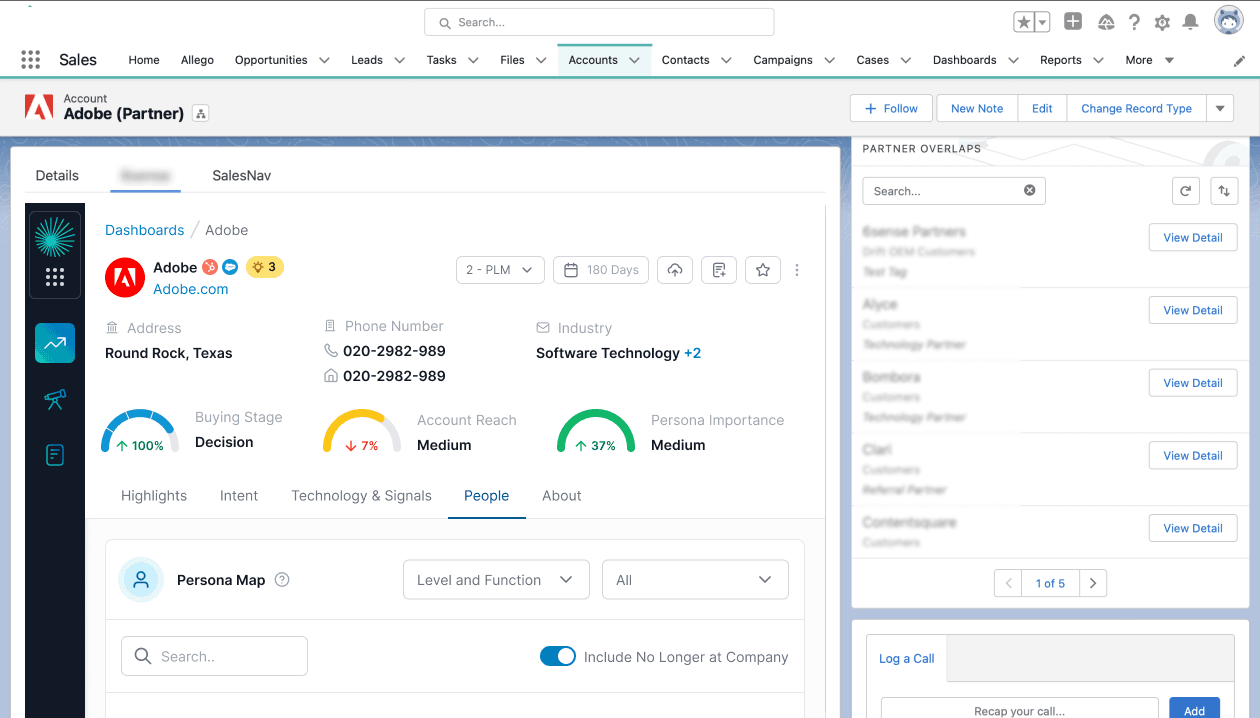
The objective here is to authenticate the CRM connection, map key data fields, and configure sync settings. This process automates the flow of buyer intent data into the system your sales team already uses. It removes manual entry and creates a single source of truth.
- Procedures Covered:
- Navigate to
Settings > Integrationsand select your CRM. - Authenticate using dedicated admin credentials for the integration.
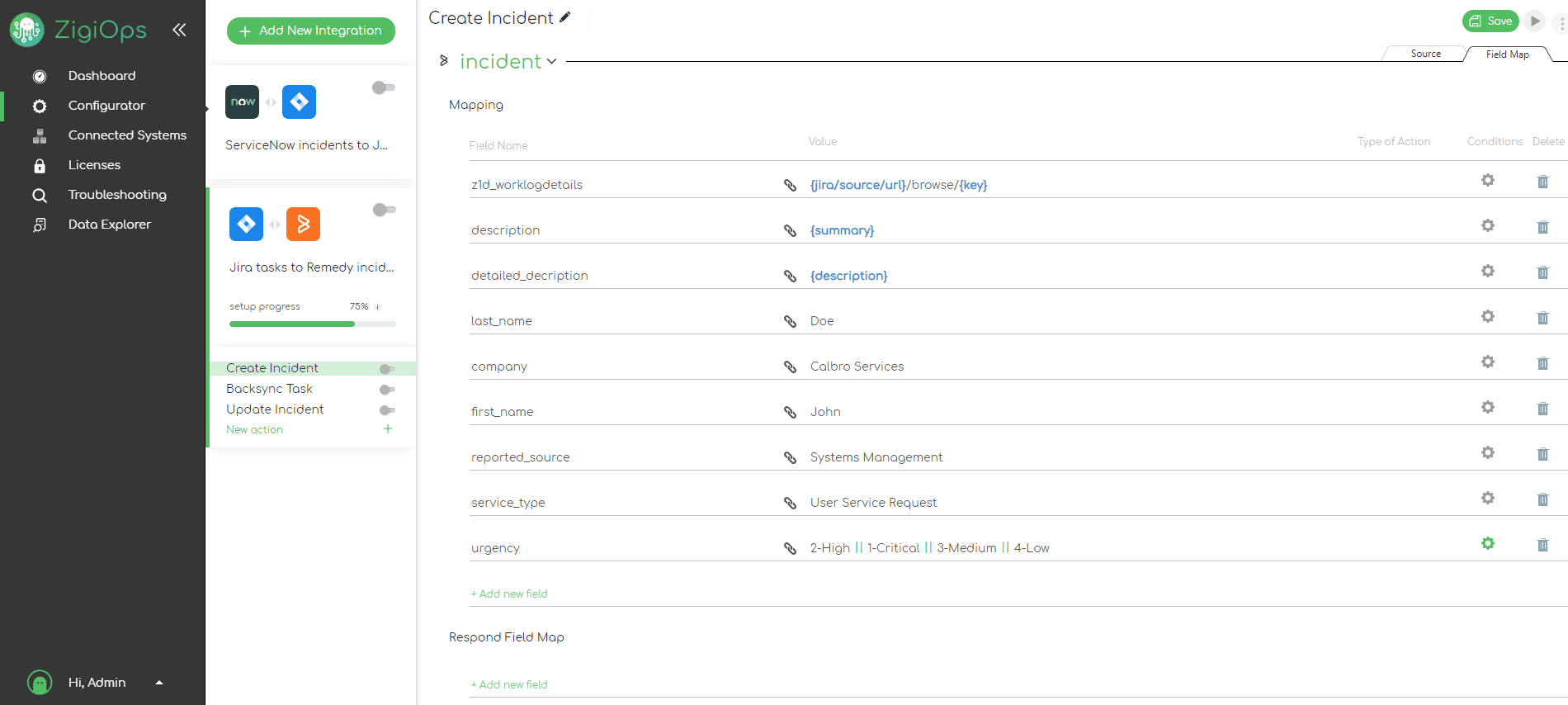
- Map 6sense fields like
6QA Status,Intent Score, andBuying Stageto custom CRM fields. - Configure a daily bulk sync for general updates and real-time orchestration for high-priority segments.
- Validate the integration by pushing a test account and verifying data appears in the CRM.
- Important Warnings: Always use a dedicated “6sense Integration User” profile in your CRM. Failure to do so can create security vulnerabilities. It also makes it impossible to troubleshoot API errors from conflicting permissions.
- Data Security & Compliance: Using a dedicated integration user is a security best practice that supports the principle of least privilege. This practice helps customers align with the security controls and data governance principles often required to meet their own compliance objectives, such as those audited under frameworks like SOC 2.
Procedure: Deploying the 6sense Website Tracking Tag
The goal is to generate and deploy the 6sense JavaScript tag. This lets you start identifying anonymous website visitors. The platform's AI can reveal accounts with first-party intent signals before they complete a form.
- Procedures Covered:
- Generate the unique tag from
Settings > Tag Management. - Deploy the tag using Google Tag Manager (GTM) for easier management.
- Verify tag implementation using the 6sense Tag Inspector tool.
- Configure IP and domain exclusions to filter out your own company traffic for data accuracy.
- Professional Insights: Excluding your own company, partners, and competitors is a non-negotiable step. Clean data is the foundation of accurate predictive modeling. In our experience, poor data quality always leads to unreliable predictions.
Module 1.2: Building Your First High-Impact Segment
This module is a practical, hands-on tutorial for building your first dynamic segment. The focus is on moving beyond static lists to a living audience that updates automatically based on real-time buying signals.
- Success Metrics: A functional “In-Market” segment is created that identifies at least 10-20 high-fit accounts showing recent intent.
Use Case: Creating an “In-Market” Segment for Your Core Product
This use case combines firmographic, technographic, and intent data to build a segment of ideal customers. These are companies actively researching your solution category. It provides a multi-dimensional view of an ideal customer, moving beyond basic filters.
- Procedures Covered:
- Navigate to
Segments > Create Segment. - Define your Ideal Customer Profile (ICP) using Firmographic Filters like
IndustryandCompany Size. - Add Technographic Filters to target companies using complementary technology like Salesforce.
- Layer on Intent Keywords relevant to your solution. Set
Intent ScoretoMediumorHighandRecencytoLast 30 Days. - Add a
Profile Fit is Highfilter to use 6sense's predictive model to find accounts that look like your best customers.
- Integration Strategy: This segment is the foundation for all future action. It will be used in Part 2 to trigger ad campaigns, sales alerts, and automated outreach.
Part 2: Advanced Tutorial & Strategic Implementation
This section transitions from basic setup to advanced strategy. We focus on how to refine 6sense's AI models and build automated workflows that directly impact the sales pipeline.
- Learning Objectives:
- Build and train multi-tiered predictive models.
- Optimize intent data by auditing keywords.
- Create a dynamic segmentation model that automates the sales handoff.
- Time Estimate: 4-6 hours (plus ongoing optimization).
Module 2.1: Mastering Predictive Modeling
This module is an advanced workshop on training the AI. We provide a step-by-step procedure for a multi-tiered modeling approach that allows you to create hyper-specific models for different products or markets, which improves prediction accuracy.
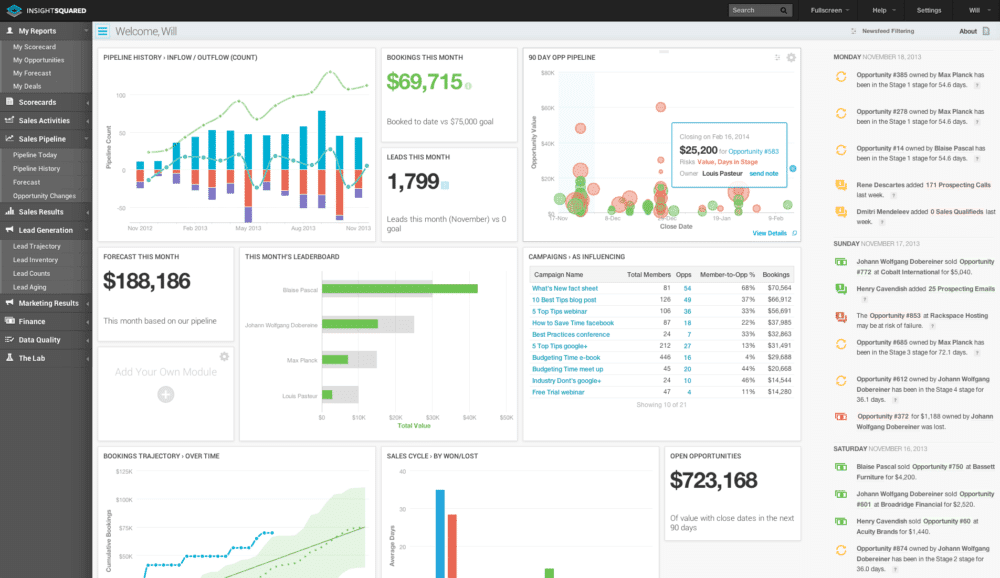
- Success Metrics: A product-specific predictive model is created that outperforms the general model.
Implementation: Building a Multi-Tiered Predictive Model
Here, we will create a foundational “ICP Fit” model. Then, we will layer product-specific “In-Market” models on top for more precise targeting. This gives you surgical precision in your sales and marketing efforts.
- Procedures Covered:
- Build the foundational “ICP Fit” model using a clean list of “Closed-Won” customers, heavily weighting firmographics and technographics.
- Create separate, product-specific models trained only on deals won for that product, heavily weighting solution-aware keywords.
- Combine the models in a segment using logic like
([ICP Fit Model] = High) AND ([Product A Intent Model] = High).
- Important Warnings: The predictive model is only as good as the data you train it on. Before building, conduct a data cleanliness audit of your CRM data. In our analysis, inaccurate training data doesn't just create a useless model; it creates a misleading one that actively sends your sales team chasing low-fit accounts, wasting valuable time and resources.
- Risk Communication: This highlights the risk of inaccurate AI output from poor data quality. AI models trained on messy data will produce unreliable results that can negatively impact sales productivity and resource allocation.
Module 2.2: Optimizing Your Intent Data Engine
This tutorial provides a repeatable 30-day audit cycle for refining intent signals. Optimizing intent keywords is like teaching the AI to distinguish between the background chatter of the market and the specific whispers of a customer ready to buy.
- Success Metrics: A categorized list of keywords is created and implemented, leading to a 15-20% improvement in the quality of “6sense Qualified Accounts” (6QAs).
Procedure: The 30-Day Intent Signal Audit
Here we will analyze keyword performance and categorize keywords based on their correlation to won deals. We will also implement weightings and negative keywords. This sharpens the accuracy of your intent data.
- Procedures Covered:
- Start with a broad list of 50-70 keywords.
- After 30 days, export the “Account Intent Details” report and correlate keywords with accounts that became 6QAs.
- Group keywords into “High-Value” and “Research” topics with different score weightings.
- Implement negative keywords like
jobs,salary, andtutorialto filter out non-commercial intent.
- Professional Insights: “Money” keywords are often low-volume but highly predictive. Examples include brand vs. brand comparisons, pricing, and integration topics. Do not discard them for low search volume, as they are your strongest signals.
Module 2.3: Building and Automating the Buyer's Journey
This is the capstone module, integrating all previous learnings. We will build two interconnected, dynamic segments that automate the journey from awareness to sales handoff. This is the core of a successful 6sense implementation.
- Success Metrics: A multi-action orchestration is created that changes an account's 6QA status, creates a CRM task, and sends a Slack alert.
Use Case: A Dynamic Marketing-to-Sales Handoff
The goal is to create “Awareness” and “Consideration” stage segments. These segments automatically move accounts through the funnel and trigger sales actions at the perfect moment.
- Procedures Covered:
- Build Segment 1 (“Awareness – AI Nurture”): Filters:
[ICP Fit] = HighANDBuying Stage = AwarenessAND6QA Status = False. Orchestration: Push to LinkedIn and display ad platforms for top-of-funnel content. - Build Segment 2 (“Consideration – 6QA Sales Handoff”): Filters:
[ICP Fit] = HighANDBuying Stage = ConsiderationAND ([High-Value Intent Topic] = HighORWebsite Visit = /pricing). - Configure Multi-Action Orchestration:
- Action 1: Change
6QA StatustoTrue. - Action 2: Push to CRM to create a high-priority task for the account owner.
- Action 3: Send a real-time Slack alert to the BDR team with account details.
- Action 1: Change
- Integration Strategy: This workflow is the central nervous system of your ABM strategy. It connects your ad platforms, 6sense intelligence, your CRM, and your sales team into a single, automated process.
Module 2.4: Integrating 6sense into Your GTM Tech Stack
A standalone 6sense instance provides insights; an integrated one drives your entire revenue engine. The true power of the platform is realized when it acts as the central intelligence layer for your Go-To-Market (GTM) stack.
- Connecting to Sales Engagement Platforms (Outreach/Salesloft): The “Consideration – 6QA Sales Handoff” segment shouldn't just create a CRM task. A best-in-class orchestration pushes these high-intent accounts directly into a dedicated sequence in a tool like Outreach or Salesloft. This enables SDRs to act on buying signals within minutes, not hours, dramatically increasing meeting conversion rates.
- Syncing with Marketing Automation Platforms (Marketo/Pardot): For accounts in the “Awareness” stage, orchestration should add them to a specific nurturing list within your Marketing Automation Platform. This allows the marketing team to serve targeted, air-cover content that warms the account before it displays high-intent buying signals, ensuring a fully aligned cross-functional GTM motion.
Part 3: Measuring Success and ROI
This section focuses on the business outcomes of a 6sense implementation. We provide concrete frameworks for measuring success and calculating ROI. We move beyond feature usage to tangible business impact.
- Learning Objectives:
- Create CRM reports to measure 6sense's influence on the pipeline.
- Develop a framework for calculating the ROI of the platform.
- Identify key performance indicators (KPIs) for ongoing monitoring.
Module 3.1: Proving Pipeline Influence and Sourcing
We provide a practical guide to building CRM reports that show 6sense's value. The key is to shift the conversation from “sourcing” to “influence.” Influence is easily demonstrable with the right reports.
- Success Metrics: A dashboard is created in the CRM that tracks key 6sense influence metrics.
Procedure: Building the “6sense Influence” Dashboard
This procedure helps you create reports and charts in your CRM. These visuals will show 6sense's impact on your sales pipeline.
- Procedures Covered:
- Create Report 1: “Pipeline Influence”: Filter for all “Open Opportunities” where the
6QA Dateis before theOpportunity Create Date. This shows deals 6sense identified early. - Create Report 2: “Accelerated Deals”: Compare the average sales cycle length for opportunities that were 6QAs versus those that were not.
- Create Report 3: “Higher ASP”: Compare the average selling price for 6QA opportunities versus non-6QA opportunities.
Module 3.2: Calculating the ROI of 6sense
This module provides a simple but effective ROI calculation framework. It's designed for sales leaders to build a business case for the platform and justify the investment to leadership.
- Success Metrics: A completed ROI calculation that can be presented to executive leadership.
Framework: ROI Calculation
This framework helps you quantify the financial impact of 6sense. It is based on efficiency gains and pipeline improvements. This provides a clear financial justification for the tool.
- Procedures Covered:
- Calculate Efficiency Gains: (Time saved per SDR per week) x (SDR hourly rate) x (Number of SDRs).
- Calculate Pipeline Value: (Number of new 6QA opportunities per month) x (Average Deal Size) x (Close Rate).
- Calculate ROI:
[(Total Value - 6sense Cost) / 6sense Cost] * 100.
Professional Guidance: Look Beyond Sourced Pipeline
A common mistake when calculating ROI is focusing only on “sourced” opportunities. The true power of 6sense lies in its ability to influence and accelerate the entire pipeline. When building your business case, be sure to include metrics like shorter sales cycles and higher average contract values for 6sense-influenced deals. This provides a more complete and accurate picture of the platform's total impact on revenue.
Troubleshooting Common 6sense Issues
This section provides a quick-reference guide for solving common challenges. The goal is to empower users to self-serve and resolve issues quickly. This helps maintain momentum after implementation.
- Learning Objectives: Diagnose and solve common CRM data sync issues and duplicate account creation problems.
Issue: CRM Data is Stale or Missing
A common symptom is that 6sense shows an account is a 6QA, but the status is not updated in Salesforce. This can frustrate sales reps and hurt adoption.
- Common Cause: The most common cause is a CRM validation rule blocking the 6sense integration user from saving the record update.
- Solution:
- First Step: Contact your Salesforce or HubSpot administrator. They have the necessary permissions to view the API user's error logs.
- Technical Solution: Ask your admin to check the CRM's debug logs for the 6sense integration user, specifically looking for
VALIDATION_RULE_FAILEDerrors. This will pinpoint the exact rule that is blocking the data sync. From there, you can adjust the rule or ensure 6sense is mapped to provide the required data.
Issue: Duplicate Accounts Being Created
Sales reps complain about duplicate accounts being created by the 6sense integration. This creates messy data in your single source of truth.
- Common Cause: Weak matching logic is usually the problem. This is often due to incomplete CRM data, such as accounts missing a website domain.
- Solution: In 6sense Connector settings, implement a tiered matching logic. First, match on a unique ID. Second, match on Account Domain. Third, match on Account Name with fuzzy logic.
Important Disclaimers & Professional Guidance
Technology Evolution Notice: The information about 6sense and AI Sales Software tools presented in this article reflects our analysis as of 2025. Given the rapid pace of AI technology evolution, features, pricing, security protocols, and compliance requirements may change. We recommend consulting official vendor documentation and visiting official websites for the most current information.
Professional Consultation Recommendation: For AI Sales Software applications with significant financial or compliance implications, we recommend consulting with qualified professionals. Financial planning and ROI justification for a platform of this scale should be conducted in partnership with a finance department or business analyst to ensure accuracy. Companies should consult with a certified 6sense implementation partner or a dedicated revenue operations professional to conduct thorough data audits before attempting to build and train predictive models.
Testing Methodology Transparency: Our analysis is based on hands-on testing and official documentation review. Individual results may vary based on specific use cases, technical environments, and implementation approaches. Account identification rates and ROI outcomes depend on numerous factors including implementation quality, data cleanliness, and market conditions.
Frequently Asked Questions About 6sense
Where Does 6sense Get Its Intent Data From?
6sense builds its “Revenue AI” platform on three core data types. First is first-party intent data, captured via the tracking tag on your own website—the strongest signal of interest. Second, it uses third-party intent data, sourced from a publisher co-op network and bidstream data, which reveals anonymous research activities across the web. Finally, it uses data enrichment from various providers to append firmographic and technographic details. The platform's machine learning models then analyze this blended data to identify patterns and predict buying behavior.
How Is 6sense Different from LinkedIn Sales Navigator?
6sense and Sales Navigator solve different problems. Sales Navigator is a tool for manual, individual prospecting that depends on a user actively searching its database. 6sense, as an AI Sales Prospecting Intelligence platform, works proactively. It analyzes anonymous buying signals to tell you which accounts are in-market right now. Sales Navigator helps you find people; 6sense tells you which accounts to focus on.
How Is 6sense Different from Competitors Like Demandbase and Terminus?
While 6sense, Demandbase, and Terminus all play in the ABM and account intelligence space, they have different historical strengths. 6sense is widely recognized for its powerful anonymous traffic identification and predictive analytics capabilities. Demandbase offers a robust, all-in-one ABM platform that includes its own advertising DSP (Demand-Side Platform). Terminus has historically been very strong in display advertising and email signature marketing. When evaluating, consider whether you need a best-in-class intelligence layer to feed your existing stack (6sense) or a fully integrated, single-vendor ABM suite (Demandbase/Terminus). Many organizations now seek out platforms that have achieved “Leader” status in analyst reports like the Gartner Magic Quadrant for Account-Based Marketing Platforms.
What Is a Realistic ROI from Implementing 6sense?
According to case studies and commissioned research, customers have reported outcomes such as increased sales rep productivity of several hours per week and significant lifts in pipeline generation. ROI typically comes from three areas: increased sales rep productivity, increased pipeline generation (often a 20-30% lift), and improved deal quality with higher close rates and larger deal sizes. A commonly cited ROI target in these studies is a multiple of the annual contract value within 12-18 months. However, actual results vary significantly based on implementation quality, data cleanliness, and specific business conditions.
How Does 6sense Ensure Data Privacy and GDPR and CCPA Compliance?
6sense's data is primarily account-level, which helps mitigate many privacy risks. For any personal data it does process, 6sense adheres to GDPR and CCPA guidelines and offers data processing agreements. The platform provides mechanisms for compliance including data processing agreements (DPAs) and opt-out capabilities. It is critical that your own company's privacy policy is updated to disclose the use of such tracking technologies. Always consult your legal team to ensure your implementation aligns with all regional regulations.
What Is the Biggest Mistake New Users Make?
The most common mistake is using 6sense as a passive reporting tool instead of an active orchestration engine. New users build insightful segments but fail to connect them to actions. Every segment of high-intent accounts doesn't automatically trigger an action, you are missing the platform's value. The goal is not to inform your sales team but to activate them.
How Do I Fix an Inaccurate Predictive Model?
The problem is almost always the training data if your predictive model is generating low-quality accounts. The first step is a “Garbage In, Garbage Out” audit. Export the “Closed-Won” opportunities you used to train the model and look for inaccuracies. Multiple products, build separate, dedicated models for each product line if you sell them. After cleaning your list, retrain the model.
Can 6sense Integrate with Tools Other Than Salesforce and HubSpot?
Yes, 6sense offers integration with other major CRMs like Microsoft Dynamics. It can also connect with marketing automation platforms like Marketo, sales engagement tools like Outreach, and advertising platforms like LinkedIn. For systems without a native connector, you can use their APIs to build custom integrations, but this requires technical resources.
What Are “Buying Stages” in 6sense and How Are They Determined?
“Buying Stages” are 6sense's AI-driven classification of an account's purchasing journey. They are determined by analyzing the type, volume, and recency of intent signals. The typical stages are Target, Awareness, Consideration, Decision, and Purchase. This allows you to tailor your outreach to match the account's context.
How Long Does It Take to See Value from 6sense?
You can see initial value within the first 30-60 days. Once the tracking tag is live, you will immediately begin seeing which accounts are visiting your site. Achieving full strategic value, driven by refined predictive models and automated orchestration, typically takes 3-6 months. This is because the system needs time to gather enough data for highly accurate predictions.
Conclusion: From Technical Setup to Strategic Revenue
Mastering 6sense is a journey from initial technical setup to strategic revenue orchestration. By following this tutorial, you've gained the foundational skills to integrate the platform, the advanced techniques to refine its AI, and the business acumen to prove its ROI.
The key to success is moving beyond passive insights and building an active, automated engine that identifies, engages, and activates your ideal customers.
For a deeper analysis of how 6sense compares to other leading platforms, read our complete guide to the Best AI Sales Prospecting Intelligence Software.


Leave a Reply